


The best family planning system is the one that fits how your household already thinks and moves. Personality-inspired styles can help you pick the right mix of digital calendars, meal planning, chore tracking, and visible home reminders without forcing everyone into one rigid method.
If one parent wants every soccer practice mapped out and another just wants a calm weeknight, the friction usually is not laziness. It is a mismatch between planning style and setup. The good news is that a better-fit system can make meal decisions, school papers, and daily handoffs easier to see and easier to finish.
Use Personality as a Setup Tool, Not a Label
Personality-based thinking is most useful when it turns a vague trait into a concrete household choice. A parent who loves structure may need one master calendar with recurring events, while a parent who dislikes overplanning may do better with a short weekly checklist and a visible dinner plan instead of a packed hourly schedule.

That approach matches how many family organization apps centralize shared calendars, chores, grocery lists, meal plans, reminders, and communication. The point is not to sort people into boxes. The point is to reduce missed pickups, duplicate grocery runs, and the “I thought you were handling it” problem.
A useful way to think about it is this: some people trust a system when it is scheduled, some trust it when it is visible, and some trust it when it stays flexible. Real homes usually need all three.
The Structured Planner Style Needs One Master System
Best fit: one calendar that holds the whole week
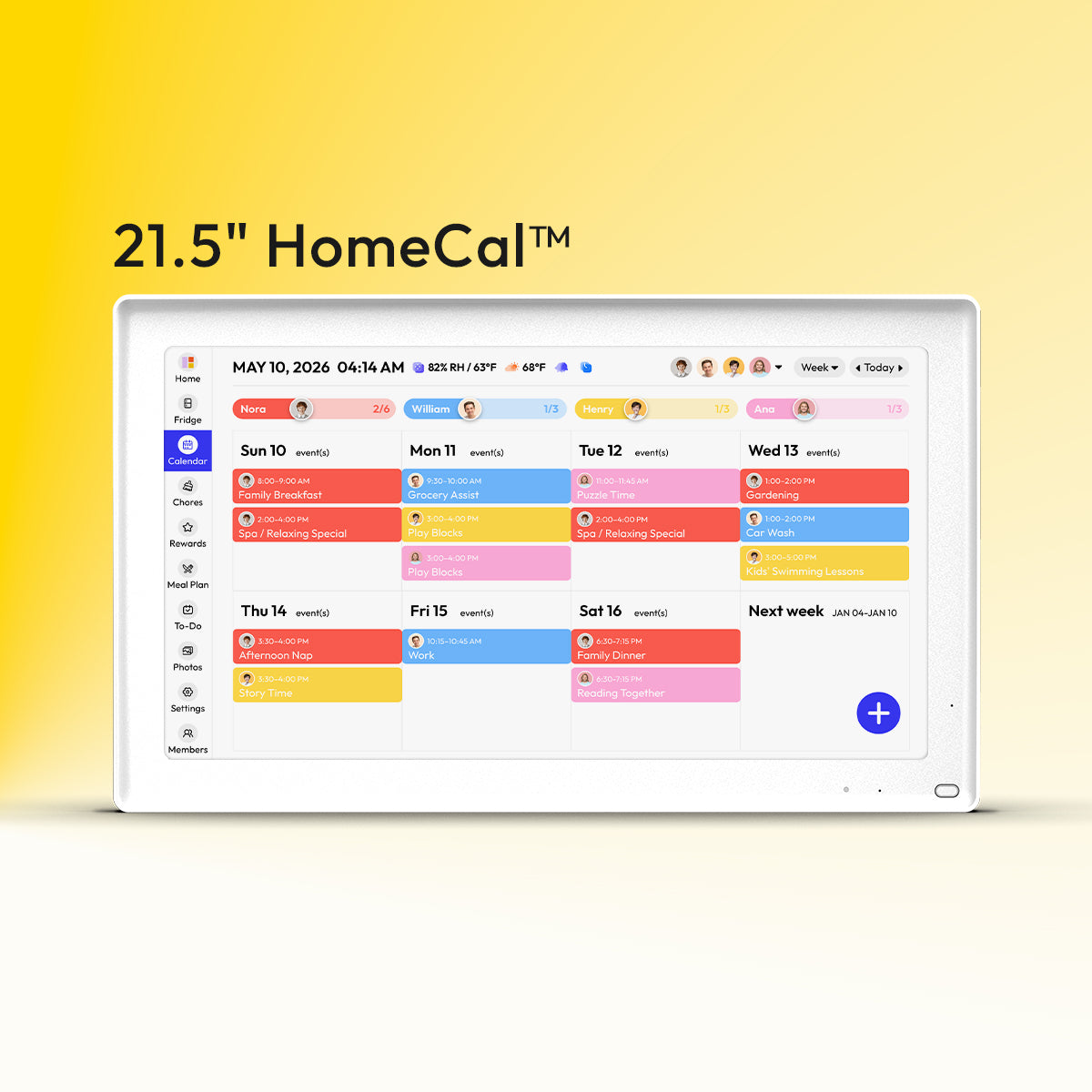
Some families have at least one person who relaxes when everything is in one place. For that style, a master calendar containing all family and personal schedules, with color-coding for each person and even dinner plans works better than scattered texts and paper scraps. This is the household that benefits from recurring events by season, school-year phases, and a weekly planning reset on Saturday or Sunday.
Digital tools work well here because they cut down on double booking. A family calendar app lets families track everyone’s activities in one shared place, supports color-coding, and adds grocery lists, to-do lists, and recipes. For a parent managing school events, dentist visits, sports, and a vacation countdown, that kind of central view is often enough to lower daily mental load.
The watch-out is overbuilding. A structured planner can create a system so detailed that no one else uses it. If that sounds familiar, keep the master calendar tight: appointments, school events, rides, bills due, chores with deadlines, and dinner plans. Leave optional ideas off the main board.
Best fit: recurring routines instead of constant re-deciding
Structure works best when it reduces decisions, not when it creates more. A weekly meal plan after the calendar is set makes grocery shopping more targeted and prep more manageable. A Sunday paper sort for mail, forms, and bills also keeps household admin from leaking into every evening.
In practice, that may look like this: on Sunday at 4:00 PM, one adult reviews the week, drops recurring school pickups into the calendar, assigns two chores per child, and picks five dinners based on activity nights. The setup is simple, but the benefit is real: fewer last-minute drive-through meals and fewer “Who is taking the permission slip?” conversations.
The Visual, Home-Centered Style Needs a Command Center
Best fit: a visible wall or drop zone the family already passes
Some households do not need more notifications. They need a shared place to look. A family command center is a single place to keep calendars, meal plans, to-do lists, bills, and similar tools organized, and placement matters more than decor. A pretty system in a back office loses to a plain one near the kitchen, hallway, or entry.

That same pattern shows up in small-space planning. A designated home space for shared organization works best when it includes a visible calendar, a drop zone, a place for important papers, and storage that is easy to maintain. This is especially useful for families who “check in” and “check out” near the same door every day.
A strong visual setup might include a monthly calendar, a week-at-a-glance board, hooks for backpacks, one bin for incoming papers, and a dinner list. In one ADHD-friendly example, a central system helped a child get out the door for the bus at 6:25 AM because the reminders were visual, not just verbal. That is the difference between a planning tool and a lived routine.
Best fit: low-friction paper and object cues
Visual planners often follow through better when the reminder lives where the action happens. Backpack hooks by the calendar help more than a reminder buried in a cell phone. A grocery list near the kitchen helps more than asking everyone to remember missing items until bedtime.
If you are setting up a command center from scratch, mock up the wall with printer paper first. That small step saves holes in the wrong place and helps you test whether the mail slot, calendar, and key hooks are actually reachable during a rushed weekday morning.
The Flexible Planner Style Needs Rhythms, Not Tight Time Blocks
Best fit: routines with room to move
Some families shut down when the schedule feels too exact. For them, flexible routines work better than rigid half-hour planning because normal interruptions do not wreck the whole day. This style often fits homes with young kids, changing shifts, shared custody transitions, or one adult working from home.
A flexible setup still has structure. It just holds goals differently. Instead of “laundry at 3:30 PM,” the family may use “finish these three home tasks before dinner.” Instead of dated schoolwork, they may use “do the next lesson.” That approach keeps momentum without making the household feel behind by 9:15 AM.
The same idea works well for meals. Rather than assigning tacos to exactly Tuesday, keep a five-dinner list for the week and choose based on energy, commute time, and what needs to be used first. Dinner still gets planned. It just gets planned in a way that survives real life.

Best fit: flexible spaces that support changing needs
A planning style also needs physical support. Flexible living spaces matter because family needs shift with new babies, remote work, aging relatives, and plain old busy seasons. An entryway niche, a mobile kitchen island, or adjustable shelving can make a planning system easier to use because the room supports the routine.
For example, if your family command center shares a wall with homework, charging, and mail sorting, use movable bins and labeled shelves instead of fixed furniture that only works for one phase of life. The planning method is more likely to last when the space can change with it.
The All-in-One Digital Style Works Best for Busy, Multi-Channel Families
Best fit: one app for schedules, chores, meals, and lists
Some families do not want a stack of separate tools. They want one dashboard. An all-in-one family planning app is built for daily coordination and communication, with shared schedules, dinner planning, grocery lists, to-dos, messaging, and optional budget tracking. That kind of all-in-one setup usually fits households with older kids, two working adults, or frequent schedule handoffs.
Other tools solve a similar problem in slightly different ways. Another family planning app combines shared calendar, chore tracking, allowance, rewards, meal planning, shopping lists, and budget tools, which may appeal to families who want child chores and rewards tied together. The strength here is reduced app-switching. A chore can turn into an allowance update, and a meal plan can turn into a shopping list.
This style works when the family actually checks the app. If only one adult opens it, the tool becomes private admin work instead of shared planning. Before paying for any premium tier, test whether the household will use shared lists, chore checkoffs, and reminders for two full weeks.
Best fit: a wall display when visibility is the missing piece
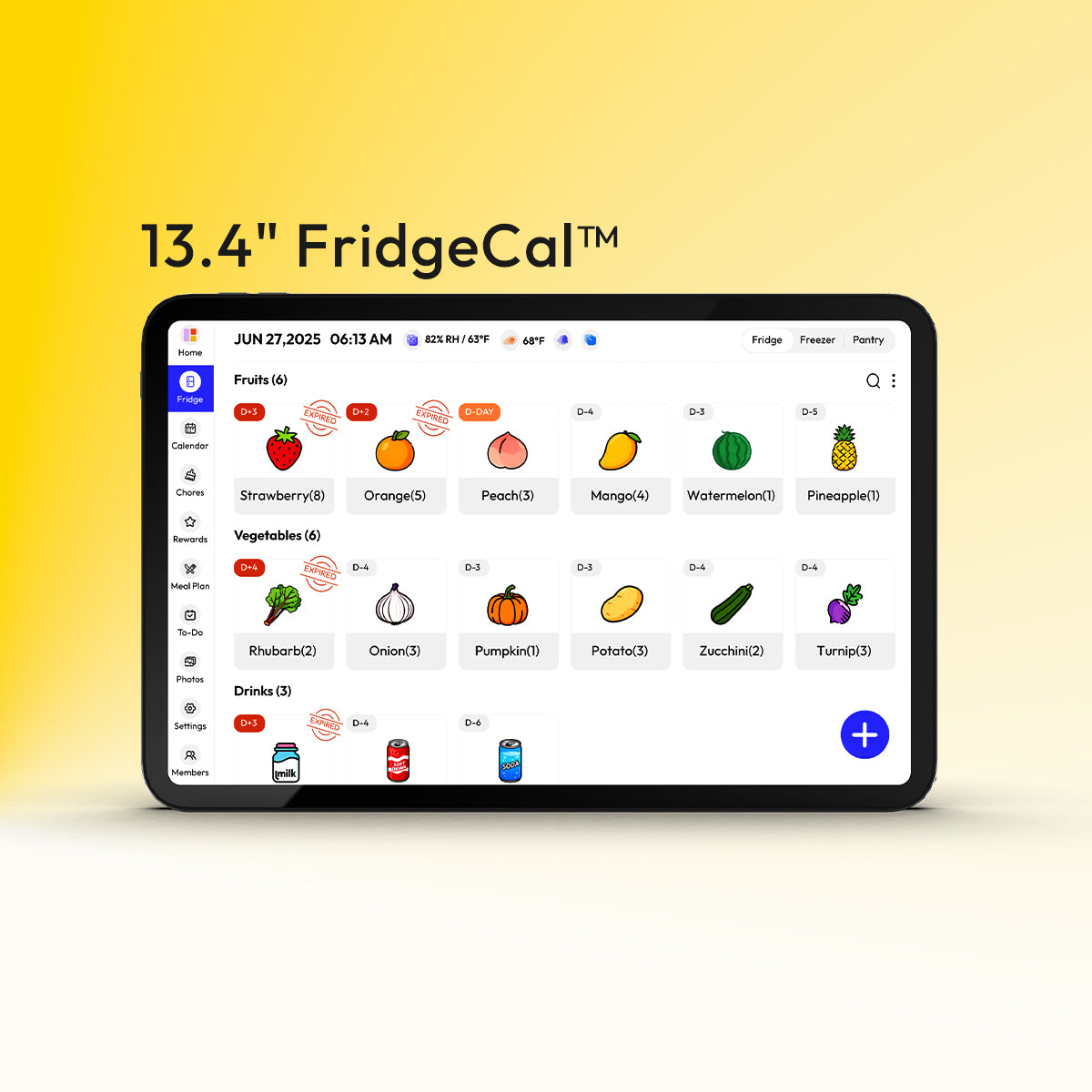
For some homes, the problem is not features. It is visibility. Digital family calendar tools compared for 2026 include app-first options like a family calendar app and wall-display options like a digital display platform, with pricing that ranges from free or low-cost apps to hardware that starts in the hundreds of dollars. Families who want plans, tasks, chores, and events visible in one place may also consider the Everblog 21.5" Digital Calendar, a wall-mounted option with a large touch display designed for shared household planning.
That said, this is a meaningful purchase. Some digital wall calendars cost roughly $200 to $899, while paper and dry-erase options are far cheaper. If your household already responds well to a visible kitchen board, try a dry-erase version first. If everyone needs sync, remote updates, and chore visibility in one display, then the hardware may earn its place.
Mixed-Style Households Need a Layered System
Best fit: one shared backbone, two or three personal access points
Most families are mixed. One adult wants the whole month mapped out. Another remembers better from a wall board. One child needs a picture-based routine. A teen only checks their phone. In that case, the answer is not compromise by chaos. It is layering.

A strong layered system starts with main buyer criteria like calendar quality, collaboration, task tools, meal and grocery support, sync reliability, UI simplicity, privacy, integrations, and pricing. From there, build one backbone and a few access points: a shared digital calendar, a visible command center, and a weekly meal plan that lives in both places.
That structure keeps one source of truth while respecting how people actually follow through. The app handles reminders and updates. The wall handles glanceability. The routine chart handles repeated friction points like mornings, after-school cleanup, and bedtime reset.
Best fit: clear ownership for chores and papers
Mixed styles fall apart fastest when tasks are implied instead of assigned. A shared digital calendar plus a declutter-first approach to paperwork and household systems works because it reduces clutter before adding labels, bins, and folders. The same rule applies to chores: define what “done” means, where supplies live, and who checks completion.
For example, “clean the kitchen” is vague. “Unload dishwasher, wipe counters, start tomorrow’s water bottles, and mark it complete by 8:00 PM” is usable. A visible task board or app checkoff helps because it turns a spoken request into a trackable handoff.
Practical Next Steps
Pick the planning style that matches your household’s friction, then build the smallest system that solves that specific problem. If you miss appointments, start with a shared calendar. If papers and backpacks pile up, start with a visible command center. If dinner and chores cause the nightly crash, add a weekly meal plan and clear task ownership next.
Quick style guide
Personality-inspired household tendency |
Best planning setup |
Works well for |
Main risk |
Structure-first |
Shared master calendar with recurring events and color-coding |
School-heavy weeks, dual-working-parent homes |
Overcomplicating the system |
Visual-first |
Wall command center in a high-traffic area |
Young kids, ADHD-friendly routines, paper-heavy homes |
Looks organized but stops being updated |
Flexibility-first |
Weekly goals, routine blocks, and a rotating meal list |
Unpredictable schedules, little kids, home-based work |
Too little clarity on who owns what |
All-in-one digital |
One app for calendar, chores, meals, and lists |
Older kids, frequent handoffs, tech-comfortable families |
Low adoption if only one person uses it |
Action checklist
- Choose one planning problem to fix first: missed events, dinner stress, paper clutter, or chore confusion.
- Pick one shared backbone: a digital calendar, an all-in-one family app, or a visible wall center.
- Add color-coding by person, not by category, so each family member can scan faster.
- Put the visible system where people already pass: kitchen, hallway, mudroom, or near the main entry.
- Turn chores into specific checkoffs with a clear owner and deadline.
- Plan five to seven dinners after the weekly schedule is set, not before.
- Review and reset the whole system once a week so it stays useful instead of decorative.
A family planning system does not need to match a personality test perfectly. It needs to make real home life easier to see, easier to share, and easier to finish.


