


An under-cabinet setup is usually the better choice when you want a smart family calendar in the kitchen without giving up prep space, while a countertop stand is better when you rent, rearrange often, or want a no-drill solution.
If your kitchen already feels crowded with lunch notes, grocery reminders, and a weekly dinner plan, adding one more thing to the wall is not always the smartest move. Families usually stick with a command center when it is easy to see during normal routines, and fast-entry digital systems can turn a long school schedule into something manageable instead of another Sunday-night chore. You will get a practical way to choose the right setup, place it safely, and keep it useful for schedules, meal planning, and everyday home organization.
Why a No-Wall Setup Often Works Better
A kitchen command center succeeds when it is visible during breakfast, after-school drop-off, and dinner prep, not just when it looks tidy in a photo. In real homes, the best spot is often the one that keeps the calendar in the family’s line of sight while leaving room for meal planning notes, a grocery list, and a quick glance at tomorrow’s schedule.

Wall mounting becomes the wrong constraint when the available wall is narrow, tiled, blocked by doors, or already doing too much work with cabinets, art, and lighting. That is especially true in small kitchens, where every inch has to serve workflow first. If your prep path already runs fridge -> prep -> cook -> clean, forcing a screen onto the wall can create a visual hub in the wrong place.
For many households, the better question is not “Can I mount it?” but “Can I check it while unpacking groceries, writing the dinner plan, or confirming a school pickup?” That shift usually leads to two workable alternatives: tuck the display under a cabinet so counters stay open, or place it on a stable stand where the family naturally pauses.
Under-Cabinet Setups: Best When Counter Space Is Tight
Where under-cabinet placement shines
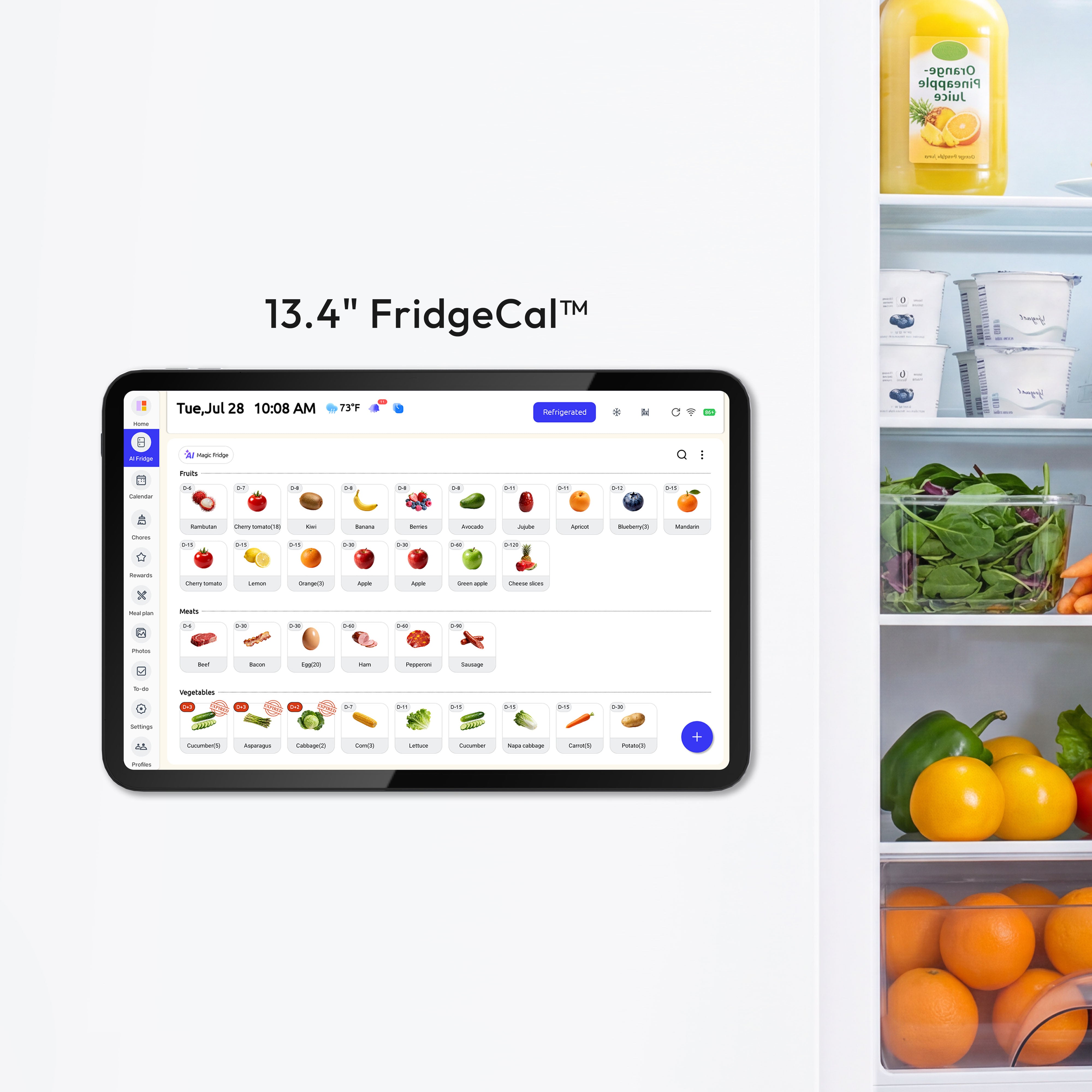
An under-cabinet setup works best when the kitchen is short on landing space and the calendar needs to stay near food and family traffic. A compact display format like the a company makes more sense as a small kitchen hub for meal planning, shopping lists, and fridge-management tasks, which is exactly why its smaller footprint can work in a tight kitchen without taking over the room.
This option is especially strong for families who use the kitchen as a command center but still need every open inch for lunch packing, snack prep, and setting out ingredients. I would choose under-cabinet placement first when the counter below is already a “pause zone” for mail, recipe cards, or a charging phone, but not a heavy raw-food prep station.
How to install it so it feels intentional
Start by measuring cabinet depth, underside clearance, and the standing eye line of the adults who will use it most. Before you install, gather the required tools: a tape measure, a level, painter's tape or a cardboard template, a screwdriver, cable clips or a raceway, adhesive strips, and a notepad for the key dimensions. Use a mounting template dry run in four steps: measure cabinet depth and underside clearance, tape the template at the proposed height, test visibility from the main user positions, then confirm outlet reach and the cable path before you mount anything. Record the cabinet depth, underside clearance, outlet distance, and the gap around doors and handles so you can recheck them later, and make sure the cabinet lip does not block the lower part of the screen. Then tape out the screen size before you commit. A mock-up tells you quickly whether the display will feel easy to read or whether it will sit too far back under the cabinet lip and disappear into shadow.

Leave enough clearance so cabinet doors, nearby appliance handles, and under-cabinet lights can all work without fighting each other. If the kitchen is used by children for chore checklists or lunch routines, angle matters even more than height. A screen that is technically mounted but awkward to read will not stay part of the family routine for long.
Keep this guide to plug-in setups only. Any new receptacle, outlet relocation, concealed wiring, or hardwired connection in a kitchen cabinet area should follow the local electrical code and the device's installation instructions. If you are not fully sure about the outlet, circuit protection, or cabinet-area wiring, stop there and use a licensed electrician, especially because kitchen receptacles can require GFCI protection.
Common mistakes and easy fixes
The most common under-cabinet mistake is choosing a spot too close to steam, grease, or a coffee station that spits condensation. Move the unit one zone over if you can. If you cannot, use a wipeable protective cover or shelf lip and plan for more frequent cleaning.
The second mistake is cable drift. A hanging cord makes even a good setup look temporary and eventually attracts crumbs and splashes. Route power tight to the cabinet edge, clip it cleanly, and keep the plug path away from where grocery bags or mixing bowls are usually set down.
Countertop Stands: Best for Renters and Flexible Routines
When a stand is the smarter choice
A countertop stand is the easiest way to add a shared digital calendar without drilling, patching, or negotiating with tile, studs, or a landlord. It is the right choice when your family changes routines often, when you want to test placement before committing, or when your kitchen doubles as homework station, bill desk, and meal-planning bench.
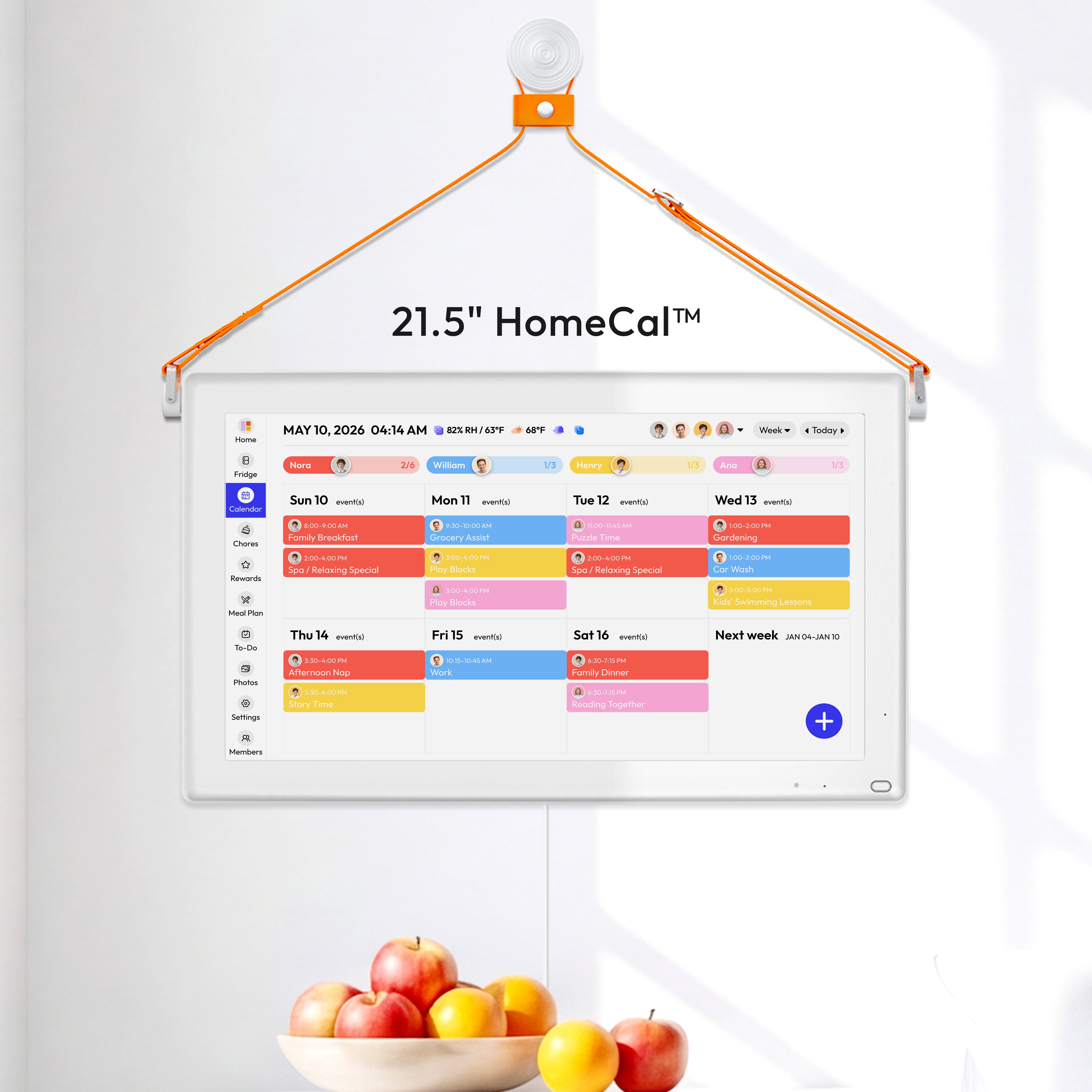
A larger display can work well on a stand if the kitchen has a real command-center corner. The a company is a useful size reference here: it is large enough to read easily during busy routines, but it still needs a dedicated surface so it does not crowd actual food prep.
How to keep a stand from becoming clutter
The stand should sit in a low-splash, low-traffic zone near the fridge or pantry, not beside raw-meat prep, a toaster oven, or the main sink edge. Think of it like a household dashboard, not another countertop appliance. If you have to move a cutting board every time someone checks tomorrow’s soccer time, the location is wrong.

Use a weighted base and treat the footprint like a tray boundary. If pens, coupons, snack wrappers, and unopened mail start collecting around it, the stand has quietly turned into a clutter magnet. A small catchall beside the display is fine; a spreading pile means the calendar is no longer doing its organizing job.
Troubleshooting the usual problems
If the screen feels too dominant, the fix is usually relocation rather than downsizing. Move it to the end of a run of cabinets, a breakfast corner, or a short return counter where it can be seen without sitting in the main work zone.
If glare becomes a problem, rotate the stand before you blame the screen. Reflections usually come from one window or one pendant light. A quarter turn often solves it faster than buying accessories.
The Kitchen Still Has to Stay Food-Safe
Keep the command center out of contamination zones
48 million foodborne illnesses in the United States each year are a good reminder that a kitchen calendar should never sit where raw poultry splashes, dirty produce lands, or shopping bags leak onto the same surface. The command center belongs near the action, but not inside the mess.
That matters even more if your calendar is also where you keep meal plans, grocery reminders, and fridge-cleanout notes. A family hub should help the kitchen run better, not encourage touching the screen with raw-food hands and then scrolling through dinner plans.
Build food-safety prompts into the setup
The four food safety steps are clean, separate, cook, and chill, and they fit naturally into a kitchen command center. Add a recurring reminder for handwashing before and during food prep, use separate cutting boards for raw proteins and produce, and keep safe internal temperatures on the weekly meal-planning screen: 145°F for fish and whole cuts, 160°F for ground meats, and 165°F for poultry and leftovers.

A smart calendar works especially well for repetitive household reminders. You can schedule a Sunday fridge check, a freezer inventory review before shopping, and a defrost prompt before holidays or bulk-cook weekends. Those small habits do more for a calm kitchen than one more decorative board ever will.
Use the hub for storage and emergency reminders too
A refrigerator at 40°F or below and a freezer at 0°F or below should be part of the command center, especially if the screen is already managing meals and grocery flow. Add the two-hour rule for perishables, or one hour if the room is above 90°F, so everyone in the house sees the same standard.
An unopened refrigerator stays safe for about 4 hours, and a full freezer for about 48 hours, so power-outage notes are worth saving in the same place as schedules and shopping lists. This is one of those practical details families rarely memorize but are glad to have when the power cuts out during storm season.
How to Choose Between Under-Cabinet and Countertop
A quick comparison
Factor |
Under-cabinet |
Countertop stand |
Counter space |
Preserves it well |
Uses some of it |
Install effort |
Moderate |
Low |
Renter-friendly |
Usually moderate |
High |
Visibility while cooking |
Good if angled correctly |
Good if placed in a pause zone |
Cleaning effort |
Higher near steam or grease |
Higher if near crumbs or sink splash |
Best for |
Tight kitchens, clear counters |
Flexible layouts, testing locations |
Main risk |
Poor viewing angle |
Becoming countertop clutter |
Quick Reference
- Best first placements: an under-cabinet spot above a pause zone, or a countertop stand near the fridge or pantry.
- Absolute no-go zones: raw-protein prep surfaces, the main sink splash line, and steam-heavy appliance corners.
- If cable sags, add clips or a raceway. If glare persists, rotate or relocate before buying accessories. If the stand becomes a drop zone, move it and define a tray boundary.
- Recheck dimensions, outlet reach, cable path, and wipe-down access before you call the location finished.
The practical decision questions
Choose under-cabinet if your first problem is lack of workspace. That route is usually better in narrow kitchens, especially when the counters already carry meal prep, lunch assembly, and coffee-making. It gives the calendar a job without asking the counter to sacrifice another square foot.
Choose a countertop stand if your first problem is commitment. Renters, frequent rearrangers, and families still learning where their command center naturally fits usually do better with a stand first. You can live with it for two weeks, watch when people actually use it, and then decide whether a more permanent solution is worth the effort.
If both options feel tight, use a smaller-format display for the kitchen and keep the larger family dashboard elsewhere. That split setup often works well: the kitchen screen handles today’s meals, grocery notes, and must-know timing, while a bigger household schedule lives in a hallway or office.
Care, Cleaning, and Leveling Up the Setup
A clean food-prep environment starts with washing hands, utensils, cutting boards, dishes, and counters often, and your calendar setup should be maintained with that same rhythm. Wipe the stand, shelf edge, or cabinet underside during the regular counter-cleaning pass so dust, grease film, and fingerprints do not build up.
Do not wash electronics like produce, and do not let disinfecting become guesswork. Follow the device manufacturer’s screen-care guidance, keep cleaning cloths separate from food cloths, and avoid spraying liquids directly onto the display. A light wipe after dinner prep is usually enough if placement is good.
The easiest way to level up the setup is to make it do one extra job well. Add a meal-planning block, a grocery shortlist, or a weekly freezer-use reminder. When the command center helps decide dinner, tracks schedules, and keeps the kitchen safer, the placement choice starts paying off every day.
FAQ
Q: Is under-cabinet better than a countertop stand for a small kitchen?
A: Usually, yes, if your main problem is lack of prep space. Under-cabinet placement keeps counters clearer, but only if the screen stays readable and away from steam and splatter.
Q: Is a countertop stand too messy for a family kitchen?
A: It can be, but that is usually a placement problem, not a stand problem. Give it a defined zone, use a stable base, and do not let it share space with daily food prep.
Q: Can a kitchen command center help with food safety as well as schedules?
A: Yes. It is a strong place to keep reminders for handwashing, safe cooking temperatures, refrigerator checks, perishables timing, and power-outage food rules alongside meal plans and family events.
Practical Next Steps
Use this checklist before you buy or move anything:
- Pick the exact kitchen task the display must support first: shared calendar, meal plan, grocery list, or all three.
- Stand in your normal breakfast and dinner-prep spots and note where the screen would be easiest to read.
- Test the footprint with painter’s tape for one day before choosing under-cabinet or stand placement.
- Keep the setup out of raw-protein prep zones, sink splash, and steam-heavy appliance areas.
- Add three permanent reminders right away: fridge temp, freezer temp, and the two-hour rule for perishables.
- Review the setup after one week and fix the first annoyance you notice, whether that is glare, cord mess, or clutter creep.
Safety & Warranty Disclaimer
This installation and decor guide is for general reference and creative inspiration. Physical home modifications carry inherent risks, including structural damage or electrical hazards. Always prioritize your product’s official installation manual and ensure compliance with local building codes. If you are uncertain about performing a task, please seek assistance from a certified professional. [Brand Name] is not responsible for any damage or injury resulting from DIY applications of these suggestions.
References


