








Trying to juggle school pickups, soccer practice, and doctor's appointments can feel like you're managing air traffic control from your kitchen table. The secret to calming the chaos? Syncing with Google Calendar. This simple step transforms your Everblog display into a single, reliable hub for your family's entire life.
Why Syncing With Google Calendar Unlocks Family Harmony
Imagine this: no more double-bookings, no missed appointments, and no more last-minute "Are we free on Saturday?" texts. This isn't about adding another gadget to the mix; it's about creating a central command center that everyone in the family can see and rely on.
When you connect your Everblog digital wall calendar with the Google Calendar you already use, you're bridging the gap between your on-the-go planning and your at-home nerve center.
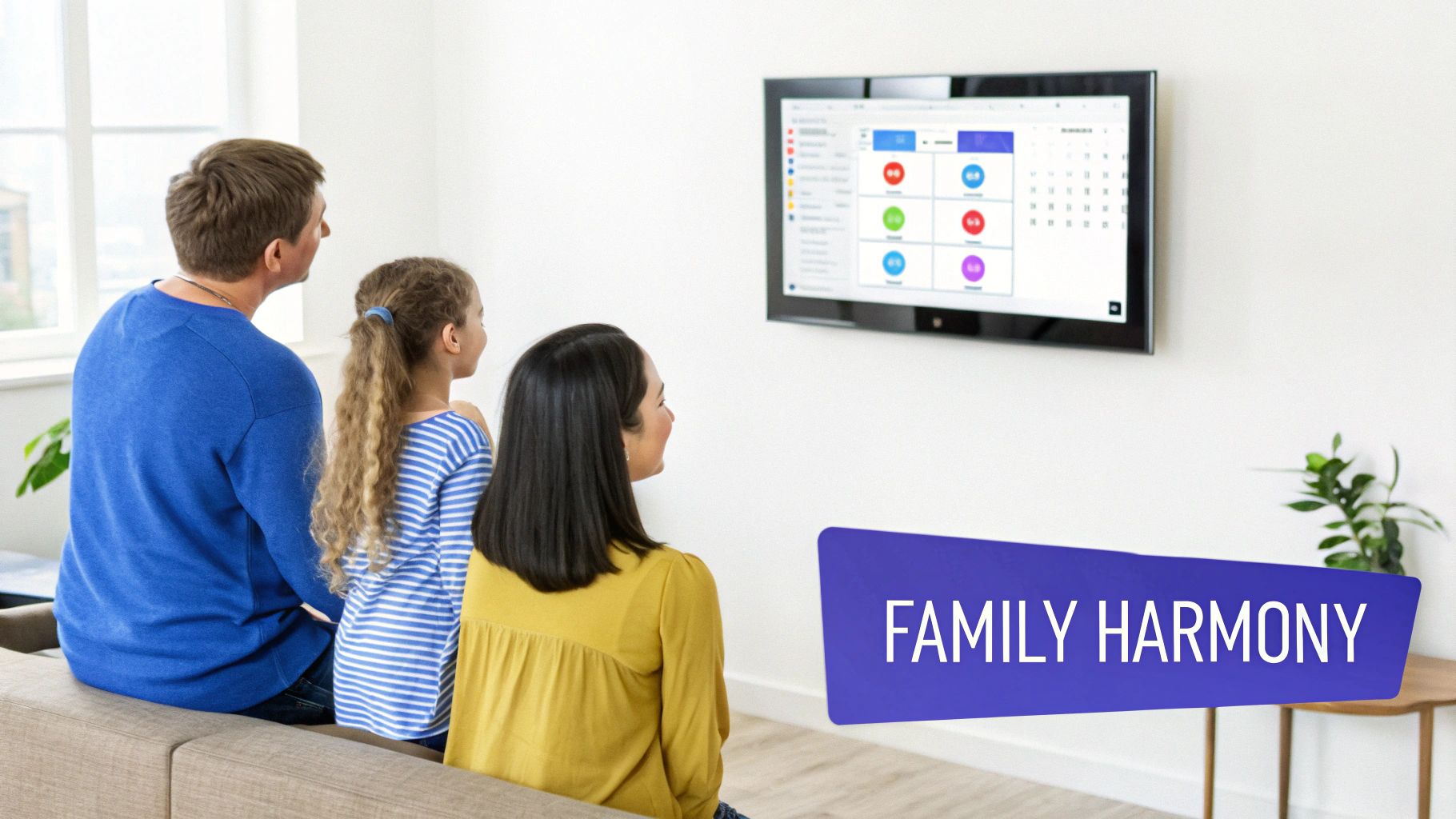
The real magic here is centralization. Instead of scattered sticky notes and conflicting phone calendars, everyone gets one unified view of the family's schedule.
Create a Central Source of Truth
The biggest win is establishing a single, undisputed schedule. What you add to your phone during a parent-teacher conference instantly appears on the Everblog display back home for everyone to see. That immediate visibility cuts through the confusion and keeps the entire family aligned on the day's plans.
It helps that Google Calendar is a tool most families are already comfortable with. With over 500 million monthly active users, it’s the clear leader in digital scheduling. Tapping into this familiar platform ensures your Everblog fits right into your existing digital life.
By creating a visual hub in your home, you turn abstract digital entries into a tangible part of your daily routine. This constant, gentle reminder of what's coming up reduces mental load and fosters a sense of shared responsibility.
The Benefits of Syncing Everblog with Google Calendar
Here is a quick overview of what you gain when you connect your Everblog display with your family's Google Calendar.
| Feature | Benefit for Your Family | Real-World Impact |
|---|---|---|
| Instant Updates | New events appear on Everblog the moment they're added on any device. | No more "I forgot to tell you..." moments. Everyone sees the new dental appointment as soon as it's booked. |
| Centralized View | All family members' schedules are visible in one place. | You can see your partner's work dinner and your kid's soccer practice on the same screen, preventing clashes. |
| Color-Coding | Assign colors to different family members or types of events. | Easily see at-a-glance who needs to be where. Blue for Billy, green for school, red for appointments. |
| Familiar Interface | Works with the Google Calendar app you already know and use. | No steep learning curve. The whole family can contribute without needing special training. |
This isn't just about scheduling; it's about building smarter, more connected family habits.
More Than Just Basic Scheduling
Beyond just viewing appointments, this integration builds better family habits. It provides a clear, at-a-glance view of your day, week, and month on a beautiful display that truly becomes the heart of your home. To really unlock the full potential of Google Calendar sync, you need a central display everyone can see.
This unified approach brings some key advantages to the table:
- Less Miscommunication: Everyone sees the same schedule, putting an end to arguments over who’s handling school pickup.
- More Accountability: With a highly visible schedule, family members are more aware of their own commitments and responsibilities.
- Simpler Planning: Coordinating the next family vacation or a weekend outing is a breeze when you can see everyone's availability in one spot.
Ultimately, connecting these two powerful tools is a major step toward creating a more organized and connected household. It's one of the core reasons we champion the digital family calendar as a modern family essential.
Connecting Your Everblog and Google Account
Let's get your digital life in sync. Linking your Google account with your Everblog is the first step to turning your display into your family’s command center, and we've made sure it's dead simple. You’ll handle the entire process right from the Everblog companion app on your phone.
First things first, open up the app and head over to the "Integrations" or "Connected Accounts" section. You can't miss the big button to sync with Google Calendar. Give that a tap, and you're on your way.
Navigating the App and Permissions
The app will prompt you to sign into your Google account. This is the part where you grant permission, and it's totally normal to wonder what you're actually sharing. Let's be clear: you are not handing over the keys to your entire digital kingdom.
Everblog uses a super secure protocol called OAuth 2.0. All this means is we never see or store your Google password. Instead, Google gives us a special token that allows Everblog to talk only to your calendar. It can't touch your emails, peek at your Google Drive files, or see your contacts. This keeps your private information exactly that—private.
You'll then see a screen showing all the calendars associated with your Google account.
This is your chance to be selective. Maybe you want the "Family Events" and "Kids' Activities" calendars on the display, but you'd rather keep your personal work schedule off of it. No problem. Just check the boxes for the calendars you want to share.
Finalizing the Connection
Once you've picked your calendars and approved the permissions, you'll be brought back to the Everblog app to finalize everything. The very first sync might take a minute or two as Everblog pulls in all your existing events.
After that, you're golden. Events from your Google Calendars will pop up on your Everblog display. Add a new dentist appointment on your phone while you're out, and it will appear on the wall calendar back home almost instantly.
Remember, this is a one-time setup. Once connected, Everblog will handle the syncing automatically in the background, keeping your family’s schedule up-to-date without any extra effort from you.
Need to make changes later, like adding a new school calendar? It's just as easy. All the controls are waiting for you in the Everblog companion app. You always have complete authority over what’s shared, giving you the perfect blend of family visibility and personal privacy.
Choosing The Right Sync Method For Your Family
When you sync Everblog with Google Calendar, you have a couple of options, and trust me, the right choice can make a world of difference for your family's daily rhythm. This isn't a one-size-fits-all situation. Let's dig into the two main ways you can set this up: one-way and two-way synchronization.
Think of a one-way sync as a 'read-only' broadcast. Your Google Calendar acts as the command center, pushing all its events straight to your Everblog display. It’s a fantastic, straightforward option if your family already lives and breathes by the Google Calendar app. Someone adds a dentist appointment on their phone, and poof—it shows up on the wall for everyone to see. Simple, clean, and effective.
Then you have the two-way sync, which creates a truly connected and interactive system. With this, you can add an event to Everblog with a voice command while making breakfast, and it instantly populates on your Google Calendar app. This two-way street means any family member can add or change events from any device, keeping every calendar perfectly aligned.
One-Way Sync For Simplicity
A one-way sync is absolutely perfect for those calendars that are more informational than collaborative—the ones that don't change much or are managed by just one person.
Here are a few classic examples from my own setup:
- School Calendars: The official school district schedule with holidays and teacher workdays. You just need to see it, not edit it.
- Team Schedules: My son’s baseball game schedule. The coach publishes it, and it rarely changes on the fly.
- Meal Plans: If one person maps out the weekly meals, broadcasting it to the wall calendar is a great way to keep everyone in the loop (and stop the "what's for dinner?" questions).
This approach keeps your main family hub tidy and prevents anyone from accidentally deleting an important, fixed event.
Two-Way Sync For Active Collaboration
This is where the magic really happens for busy, collaborative families. A two-way sync shines when multiple people need to add, edit, and manage a shared schedule. It transforms the calendar from a static display into a dynamic planning tool.
The real power of a two-way sync is its flexibility. It meets your family where they are—whether that's adding a last-minute playdate from a phone or asking Everblog to schedule a vet appointment while your hands are full.
A shared "Family Appointments" calendar is the perfect candidate for a two-way sync. Anyone can add a doctor's visit from their phone or right on the Everblog display, and everyone else is immediately in the loop. This dynamic approach is a lifesaver for preventing double-bookings and making sure nothing falls through the cracks. As you get more advanced, you can even explore other productivity apps that seamlessly sync with Google Calendar to make your setup even more powerful.
Still not sure which way to go? This little decision tree can help you visualize the best path for your family.
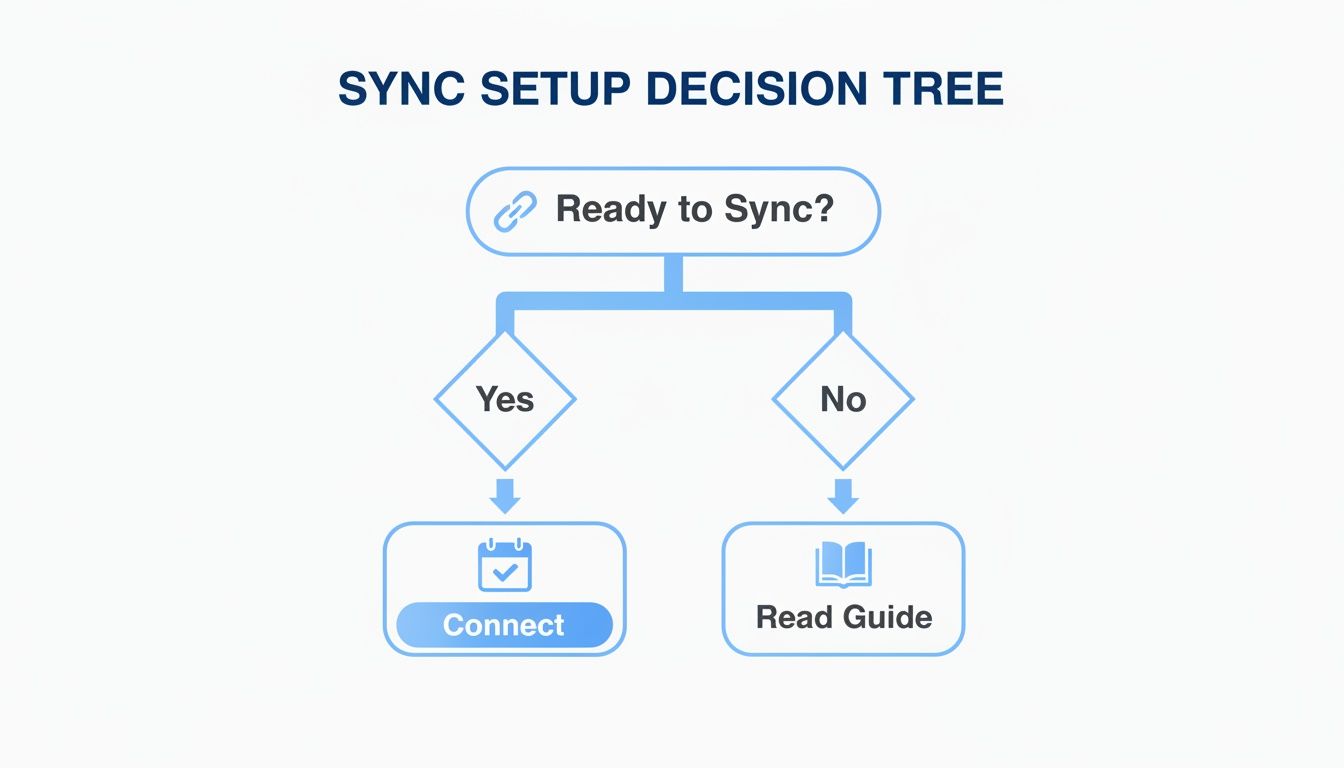
One-Way vs Two-Way Sync Which Is Best For You
Let's break it down side-by-side to help you figure out which method fits your family’s scheduling style best.
| Sync Type | Best For | Example Scenario |
|---|---|---|
| One-Way | Static, "read-only" schedules managed by one person. | Your child's official school calendar or a sports team schedule you subscribe to. |
| Two-Way | Dynamic, collaborative schedules that multiple family members contribute to. | The main "Family Calendar" where anyone can add appointments, playdates, or reminders. |
Honestly, the best strategy often involves a mix of both. You can use different sync types for different calendars to build a completely customized command center that works exactly how your family works.
Integrating Multiple Shared Calendars for Full Visibility
This is where the real magic happens. When you sync with Google Calendar, you’re not just stuck with one person's schedule. Everblog is designed to pull in multiple calendars, giving you a truly unified command center for your family’s entire world.
Think about it: you can select a calendar for each kid, one for shared "Family Events," and even your work schedule. Assign each one a unique color, and suddenly you can see at a glance who needs to be where and when. Your spouse's work trip, soccer practice, and the weekly meal plan all live together on one screen, finally in harmony.
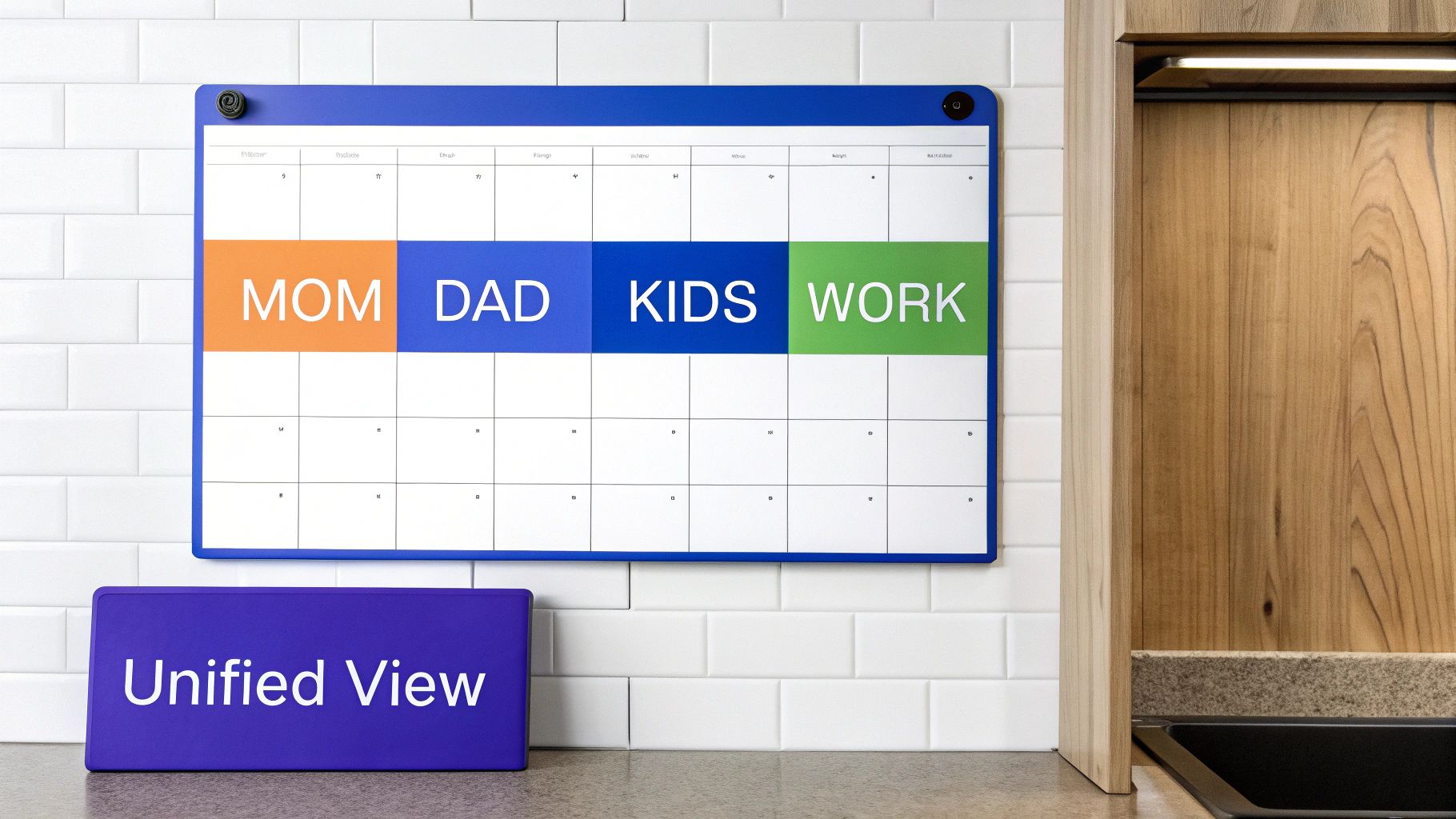
This level of detailed, real-time coordination is exactly why the digital calendar market is exploding. It’s projected to jump from USD 5.71 billion to USD 16.37 billion by 2032, driven by families just like yours demanding better tools to manage the chaos. You can see more on this trend over at Verified Market Research.
A Practical Example for Blended Families
This feature is an absolute game-changer for co-parenting and blended families. Let's imagine two parents who share custody and are constantly trying to coordinate their kids' activities across two different homes.
Instead of a never-ending chain of texts and phone calls, they can simply create a shared Google Calendar called "Kids' Activities." Both parents get full permission to add and edit events.
Here’s how it plays out:
- Parent A adds the "Kids' Activities" calendar to their Everblog.
- Parent B does the exact same thing in their home.
- Now, when Parent A adds "Soccer practice at 6 PM," it pops up instantly on both Everblog displays.
- When Parent B schedules a dentist appointment, it syncs to both calendars immediately.
This simple setup wipes out miscommunication and ensures both households are working from the same playbook. It creates a seamless, stress-free system that keeps the kids’ lives organized, no matter whose house they're at that week.
Mastering Your Calendar View
To really get the most out of your setup, you have to get strategic with color-coding. By giving each calendar its own distinct color, you create a visual language that everyone in the family can understand in a split second.
Pro Tip: Use bright, high-contrast colors for the calendars you can't afford to miss, like "Family Appointments" or "School Events." Softer, more muted tones are perfect for less urgent schedules, like meal plans or individual hobbies. This naturally draws the eye to what matters most.
This is how you turn your display into a true digital calendar wall that actually reflects your family's unique rhythm. Don't be afraid to experiment with different combinations in the Everblog companion app to find what clicks for you. The goal is to make your entire schedule understandable with just a quick glance.
What to Do When Your Sync Hits a Snag
Even the most seamless tech can have its off days. When you connect Everblog to Google Calendar, you're linking two incredibly powerful platforms. Sometimes, they just need a little nudge to get back on the same page. If you notice an event isn't showing up or things seem a bit slow, don't sweat it—the fix is usually pretty straightforward.
The first place I always look? The connection itself. A spotty Wi-Fi signal is the number one culprit behind a paused sync. Before you dive into any settings, just check if your home internet is running smoothly. A quick speed test on your phone will usually tell you everything you need to know.
Check Your Permissions and Give it a Refresh
If your internet is humming along just fine, the next stop is the Everblog companion app. Hop back into the "Connected Accounts" or "Integrations" section and double-check that your Google Calendars are still ticked and authorized. It's not uncommon for a Google security update to silently reset these permissions in the background.
Once you’ve confirmed the settings are correct, look for the manual refresh button. Give it a tap. This action forces Everblog to ping Google’s servers and pull down all the latest data right away. More often than not, this simple step resolves any minor delays or hiccups in a matter of seconds.
Most sync problems aren't a sign that something is broken. Think of it as a temporary communication breakdown. Hitting manual refresh is like asking Everblog to redial Google—it re-establishes that connection and gets the information flowing again.
Understanding Google’s Own Rhythm
It's also worth remembering that Google itself can have a slight delay. When you add an event on your phone, Google has to process it, log it, and then broadcast that update to all connected services like Everblog. While this is usually instantaneous, it can occasionally take a minute or two to catch up.
After all, you’re plugging into a massive ecosystem that serves over 500 million people every month. And while Google is the undisputed leader in shared calendars, market research shows about 24% of users experience occasional syncing headaches. This is exactly the kind of frustration a dedicated wall hub like Everblog is built to solve by giving you a clear, always-on view of your schedule. You can read more about shared calendar app market trends here.
Still stuck? Run through this quick checklist:
- Wrong Calendar? Take a peek at the event you added. Did it go into the correct shared family calendar, or did it accidentally land in your private, unsynced one? This happens to me more than I'd like to admit.
- Restart the App: A classic for a reason. Close and reopen the Everblog companion app on your phone. This ensures it's not stuck on an old cache and can fetch fresh data.
- Check Google's Status: On rare occasions, the issue might not be on your end at all. A quick search for the "Google Workspace Status Dashboard" will let you know if Google Calendar is experiencing any service disruptions.
By walking through these simple checks, you can get to the bottom of most sync issues in minutes and keep your family’s command center running without a hitch.
Still Have Questions About Google Calendar Sync?
Jumping into a shared family calendar for the first time usually brings up a few questions. We get it. You want to make sure everything runs smoothly from day one. To help you out, we’ve put together answers to the most common things people ask about connecting Everblog with Google Calendar.
Let's dive into the details.
How Often Does Everblog Sync With My Google Calendar?
This is a great question, because in a busy family, timing is everything. Everblog is built for near real-time syncing, though the exact speed can vary just a little depending on your setup.
With a two-way sync, the connection is incredibly fast. Add an appointment to your Google Calendar app on your phone, and it’ll pop up on your Everblog display at home in a minute or two. On the flip side, add an event to Everblog with a voice command, and it shows up in your Google Calendar almost instantly.
If you're using a one-way sync (where Everblog mostly just displays your calendar), it automatically checks for updates every 5-10 minutes. This is perfect for things that don't change by the second, like school holidays or weekly meal plans. And if you ever need an immediate update—maybe you just added a last-minute doctor's visit—you can always trigger a manual sync right from the companion app.
Can I Sync Calendars From Multiple Google Accounts?
Of course! And honestly, this feature is a total game-changer for modern families. It’s pretty rare for one person's calendar to hold all the important family events. Everblog lets you pull in schedules from different Google accounts and see them all in one unified view.
Here's how easy it is:
- The main account holder links their primary Google account during the initial setup.
- Then, from the Everblog companion app, they can invite other family members to connect their own Google accounts.
- Each person follows the same secure authorization process to link their specific calendars.
This means you can have your work calendar, your partner's personal schedule, and the shared family calendar all displayed on the same screen. With smart color-coding, you can see at a glance who’s busy and who’s free, making it so much easier to coordinate without ever having to share passwords.
What Happens If My Internet Goes Down?
Losing your internet connection is always a hassle, but your calendar data is completely safe. All of your family's events are stored securely in your Google Calendar account—in the cloud—not on the Everblog device itself.
If your Everblog loses its Wi-Fi signal, it will simply keep displaying the last successfully synced version of your calendar. You won't be left staring at a blank screen; it will act as a static snapshot of your schedule until the connection is back.
Think of it like a cached webpage. The information stays visible until the connection comes back online, allowing it to refresh with the latest updates. You won't lose a thing.
Once your internet is restored, Everblog automatically reconnects and pulls in all the latest info from Google. Any new events or changes that were added to your Google Calendar while you were offline will appear on the display, getting your family hub right back up to date. No manual effort required.
Is It Safe to Give Everblog Access to My Calendar?
We take your privacy and security extremely seriously. We use a secure, industry-standard protocol called OAuth 2.0 to connect to your Google account. It's the same trusted method used by major applications all over the world.
Here’s what that actually means for you:
- Everblog never sees or stores your Google password. The authentication process happens directly and securely with Google.
- You grant specific, limited permissions. You're only giving Everblog permission to view and manage your calendar data—not your emails, contacts, or anything else in your Google account.
- You are always in control. You can revoke access at any time right from your Google Account settings, which instantly severs the connection whenever you choose.
This secure process ensures your family’s schedule is shared entirely on your terms, giving you total peace of mind.
Ready to bring clarity and calm to your family's daily routine? The Everblog digital wall calendar is the central command center your home has been waiting for. With a single, at-a-glance display for schedules, chores, and meals, you can finally replace the chaos with connection. Learn more and get your Everblog today!


