


A digital touchscreen calendar is a shared screen that shows your family’s schedule, chores, meals, and reminders in one visible place. In a busy home, it works best as a simple command center, not as another gadget that needs constant babysitting.
If you have ever asked who is picking up from soccer, what is for dinner, or whether the permission slip made it back to school, you already know the problem this solves. In real family use, the biggest win is not fancy tech. It is that everyone can see the same plan without hunting through group texts or one parent’s phone. This guide will show you what a digital touchscreen calendar actually does, how it works day to day, and which setup choices matter most.
What a digital touchscreen calendar really is
A visible family schedule, not just a bigger app
A digital wall calendar is a screen-based family calendar that usually syncs with tools people already use, such as common calendar apps on phones, tablets, and computers. In plain English, it turns private schedules on phones into one shared view in the kitchen, hallway, or mudroom.

That matters because busy homes often run on shared information, not just personal reminders. A family command center usually includes a calendar, mail zone, lists, and a few everyday items like pens or keys. A touchscreen calendar fits that setup well because it makes the family schedule visible in the same place where school papers, grocery notes, and dinner plans already live.
Why families use one instead of paper alone
Paper calendars still work, but a shared digital family calendar has one clear advantage: updates can happen from anywhere. If one parent adds a dentist appointment from work or a teen’s practice time changes on a cell phone, the home display can update without someone rewriting the wall calendar by hand.
Visibility also matters more than many families expect. A study of shared calendars in family care looked at 40 participants and showed that households use calendars to coordinate tasks, appointments, and related responsibilities, not just to store dates. That is why these displays tend to help most when the calendar is treated as a shared household tool rather than one person’s device.
How it works in daily life
Sync pulls in events from the calendars you already use
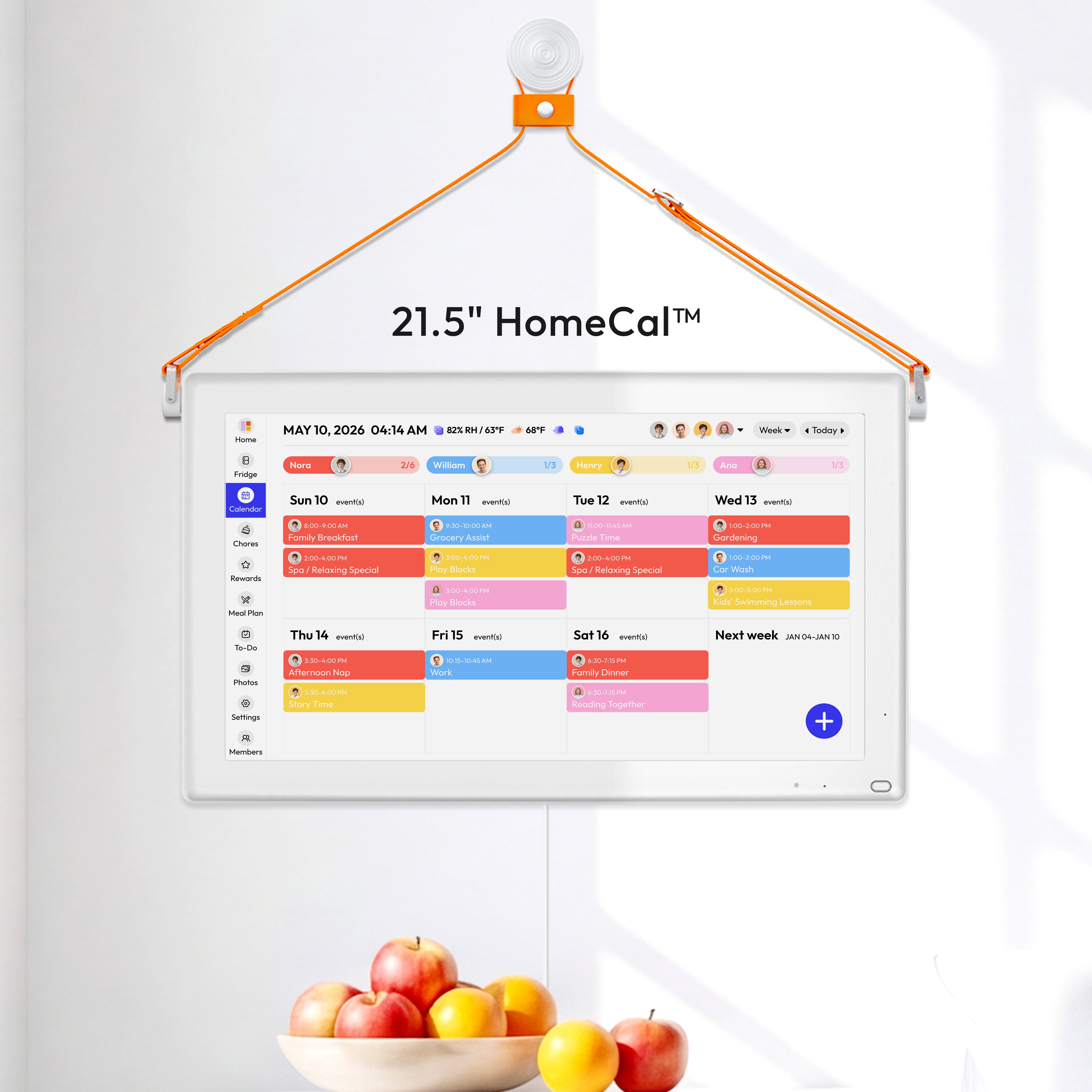
Most digital calendar displays work by connecting to an existing calendar account, choosing a layout, and then leaving the screen on so updates appear automatically. In many setups, each family member keeps using the calendar app they already know, while the shared display merges those calendars into one view with color coding.
For example, one color might be school events, another sports, another work travel, and another family dinners. That sounds small, but in a quick morning glance it helps a lot. You can see whether Tuesday means early pickup, late dinner, or both.
Touch helps, but sync rules matter more
The touchscreen part is useful because it can make chores, lists, and event browsing easier right at the wall or on the counter. But the bigger issue is how syncing actually behaves. Some devices update quickly when you change the original phone or computer calendar, yet not every change made on the device itself flows back to every shared calendar.

That is why two-way sync is worth checking before you buy. If your family wants to add an orthodontist appointment directly on the kitchen screen and have it show up everywhere else, confirm that specific behavior. Some lower-cost or DIY setups handle that well, while some polished consumer devices still have limits.
How busy families actually use it for meals, chores, and routines
It reduces the “Who’s doing what?” friction
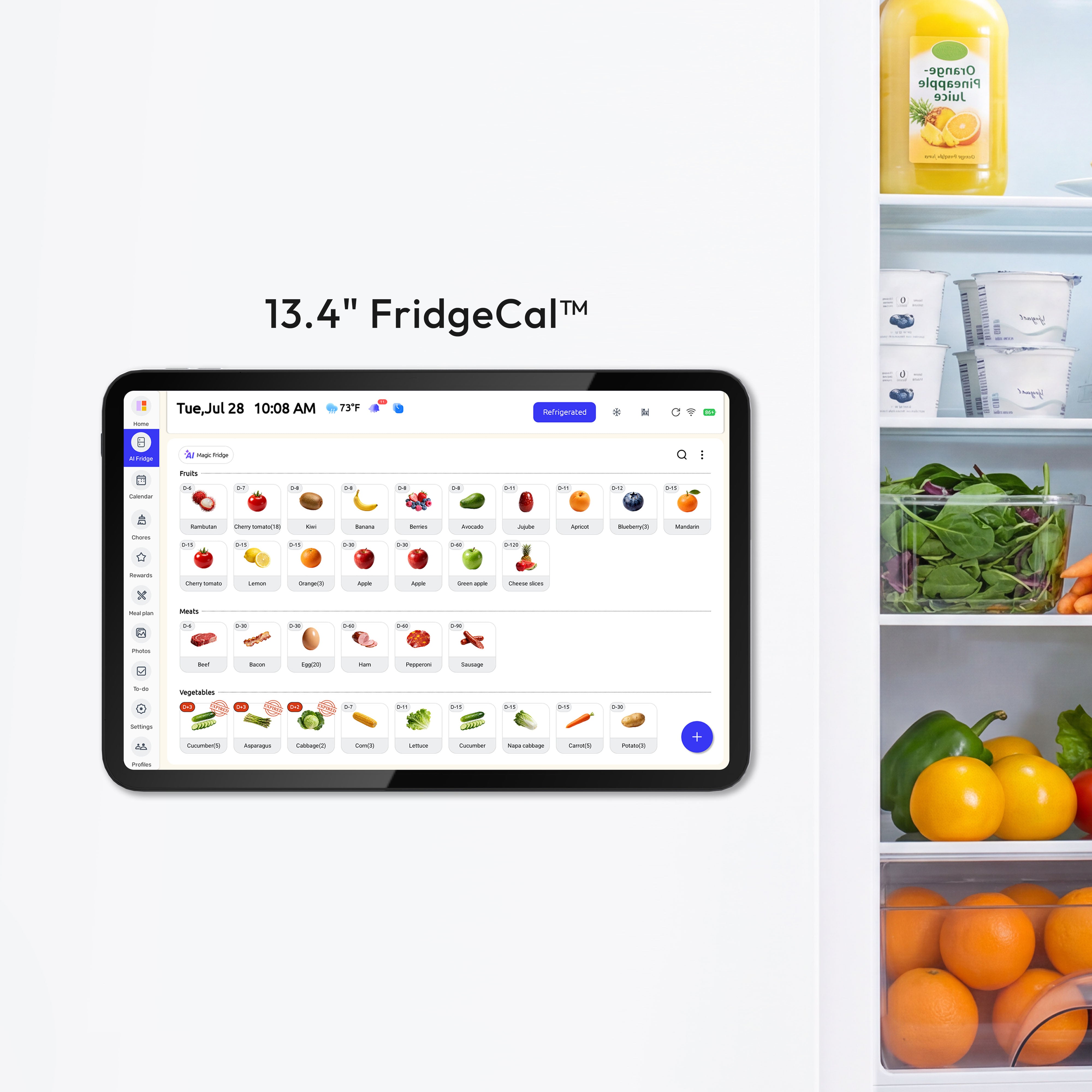
A family organization app or wall display often combines the calendar with lists, meals, and reminders because family planning problems overlap. Dinner affects pickup timing. Chores affect bedtime. Grocery reminders affect whether taco night actually happens.
In practice, a visible screen helps with small but constant decisions: who is home by 5:30 PM, whether leftovers cover Wednesday, or whether a kid needs to bring cleats, a library book, and cupcakes on the same day. These are not dramatic problems, but they create daily mental load when the plan is scattered across texts, sticky notes, and memory.
Kids can participate when the plan is visible
A three-month household test of a digital family calendar in a family of five found that a 10-year-old checked the screen daily, tracked chores with stars, and remembered events like piano lessons and orthodontist visits. That example matters because the benefit was not just for the organizing parent. It made the routine more legible for the child too.
Apps built around family planning push the same idea further. A family organizer app can connect color-coded schedules with chore tracking, reminders, allowance, and meal planning. For some households, that all-in-one approach is helpful. For others, it becomes too much. The real test is whether the system makes follow-through easier on a Wednesday night, not whether it offers ten extra tabs.
Meals and chores work best when they stay simple
Meal planning features can be useful, but only if they reduce decisions instead of adding another planning job. A digital family calendar system that shows meals, chores, weather, and photos can be handy when the dinner plan is visible beside the school and work schedule. Then “breakfast for dinner” is not just an idea in one parent’s head. It is part of the household plan.
The same rule applies to chores. A touchscreen family hub can assign chores, use color coding, and sometimes add rewards or parental controls. Those features help most when the chores are clear, short, and tied to real routines, such as emptying lunch boxes after school or taking out trash on Thursday night.
What matters when choosing one
Ignore the flashy extras first
The biggest buying choice is not the screen itself. It is whether you want dedicated hardware or a software display on a device you already own. Dedicated calendars can cost about $159 to $700 or more, while a software option may run on an existing tablet, TV, touch monitor, or streaming stick. One example of the dedicated-hardware approach is the Everblog 21.5" Digital Calendar, a wall-mounted touchscreen with a large display designed to show shared family schedules, tasks, chores, and events on one screen.

That trade-off is practical. Dedicated hardware is usually easier to set up and cleaner looking. Reusing a tablet or monitor is often cheaper and more flexible. One DIY build in a home automation community reused an old mini PC and added a 15-inch touchscreen for about $100, mainly to avoid a proprietary device costing more than $300 and to keep two-way sync and custom views under the family’s control.
Watch for subscriptions, sync gaps, and device lock-in
Some popular digital wall calendars keep basic scheduling simple but place meal planning, rewards, recipe tools, or photo features behind a subscription. That is not automatically bad, but it changes the real yearly cost. A device that looks like $280 hardware can become a recurring bill if the features your family actually wants sit behind an $79-per-year plan.
Compatibility matters just as much. A family touchscreen calendar comparison shows that some products support common calendar services, shared family calendar tools, or voice assistants, while others do not handle every sync path equally well. If your household mixes phones, shared digital calendars, and a shared family email, check the exact combination before you commit.
The best size is the one people will actually read
Screen size is easy to overthink. A 24-inch DIY wall dashboard gave one family enough room to combine eight shared calendars, weather, and camera views, but that does not mean every home needs a large display. In a smaller apartment or narrow hallway, a 10-inch or 15-inch screen may be easier to place and just as useful.
A good rule is simple: from a normal standing distance, can someone read today’s plan in a few seconds? If not, the screen is too small, the layout is too crowded, or the command center is trying to do too much.
Where to put it and how to set it up
Placement matters more than specs
A shared home calendar system works best when it sits where the family already passes through, not in a private office. Think kitchen wall, mudroom, garage entry, or the stretch of wall near the spot where bags, keys, and school papers naturally land.

That advice shows up across command center examples for a reason. Visible systems work when they match real traffic patterns. If the display is hidden, even a smart calendar turns into one more neglected screen. An independent product-testing publication made the same point in its 2025 testing of digital wall calendars: a shared-area placement is part of what makes the device useful.
Start with the calendar, then add only a few support tools
A simple command center setup usually works better than a packed one. Start with the touchscreen calendar, one note space, one paper zone for active items, and maybe hooks or a small tray for keys. That is enough to support school pickups, grocery reminders, and incoming forms without creating a wall of clutter.
This matches a wider home-organization principle: systems fail when they are inconvenient or overloaded. If every family member needs three taps, two apps, and a complicated set of rules to add a chore or check dinner, the system will fade. If the screen is easy to see and the process is obvious, people use it.
A good setup takes minutes, but habits take longer
Many calendar display tools can be set up in about five minutes: sign in, choose the calendars, pick a monthly or weekly layout, and leave the display running. The longer part is household adoption. Decide who owns the shared categories, such as school, meals, sports, and appointments, and decide what belongs on the screen versus in a personal planner.
That split matters. The household screen should answer shared questions fast: who goes where, what is for dinner, what needs to be done tonight, and what papers still need action. Personal notes, work tasks, and private reminders can stay on individual devices.
FAQ
Q: Is a digital touchscreen calendar better than a paper family calendar?
A: It is better if your family schedule changes often and people add events from different phones or computers. A paper calendar is still fine for simpler households, but a digital screen cuts down on rewriting and helps everyone see updates faster.
Q: Do I need a special device, or can I use a tablet or TV?
A: You can do either. Dedicated devices are simpler, while software-based options can turn an existing tablet, TV, or touch monitor into a shared display at lower cost.
Q: Will it actually help kids remember chores and activities?
A: It can, especially when the display is visible and the expectations are simple. The strongest examples are not about advanced automation. They are about clear routines, color-coded schedules, and chores that are easy to check at a glance.
Final Takeaway
A digital touchscreen calendar is most useful when it acts as the visible front door of your family’s planning system. It should make school pickups, shared dinners, grocery reminders, and weekly chores easier to see and easier to act on.
If you are considering one, focus on three things first: reliable calendar sync, a high-traffic location, and a simple setup your household will actually keep using. Everything else, including subscriptions, meal tools, and rewards, is secondary to that.
References
- Shared Calendars for Home Health Management - a research archive
- The Best Digital Wall Calendar (2026): a brand, a brand - a technology magazine
- Digital Calendar Display - a display platform
- The 10 Easiest Family Command Centers to Get Organized
- 7 Simple Organizing Hacks for Busy Moms
- Built a 24" Touchscreen Wall Mounted Dashboard/Family Calendar
- A Family Planning Platform
- Proven Organization Systems & Best Organizers
- Best Digital Family Calendar for Planning & Chores in 2026
- DIY Family Calendar (a brand) - a home automation community
- A Family Organizer Planner App


