
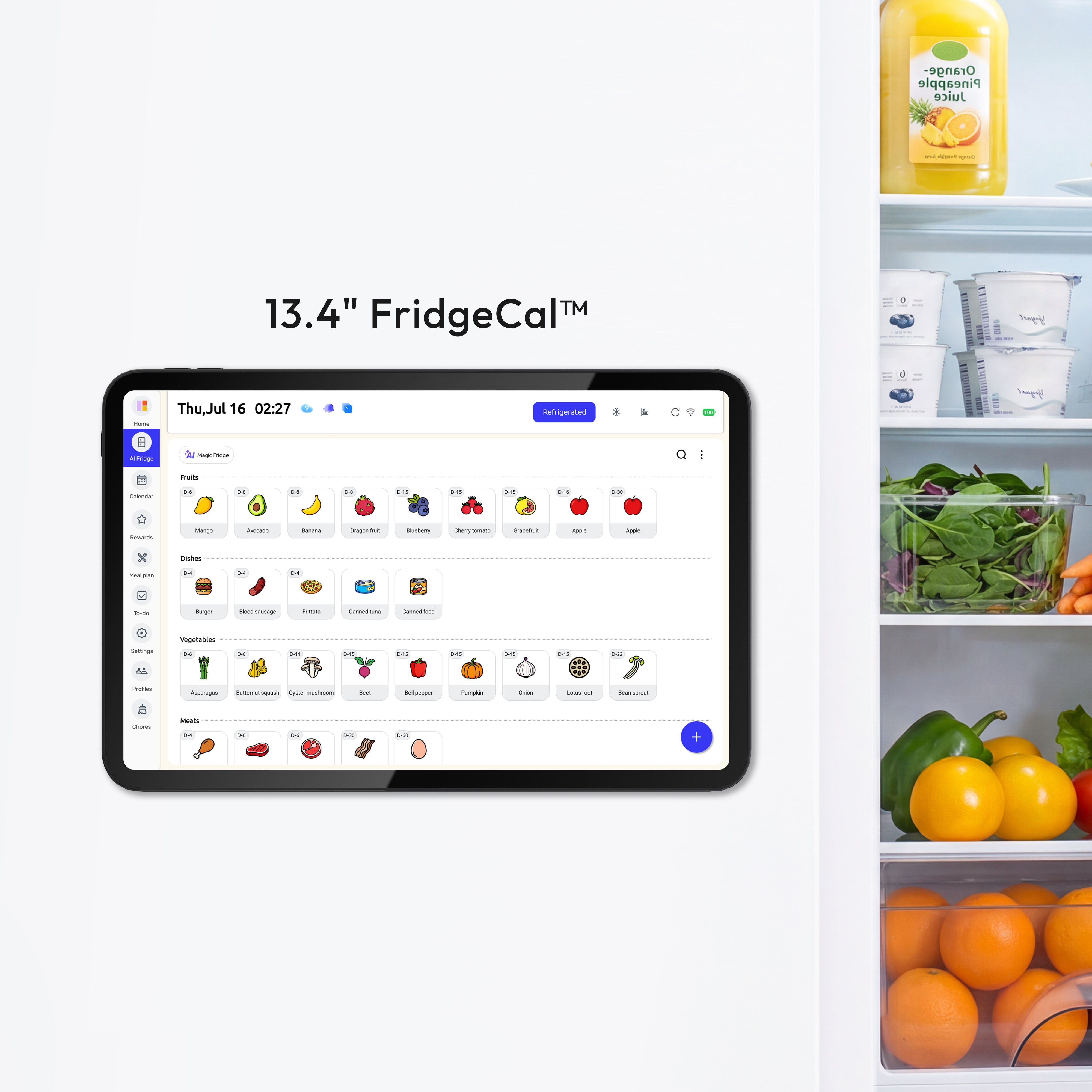
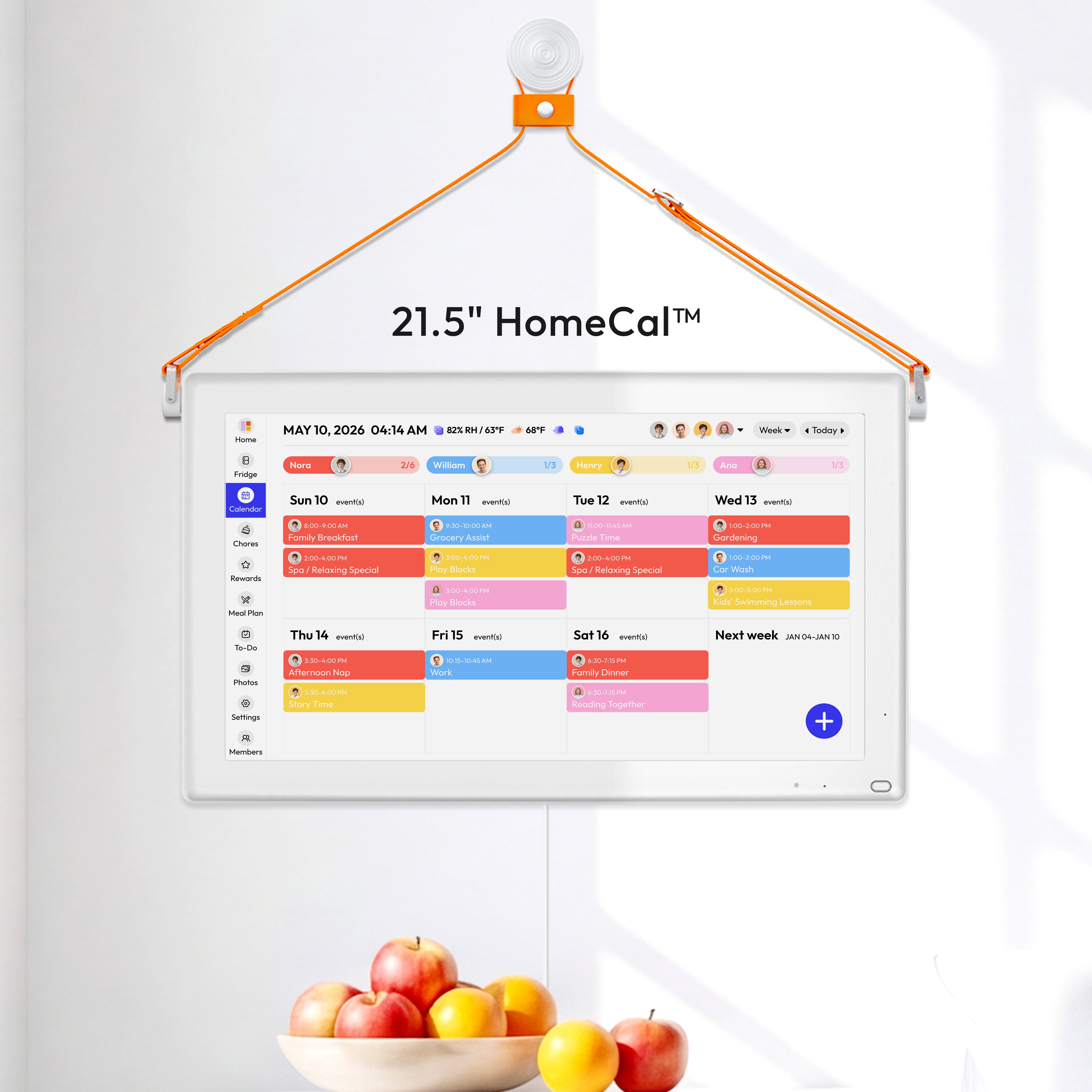


The best touchscreen calendar is the one your household will use every day. Focus on visibility, dependable syncing, and simple routines that make schedules, meals, and chores easier to manage.
Does your kitchen conversation start with “Who’s picking up after soccer?”, “What’s for dinner?”, and “Why didn’t anyone empty the trash?” A good shared display solves that by putting the same plan in front of everyone, cutting down on phone-checking, repeated reminders, and last-minute decisions. The goal is to choose a screen size, feature set, and setup style that fit real family life.
Why a Touchscreen Calendar Helps More Than a Phone-Only System
A shared display works because it stays visible. Shared household visibility is the core advantage of a digital wall calendar: phone calendars may be organized, but they are not constantly in front of the whole family. In practice, that difference matters most during the busiest parts of the day, such as breakfast, after school, and dinner, when nobody wants to ask three separate people for updates.

That visibility also reduces the problem of one person having to remember everything. Shared, responsive responsibility works better than relying on one “expert” to hold the whole system together. In a household, that means the best calendar is not just a screen with dates on it; it is a structure that spreads awareness so one parent is not carrying the full mental load alone.
Start With the Real Job You Need It to Do
Before comparing options, define the main job. Calendar-first displays built for coordination differ from generic tablets because they are designed for multi-user scheduling, task tracking, and family routines. If your biggest pain point is missed appointments, dependable syncing comes first. If dinner stress is constant, meal planning deserves equal weight. If arguments start around chores, a built-in task system matters more than ultra-high resolution or smart-home extras.
Many families try to buy one device that does everything perfectly, which is often where they overspend. The same source argues that practical factors such as sync reliability, touch response, offline behavior, and mounting support matter more than premium specs. A household that needs a clear weekly command center usually gets more value from a solid 15.6-inch screen in the kitchen than from a larger, pricier display with features nobody uses.
The Three Features That Matter Most
Shared Scheduling Needs Fast, Trustworthy Sync
If updates lag or fail, the calendar becomes decoration. Everyday placement and usability matter because even a good screen loses value if it does not fit normal family habits. The practical test is simple: add a dentist appointment on your phone, then confirm it appears on the display quickly enough that you trust it without double-checking. If you still feel the need to text everyone, the system is not doing its job.
Compatibility matters too. Auto-synced calendars and remote updates and linking major calendars into one interface point to the same question: will it sync cleanly with the calendars your family already uses, not the ones you wish they used?
Meal Planning Should Match Your Actual Week
Meal planning is where a touchscreen calendar can quietly save the most stress. One planning article describes it as assigning meals to specific days and choosing recipes around the week you actually have, not the week you hoped for. That is why a shared family display works best when Tuesday’s late practice gets a quick meal, Friday leaves room for something new, and Sunday holds the longer prep dinner with leftovers for Monday lunch.

A useful meal system also prevents duplicate shopping and forgotten food. A separate shareable meal calendar and planning from ingredients already at home can make the week easier to manage. On a touchscreen display, that translates into a visible weekly dinner plan plus a grocery list everyone can see. A simple example is pairing tacos, taco salad, and quesadillas across three nights so the same shredded chicken, lettuce, and cheese do more than one job.
Chore Tools Should Reduce Reminding, Not Create More Admin
A chore feature is only useful if it is faster than nagging. One task system’s distinction between one-time or repeating chores and routines tied to daily habits is a helpful way to think about family work. “Unload dishwasher” behaves differently from “morning backpack check,” and your screen should handle both without awkward workarounds.
The most effective chore setups stay concrete. Breaking vague jobs into smaller actions and using an interactive chore chart as a habit-building tool both support the same principle. In a shared home, “set table,” “feed dog,” and “take out recycling” work better than “help more around the house.” If the display makes responsibilities plain at a glance, you cut down on repeated verbal reminders.
Choose the Right Hardware for the Room, Not the Ad
Size and placement should match where your family already passes through. Placement near a morning gathering point makes the category more useful, especially in the kitchen. A 15.6-inch screen as a common sweet spot is large enough to read across a room without becoming excessive for a typical kitchen wall.
Here is a practical comparison to keep the decision grounded:
Household need |
Best fit |
Tradeoff |
Small kitchen, simple scheduling |
Fridge or compact 10- to 15-inch display |
Less room for weekly meals and chores |
Typical family command center |
15.6-inch wall or counter display |
Still needs thoughtful placement |
Large open kitchen or caregiving hub |
Bigger wall display |
Higher cost and more visual dominance |

Glare, cords, and mounting deserve more attention than most people expect. Bright-room glare, power needs, and cable management can make or break the experience. A beautiful screen can still feel annoying if it reflects a sunny window or hangs where nobody can comfortably tap it.
Subscription or No Subscription?
This is where many buying decisions turn. One product page presents the category as a family operations hub with meal planning, chores, lists, and assisted imports, while another emphasizes subscription-free basics with optional paid upgrades for advanced features. The real difference is not just price. It is whether your household wants a polished, guided experience or a simpler system with fewer recurring costs.
There is also a genuine disagreement in the market about value. A practical sweet spot under $300 contrasts with a more cautious cost-benefit view, which argues that many families may be better off sticking with phone calendars unless they find a sale or truly need the visibility of a shared screen. The gap is less about confusion than about different definitions of success: one source prioritizes hardware utility, while the other asks whether the convenience is worth the cost compared with lower-tech options that already work well enough.
A Good Setup Makes the Device More Useful Than the Brand Does
Once you choose a device, set it up like a household system, not a gadget. One main location, one owner, and a regular review schedule are strong foundations for family record-keeping, and the same structure works well for a touchscreen calendar. Place it in one obvious shared spot, give one adult ownership of setup and troubleshooting, and schedule a weekly 10-minute reset so meals, chores, and appointments stay current.

The meal side benefits from the same discipline. A separate shared meal calendar and recurring planning and shopping days help turn the screen into a working routine instead of a decorative device. Sunday evening can become the reset point: check school events, assign two or three chores per child, plug in dinners that fit the week, and build the grocery list from what is already in the pantry and refrigerator.
The best choice is the one that lowers friction for everyone in the house. If your family needs plug-and-play simplicity, a dedicated family calendar with strong syncing and built-in chores may be worth the cost. If you already manage meals and schedules well on your phones, you may only need a more visible shared screen in the kitchen, not the most feature-packed model on the market.


