








The ideal chores app stops nagging by making it easy to track tasks and gets kids eager to help, often with a reward system. For many families, it offers customizable tasks, automatic reminders, and a way to track allowances or points.
Why Your Family Needs a Digital Chore System

Managing household chores can feel like a second, unpaid job. You’ve got the endless mental to-do lists, the forgotten tasks, and that nagging feeling that you’re the only one keeping the ship afloat. "Chore chaos" is a very real thing, and it's a huge source of friction in a family.
And that classic paper chart taped to the fridge? It usually becomes ignored wallpaper within a week.
Modern families are juggling work, school, and a dizzying number of extracurriculars. We need a smarter way to handle things at home. This is where a dedicated chores app completely changes the game.
Think of it less as a list and more as a mission control for your household. It’s the digital project manager you never knew you needed, bringing clarity, fairness, and a healthy dose of accountability to everyone's responsibilities. The right system helps you move from constantly putting out fires to working together as a team.
Moving Beyond the Nagging
The number one goal of any chore system should be to lighten the mental load on parents. A digital app does this by automating the two most draining jobs: reminding and tracking.
Instead of asking, "Did you feed the dog?" for the third time, a friendly little notification pops up and does the work for you. This one small shift can have a massive impact on your family’s dynamic. When the app becomes the impartial referee, it fundamentally changes the conversation. Arguments over who did what are settled with a quick glance at a shared dashboard, not with raised voices.
The real magic of a digital chore system is that it creates a single source of truth. It sets clear expectations and makes everyone's contributions visible, turning abstract duties into concrete, trackable actions.
The Rise of Digital Home Management
This shift toward digital organization isn't just a small trend; it's a huge change in how families operate. The house cleaning and chores app market is on track to hit $500 million by 2025, growing by a sturdy 15% each year. This boom is fueled by busy households with smartphones in every pocket, all looking for ways to streamline their lives.
So, what does this mean for your family? It means you have more powerful tools at your fingertips than ever before to build a truly collaborative home.
Finding the right app for your family's needs is key. To help you zero in on what really matters, here’s a quick breakdown of the core features that deliver the most value.
Quick Guide to Essential Chores App Features
| Essential Feature | What It Delivers | Why Your Family Needs It |
|---|---|---|
| Customizable Task Lists | The ability to create one-time or recurring chores for specific family members. | It lets you assign age-appropriate tasks and ensures everyone knows exactly what's expected of them, from "Make Your Bed" to "Mow the Lawn." |
| Automated Reminders | Push notifications sent directly to a child's device (or a central family one). | This outsources the nagging to the app, reducing parental stress and teaching kids to manage their own responsibilities. |
| Visual Progress Tracking | A clear dashboard showing completed, pending, and overdue tasks. | Kids (and adults!) get a sense of accomplishment from checking things off. It makes progress tangible and satisfying. |
| Integrated Reward System | A way to connect completed chores to points, privileges, or a real allowance. | This is the motivational engine. It teaches kids the direct connection between effort and reward, whether it's screen time or pocket money. |
A well-chosen app with these features can help you:
-
Establish Clear Ownership: No more confusion or excuses. Everyone knows exactly what their jobs are.
-
Build Lifelong Habits: Consistent, app-managed routines help instill a sense of responsibility that kids will carry with them for life.
-
Gamify Contributions: Points, badges, and rewards can make chores feel more like a fun challenge and less like a drag.
-
Teach Financial Literacy: An integrated allowance feature is a powerful, hands-on tool for teaching kids how their work translates into earnings.
Ultimately, bringing a digital system into your home is about so much more than just getting the dishes done. It's about fostering teamwork, mutual respect, and a little more peace.
To see how a unified hub can bring your entire family schedule together, check out our guide on creating a digital family command center.
Identifying the Features Your Family Will Actually Use
Let's be honest, not every feature in a fancy new chores app is going to be a home run for your family. A lot of apps are packed with bells and whistles that look great in the app store but do very little to solve the real problem: getting stuff done. The trick is to slice through the marketing hype and find the tools that actually lighten your mental load and get your kids on board.
Think of it like packing for a family vacation. You don't need every single gadget you own; you just need the essentials that make the trip go smoothly. For a chores app, that means zeroing in on a few core features that form the foundation of a system that works.
The Non-Negotiable Core Features
Before you get wowed by flashy animations or complicated point systems, make sure any app you're considering absolutely nails the basics. These are the building blocks for any chore system that has a chance of sticking. Without them, even the most tricked-out app is probably going to fizzle out.
-
Customizable Task Lists: Your family's routine is one-of-a-kind. A good app lets you create both repeating tasks (like "Take out the trash every Tuesday") and one-off jobs ("Clean the garage this weekend"). You need that flexibility to keep up with real life.
-
Individual User Profiles: Every person in the family, from your youngest to your oldest, needs their own profile. This isn't just about organization; it’s about ownership. It gives them their own dashboard to see what’s on their plate and track their own progress.
-
Automated Reminders: This one is the secret weapon for ending the nagging cycle. A simple, automated push notification is a friendly digital nudge. It reminds kids of what they need to do without you having to say a word, moving the role of "enforcer" from you to the app.
These three pieces work together to create a solid framework. The task list sets clear expectations, profiles create ownership, and reminders give everyone that little push to keep the wheels turning.
Progress Tracking: The Accountability Engine
Just listing chores isn't enough. Seeing progress is a huge motivator. A visual progress tracker works like an impartial scorekeeper, showing a clear, undeniable record of who's done what. This isn't about micromanaging your kids—it's about making their contributions visible and celebrating their wins.
When a kid can glance at a screen and see a row of green checkmarks next to their name, they get that little hit of satisfaction. That immediate visual feedback is often more powerful than just hearing "good job." It turns a vague duty into a real accomplishment.
A great progress tracker stops arguments before they even begin. It becomes the family's single source of truth for completed chores, putting an end to the classic "But I did do it!" debate.
This feature is also the bridge between effort and reward. Whether you're using points, screen time, or an allowance, the app's log of finished tasks gives you the hard data to hand out rewards fairly and consistently.
Finding the Right Fit for Your Family
The sheer popularity of these tools shows a universal desire for easier home management. For example, apps like Flatastic have pulled in over 500,000 downloads by focusing on what families really need: clear chore charts and shared lists. The fact that a simple 'to-do list' remains the killer feature proves that what parents are really after is clarity.
As you look at different chore systems, don't be afraid to explore. Some families find success with platforms like saucial.app which offers tools for family organization. You might also discover that linking your chores to your family's master schedule is the real game-changer. If that sounds like you, check out our guide on how to choose a family digital calendar.
In the end, the best chores app is the one that doesn't feel like another tool you have to manage. It should feel more like a helpful member of the family—one that communicates clearly, keeps everyone accountable, and works quietly in the background to make home life just a little bit smoother for everyone.
Customizing Chores for Every Age Group
A chore system is never a one-size-fits-all deal. If you hand a teenager a list of picture-based tasks, you’re guaranteed to get an eye-roll. On the other hand, asking a five-year-old to manage their own weekly allowance schedule is just setting them up to fail. The best chores app is one that actually adapts to your child’s developmental stage, growing right alongside them from simple jobs to complex responsibilities.
Think of it like building with LEGOs. You start a toddler with those big, chunky DUPLO blocks they can easily snap together. As they get older, you introduce the smaller, more intricate standard LEGOs, which let them build much more complex things. Your approach to chores should follow that exact same path of progressive complexity.
Matching Chores and App Features to Your Child's Age
To make this super clear, I’ve put together a quick guide. It lines up typical chores with the app features that will actually make a difference at each stage of your child's development.
| Age Group | Example Chores | Most Valuable App Features |
|---|---|---|
| Preschoolers (3-5) | Putting toys in a bin, placing dirty clothes in the hamper. | Picture-based task lists, simple one-tap check-offs, fun completion sounds. |
| School-Age (6-9) | Setting the table, feeding a pet daily, watering plants weekly. | Recurring schedules, basic point systems, parental approval steps. |
| Tweens (10-12) | Unloading the dishwasher, helping with meal prep, yard work. | Allowance/financial tracking, savings goal setting, one-off "job boards." |
| Teens (13+) | Cooking a simple family meal, managing recycling, babysitting. | Direct deposit/spending cards, penalty deductions, shared project calendars. |
This table is just a starting point, of course. You know your kid best, but this framework helps you focus on what’s most effective right now while giving you a roadmap for what’s next.
Getting Started with Preschoolers (Ages 3-5)
For your youngest helpers, chores aren't really about household labor—they're about learning basic routines and feeling like a part of the team. Tasks should be simple, tangible, and take just a few minutes to complete. The real goal here is building the habit of helping, not getting a perfectly clean room.
At this age, pictures are everything. The most effective app features are overwhelmingly visual.
-
Picture-Based Chore Lists: Instead of text that says "Put away your toys," use a clear icon or a photo of their toy box. This lets pre-readers see their jobs without needing you to read it to them.
-
Simple Check-Offs: A big, satisfying button to tap or a checkmark to drag when they're done gives them instant, positive feedback.
-
Auditory Cues: Fun sounds or verbal praise from the app (“Great job!”) after a chore is finished makes the whole thing feel more like a game.
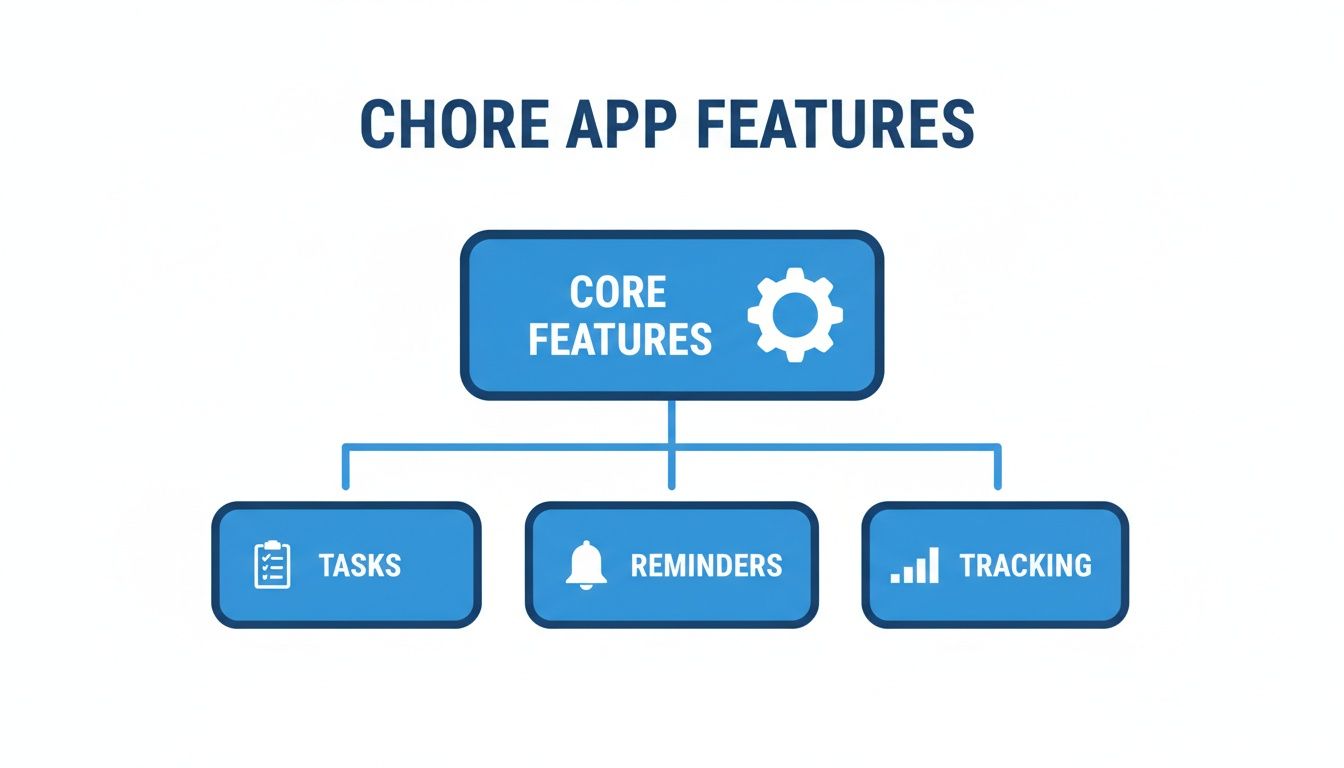
This breaks down the absolute essentials. A good app has to nail the basics—assigning, reminding, and tracking—before any of the fancier stuff even matters.
Building Skills with School-Age Kids (Ages 6-9)
Once kids hit elementary school, their ability to handle responsibility really takes off. They can manage multi-step tasks and start to understand how their work helps the whole family run more smoothly. This is when chores can shift from just personal tidiness to more communal duties.
The app features you rely on can grow up, too. Visuals are still great, but now you can bring in more complex ideas.
This is the perfect age to connect chores to earning. Linking completed jobs to a simple points system or a small allowance right inside the app makes the relationship between work and reward totally concrete.
Helpful app features for this stage include:
-
Recurring Schedules: Great for setting up daily tasks like feeding the dog or weekly ones like watering the houseplants.
-
Basic Point Systems: Assigning points to different chores can gamify the process, letting kids save up for a reward they really want.
-
Parental Approval: A feature that requires you to approve a finished task before they get their points ensures the job was actually done right.
Fostering Independence in Tweens (Ages 10-12)
Tweens are more than capable of handling complex, longer-term responsibilities. This is your chance to start giving them more autonomy over how and when they get their tasks done. They’re also ready to start managing their own money, so financial features within a chore app become incredibly powerful.
You’ll want an app that lets them see their progress and manage their earnings with less direct oversight from you.
-
Allowance & Financial Tracking: An in-app wallet that clearly shows earnings, savings, and spending is an amazing tool for teaching basic money management.
-
Goal Setting: Let them set their own savings goals for things they want, like a new video game or a pair of shoes. The app can show them exactly how close they are.
-
One-Off Job Boards: Create a list of extra, optional chores they can claim for more money—think washing the car or organizing the hall closet.
Empowering Teens (Ages 13+)
For teenagers, the focus of chores should pivot toward preparing them for adult life. They can take on major household responsibilities and should have almost full control over managing their tasks and money. The best app for a teen acts less like a chore chart and more like a personal finance and project management tool.
Key features for this age group are all about financial literacy and self-management.
-
Direct Deposit & Spending Cards: Some advanced apps offer debit cards linked to their chore earnings, giving teens real-world practice with actual banking.
-
Penalty Deductions: It’s time to introduce real consequences for missed chores, like small deductions from their allowance, to teach accountability.
-
Shared Calendars & Project Management: For bigger jobs like a weekend yard cleanup or planning a family dinner, use features that let them coordinate tasks with you or their siblings.
By matching the chores and the tech to your child’s age, you create a system that feels fair, empowering, and actually works. For more inspiration, check out our complete list of chore chart ideas for kids to build the perfect routine for your family.
Making Chores a Positive Experience
Let's be honest. The hardest part of any new chore system isn't making the list—it's getting your kids to actually do the tasks without a daily power struggle. So, how do you get them excited, or at least willing, to pitch in?
The secret is to reframe chores from a burden into a valued role on the family team. A great chores app is your best tool for making that mental shift happen.
Think of motivation as a puzzle. For some kids, the missing piece is a clear financial reward. For others, it’s all about earning special privileges or just getting a little recognition. A flexible app lets you try different incentives until you find what clicks for each kid, turning would-be arguments into positive reinforcement.
Gamify Your Household with Point Systems
One of the most powerful ways to get younger kids on board is to turn chores into a game. A point-based system does this beautifully. Instead of a boring to-do list, they see a scoreboard where they're the star player.
Here’s how it works in most apps:
-
Assign Point Values: Simple tasks like making the bed could be worth 10 points. A bigger job, like helping with yard work, might be 50 points.
-
Track Earnings Automatically: The app is the official scorekeeper. When a child marks a chore as done (and you approve it), the points instantly appear in their total.
-
Redeem for Rewards: Kids can cash in their points for prizes you’ve set up, like 30 minutes of extra screen time for 100 points or a new book for 500 points.
This simple loop provides immediate, tangible feedback for their effort. It’s no longer about you nagging them to do something; it's about them figuring out how to earn the reward they’ve got their eye on.
Teach Financial Literacy with Allowance Features
As kids get older, directly connecting work to money becomes a powerful life lesson. An app with a built-in allowance tracker is one of the best hands-on tools for teaching financial literacy. It takes the fuzzy concept of "earning a living" and makes it personal and real.
Instead of handing over cash at the end of the week, the app provides a clear, digital ledger. This impartial system kills the classic "But I did do it!" debate. The app just shows the math: completed chores equal a paid allowance. That transparency builds trust and teaches kids that their income is a direct result of their contributions.
A digital allowance tracker transforms chores from a household battle into a child's first experience with earning and managing money. It’s an objective system where the app, not a parent, confirms that the work was done and the payment is fair.
Go Beyond Money with Experience-Based Rewards
Not all motivation is financial. For many kids, and especially teens, the most coveted rewards are experiences and special privileges. This is where an app’s flexibility really shines, letting you create a "reward store" filled with things money can't buy.
You can get creative and build a menu of options they can save up for:
-
Family Outings: Earning a trip to the movies or their favorite ice cream shop.
-
Special Privileges: Getting to choose what the family has for dinner on Friday.
-
Digital Currency: Unlocking extra time on a video game or picking the family movie.
Making chores enjoyable often comes down to understanding the psychology of what drives a kid; similar principles are key when you look at strategies to motivate children in school, too. By offering a mix of rewards, you cater to what truly matters to your child. Their participation starts to feel less like a transaction and more like a meaningful contribution that comes with some pretty cool perks.
The Power of a Central Family Hub
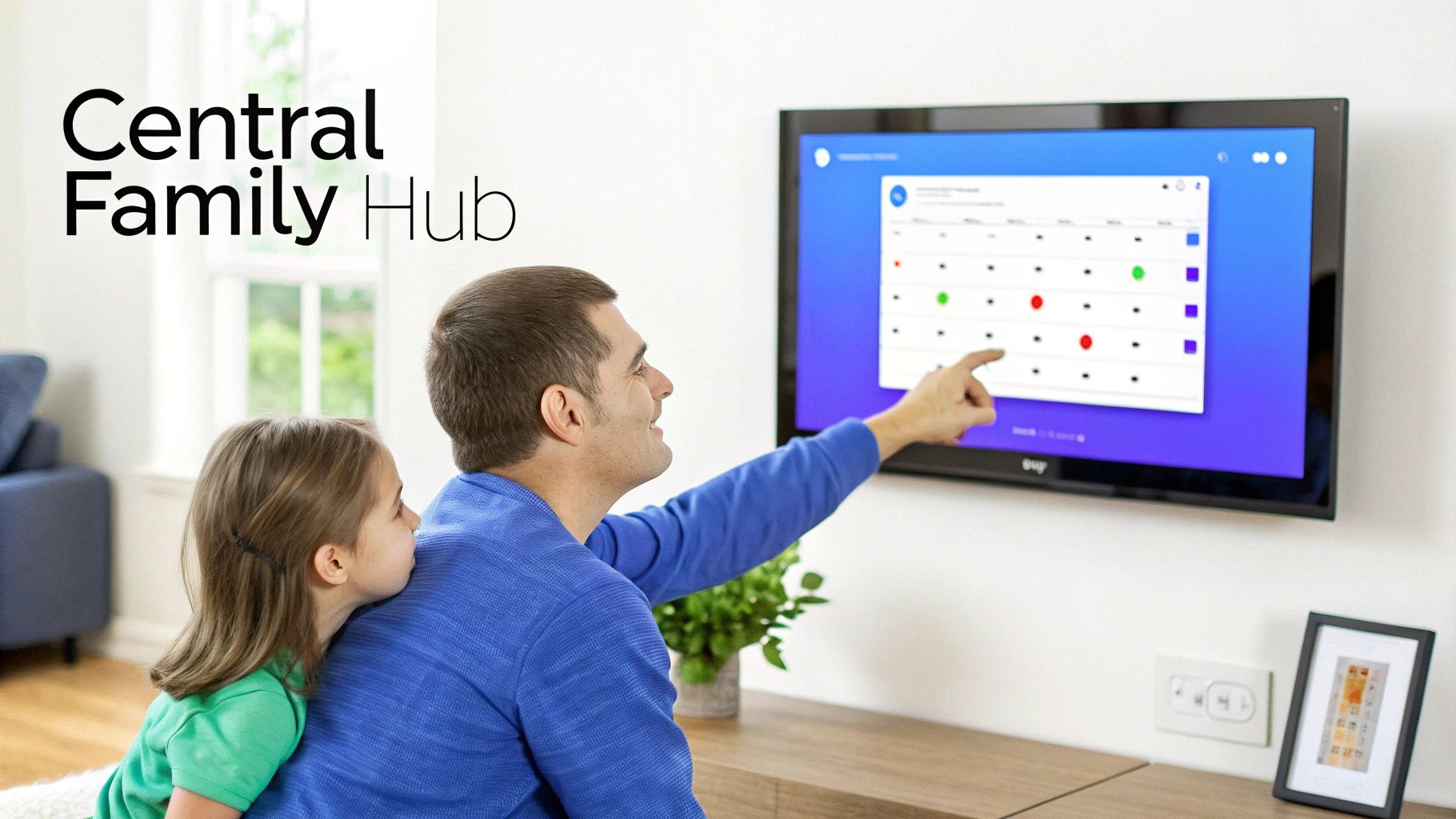
While a great chores app on a smartphone can definitely bring some order to the chaos, it often creates a new problem. Suddenly, every family member is glued to their own little screen, managing a private to-do list. This is a fast track to notification fatigue, disjointed planning, and a surprising feeling of disconnection.
What if you could get all the benefits of a digital system without scattering everyone's attention across a half-dozen different devices?
This is where the idea of a central family hub completely changes the game. Picture a single, large-screen digital display in the heart of your home—the kitchen, the living room, wherever life happens. It’s not just another app; it’s the command center for your family’s entire life.
Beyond the Small Screen
A physical hub makes those abstract to-do lists on a phone feel real and shared. When chores, schedules, and meal plans are up on a common screen, they become a natural part of the family’s daily rhythm. Everyone sees the same information at a glance, which means way fewer “Hey, did you remember to…?” interruptions.
Think of it like the difference between a remote team slacking each other messages versus a team gathered around a single whiteboard. The whiteboard makes the plan visible, sparks real-time collaboration, and keeps everyone pulling in the same direction. A central hub like Everblog does that for your family.
This approach has a massive impact on accountability, too. It’s one thing for a teenager to swipe away a notification on their phone. It’s another thing entirely to walk past a giant screen multiple times a day that clearly shows their assigned chores are still sitting there, undone. That constant visibility creates a subtle, positive pressure to chip in.
A central hub shifts family management from a jumble of individual apps into a single, unified command center. It pulls the focus from personal devices to a shared space, fostering genuine teamwork instead of digital isolation.
Creating a Single Source of Truth
This centralized setup does more than just display tasks—it creates a single source of truth that cuts down on household friction in a big way. A huge reason families turn to chore apps is to tackle the gender chore gap. Research on the app Accord, for example, found that its tracking features led to a 60% reduction in this divide among its 25,000 users. Why? Because it made the workload visible and fair.
A central system takes that same principle and puts it on display. Arguments over who’s doing more are replaced with structured teamwork, and one parent is no longer stuck being the default project manager..
Integrated hubs like Everblog amplify this by making chores, schedules, and responsibilities visible to everyone, all the time.
How a Dedicated Hub Works
A dedicated device like Everblog is designed from the ground up to be the focal point of your home’s operational side, integrating all the critical parts of family organization into one seamless display.
-
Chore Manager: Assign tasks to different family members, set up recurring duties, and see who’s done their part with a quick glance.
-
Rewards Tracker: Turn chores into a game by connecting completed tasks to points or goals. It's a fantastic way to keep kids motivated.
-
Shared Calendar: Sync everyone’s schedules—from soccer practice to dental appointments—in one place to finally put an end to double-bookings.
-
Meal Planner & Grocery List: Plan the week’s meals right on the hub, and the ingredients you need are automatically added to a shared grocery list that anyone can pull up on their phone at the store.
With everything integrated, you can stop switching between five different apps just to figure out what’s happening today. It’s all right there, in one place, for everyone to see. The result is a calmer, more coordinated household where everyone is finally on the same page.
Got Questions About Chore Apps? We've Got Answers.
Jumping into a new chore system is bound to bring up a few questions. Let's tackle the most common ones parents ask, so you can pick the right app for your family and sidestep any roadblocks before you even begin.
What’s the Best Chore App for Kids Who Can’t Read Yet?
For the little ones, it’s all about visuals. Forget text-based lists; the best apps use pictures or fun, customizable icons for each task. This simple tweak empowers toddlers and preschoolers to "read" their to-do list all by themselves, building confidence and making cleanup time a natural part of their day.
While a phone app works, a central hub on the wall is a total game-changer for this age group. It acts as a constant, friendly reminder in a shared space like the kitchen or playroom. It reinforces the routine without making a young child grapple with a phone or tablet, which keeps things simple and stress-free for everyone.
How Can I Get My Teenager to Actually Use a Chore App?
With teenagers, it all comes down to two magic words: autonomy and incentives. The trick is to get their buy-in right from the start. Sit down with them and let them help set up their own chore lists and decide what kind of rewards feel fair. When they have a say in the process, it stops being your system and starts being theirs.
For teens, the most powerful systems are the ones that connect chores directly to their allowance or financial goals.
An app that visibly tracks their earnings gives them cold, hard proof of their effort. Frame it less like a nagging tool and more like a personal finance tracker—a fair, transparent way for them to manage their responsibilities and control their own money.
Is My Family’s Data Safe on a Chore App?
That’s a great question, and a completely valid concern. Many "free" apps make their money by selling user data to other companies. Before you download anything, it's always smart to dig into the privacy policy and see exactly how your information is being handled.
For total peace of mind, you might want to look at a hardware-centered solution. Since it’s a physical device you buy once and own forever, it sidesteps the data-mining business model entirely. Your family's schedules, tasks, and personal info stay right where they belong: safely inside your home.
Can a Chore App Help with Co-Parenting?
Absolutely. A shared digital system can be a lifesaver for co-parents trying to keep things consistent between two homes. The key is finding a system that allows multiple adults to have admin access, so both parents can sync up task lists, schedules, and rewards in real-time.
This ensures the rules and expectations don't change just because the location does. A central hub is especially powerful here, creating a single source of truth that both parents can see and update. It cuts down on miscommunication and keeps everyone on the same page.
Ready to create that single source of truth for your own family? The Everblog digital wall calendar brings chores, schedules, and rewards together in one central hub, making family organization simple and visible for everyone. Learn more about Everblog today.


