
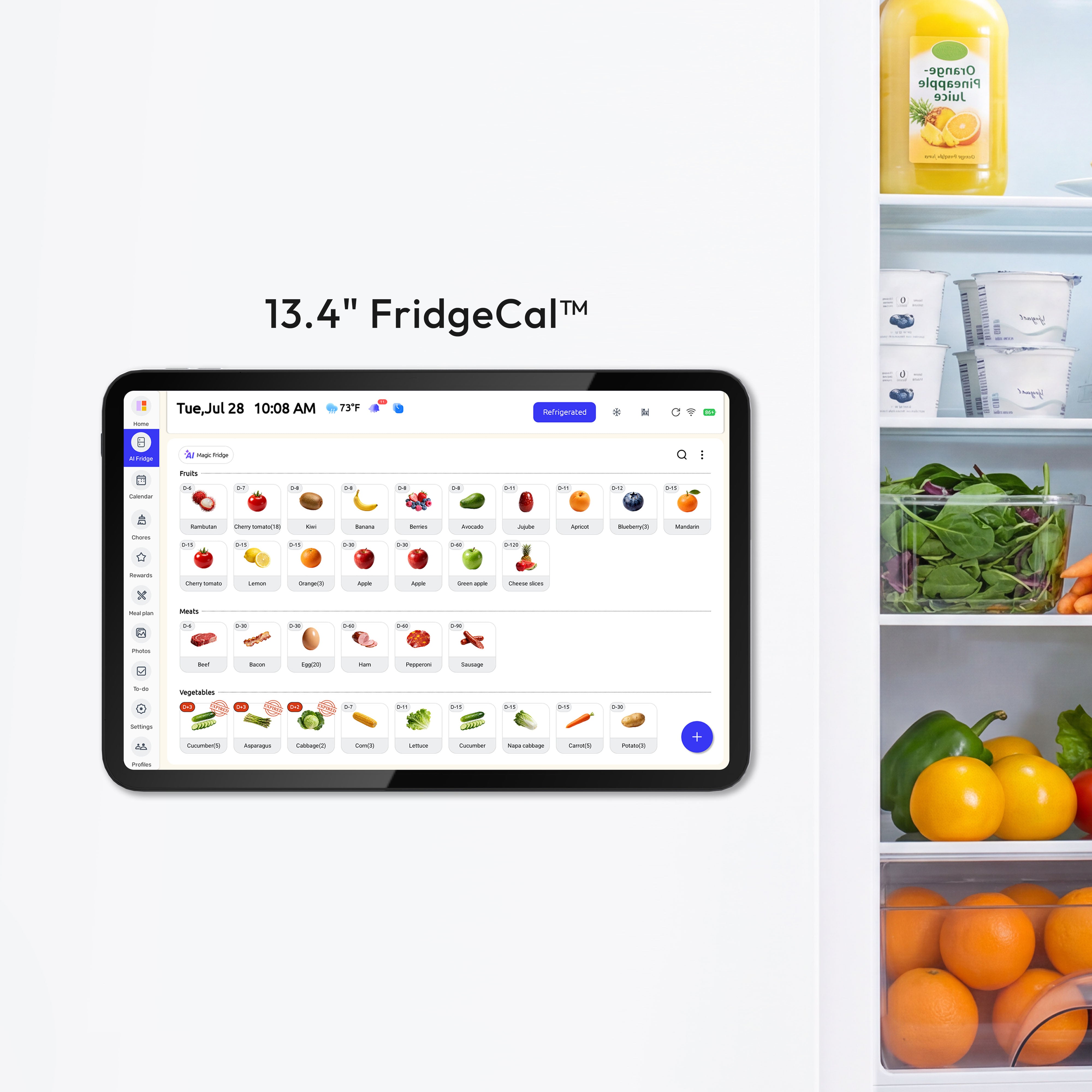
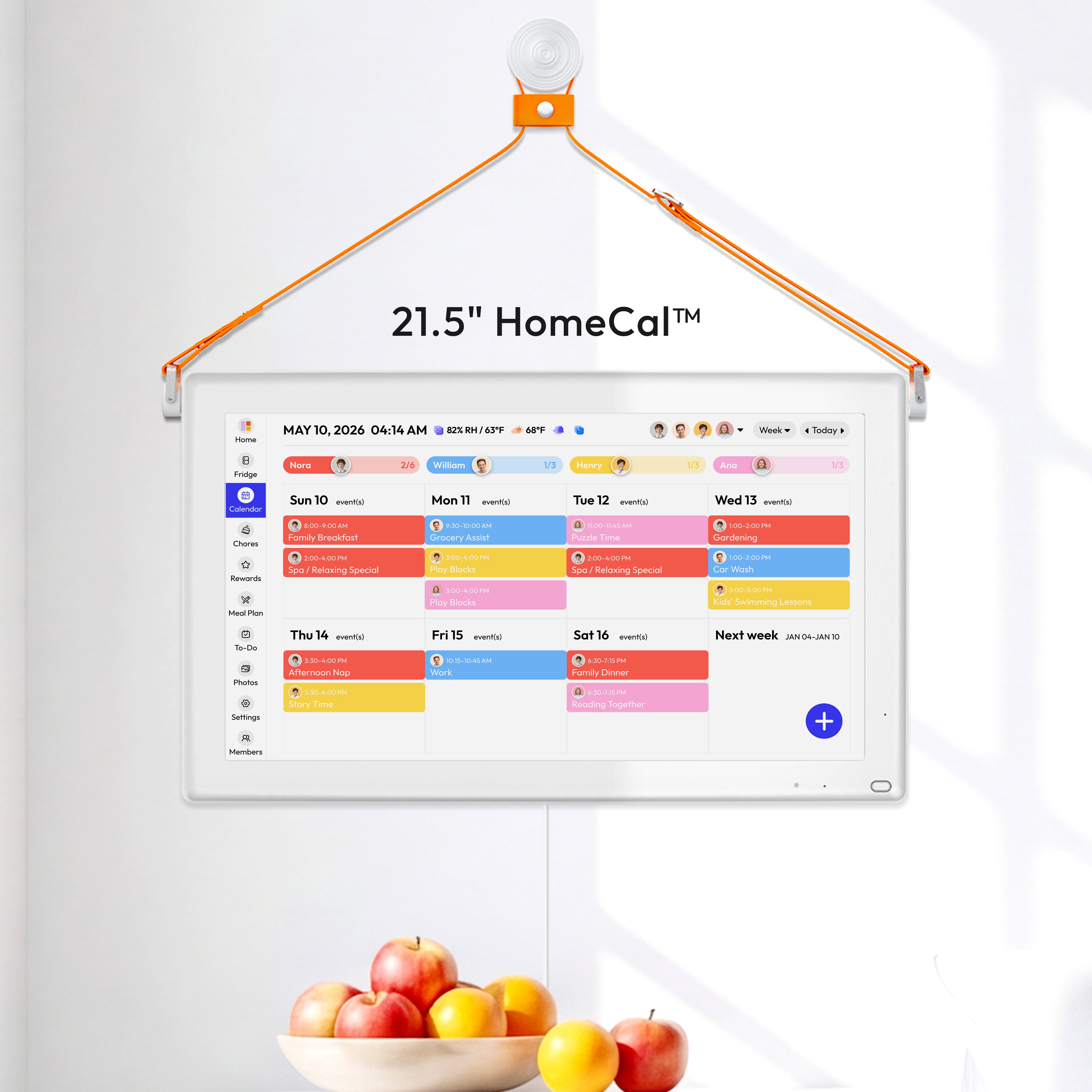

For families trying to manage a dozen different things at once, the best shared calendar for families isn't just an app—it's a command center. A tool like Everblog pulls everything out of scattered group texts and off messy paper notes into one place everyone can see. It's built to do more than just track appointments; it helps with chore charts and meal plans, taking a huge amount of stress off your plate and finally getting everyone on the same page.
Why Your Family Needs a Central Command Center

Does your week ever feel like a frantic relay race? You're juggling school pickups, soccer practice, dentist appointments, and birthday parties. If you’re constantly sending reminders, accidentally double-booking, or asking, "Did anyone remember to feed the dog?"—you're not alone.
This kind of daily chaos isn't a personal failure; it's a system failure. The old-school methods of fridge calendars and frantic text messages just can't keep up with the pace of modern family life.
The solution is a single, shared calendar that acts as your family’s air traffic control tower. It gives you one clear view of everyone’s movements, commitments, and responsibilities, so you can see exactly what's happening and when.
A shared calendar transforms scheduling from a source of stress into a tool for collaboration. It gives every family member visibility and ownership, reducing the mental load that often falls on one person.
This guide will walk you through finding, setting up, and mastering the right shared calendar for your family. The goal? To turn that daily disorganization into a smooth, collaborative rhythm.
The Growing Need for a Family Hub
Today’s families are managing more schedules than ever before, and that complexity is fueling the demand for better tools. The global market for shared calendar apps, currently valued at USD 333 million, is expected to skyrocket to USD 672 million by 2031.
It’s not just about convenience. Families who adopt these centralized hubs report feeling 30% less stress. That's the real power of a unified system. For more on this growing market, you can get the full report on shared calendar apps.
Moving to a central hub delivers some immediate wins:
- Reduced Mental Load: No single person has to be the keeper of every appointment, practice, and school event.
- Increased Accountability: When chores and tasks are visible to everyone, it encourages shared responsibility without the nagging.
- Fewer Scheduling Conflicts: An at-a-glance view stops double-bookings and last-minute surprises in their tracks.
- Improved Communication: The calendar becomes the go-to spot for all family info, from grocery lists to event details.
Building Your Family’s Command Center
A true command center is more than just a calendar—it's an integrated system that pulls together all the moving parts of your household. For instance, some people find clever ways for how busy moms stay organized with personalized adhesive labels, and a digital hub does the same thing for your schedule.
When you combine scheduling with task management and meal planning, a tool like Everblog becomes the complete operating system for your home. You can check out our guide on family command center ideas to see how a dedicated hub can completely transform your space. This approach helps streamline your daily routines and builds better, more collaborative habits for the entire family.
What Features Actually Make a Difference?
Choosing a shared calendar for your family is less about finding an app and more about building an operating system for your home. Basic event scheduling is just table stakes. The real magic is in the features specifically designed to handle the beautiful chaos of family life.
It's not enough to know when soccer practice is. A great calendar helps you manage who is driving, what they need to bring, and how that one event impacts the rest of the week. Let’s cut through the noise and look at the features that genuinely move the needle.
Color-Coding: Your At-a-Glance Command Center
The single most important feature for any family calendar is color-coding. Seriously. Assigning a unique color to each family member transforms a cluttered, overwhelming schedule into something you can understand in a split second.
Picture this: you glance at the week and instantly see that Monday is a sea of "blue" (your son's stuff), while Wednesday is all "purple" (your daughter's events). This visual shorthand immediately tells you who’s busy, who’s free, and where potential conflicts are brewing. It’s the difference between trying to read a dense paragraph of text and looking at a simple, clear chart.
Integrated To-Do and Chore Lists
Your family's schedule is only half the picture. The other half is all the stuff that needs to get done. The best calendars bring to-do lists and chore charts right into the main view, pulling them off scattered sticky notes and out of forgotten text threads.
Look for tools that let you:
- Assign tasks to specific people (e.g., "Dad: Take out recycling").
- Set due dates or recurring schedules (e.g., "Clean your room" pops up every Saturday morning).
- Track when things are done, which is a game-changer for building accountability without having to ask a million times.
This integration means you see that on Tuesday, your daughter not only has ballet at 4 PM but also has a science project due that she needs to finish beforehand.
The best systems don't just list chores; they make them interactive. Features like rewards trackers, where kids earn points for completing tasks, can gamify household responsibilities and dramatically reduce the need for constant nagging.
Suddenly, the calendar isn't just a schedule—it's a tool for teaching life skills.
Smart Reminders (That Don't Drive You Crazy)
In a busy household, notifications can be a nightmare. Too few, and you miss an appointment. Too many, and everyone just starts ignoring them. This is where a smart reminder system is a lifesaver.
A great family calendar offers flexible alerts. For a dentist appointment, you might want a two-hour heads-up. For the daily school pickup, a 15-minute nudge is plenty. Some of the more advanced calendars even offer location-based reminders, like pinging you to stop at the grocery store when you leave the office.
The goal here is to avoid notification fatigue. Instead of a constant buzz of alerts, you get the right information at the right time, helping you stay on track without adding to the mental noise.
Meal Planning and Grocery Lists
"What's for dinner?" That one question can suck the energy right out of you at the end of a long day. A calendar with built-in meal planning and grocery list features is one of those things you won't know how you lived without.
This feature lets you map out your week's meals right on the calendar. As you drop recipes onto different days, the system can automatically create a shopping list. Even better, those lists are usually collaborative, so anyone in the family can add "milk" or "bread" to the list from their phone the second they notice you're out.
It creates a perfect, seamless flow:
- Plan: Drag and drop dinner ideas onto your weekly view.
- Shop: The app compiles an organized grocery list for you.
- Cook: Everyone knows what to expect, and the 5 PM scramble is a thing of the past.
By connecting your family's schedule to the kitchen, you get back time and mental energy every single day. This is what turns a simple app into a true family command center.
Choosing Your Hub: Digital Apps vs. a Physical Display
Once you’ve nailed down your must-have features, the next big question is where your calendar will actually live. Should it be an app, tucked away in everyone’s pocket? Or should it be a physical hub on the wall—a central command center for the whole family? This is a crucial choice, as it completely shapes how your family will use (or not use) your new system.
Think of it as the difference between a personal smartphone and a public mission control screen. A smartphone is private, portable, and always on you. Mission control, on the other hand, is public, stationary, and serves as the single source of truth for the entire team. Both are useful, but for keeping a family in sync, one approach usually wins out.
The Case for Digital Apps
Let’s be honest, shared calendar apps like Google Calendar, Cozi, or TimeTree are incredibly popular for a reason. They offer amazing portability. You can check schedules, add an event, or update the grocery list from literally anywhere—the office, the carpool line, or the sidelines of a soccer game.
That on-the-go flexibility is their biggest selling point. But it comes with some serious drawbacks for family life.
- Small Screen Syndrome: Trying to make sense of a packed week for four different people on a tiny phone screen is a recipe for headaches. It’s cluttered, overwhelming, and impossible to grasp at a glance.
- Notification Overload: Our phones are already buzzing constantly. Calendar alerts just add to the noise, leading to "alert fatigue" where the important stuff (like "pick up Timmy from practice!") gets lost.
- Out of Sight, Out of Mind: If the app isn't open, the schedule doesn't exist. This puts the burden on every single family member to proactively open the app and check what's going on.
For an app-based system to truly work, everyone has to be disciplined about using it. More often than not, this just puts the mental load back on one person to send constant reminders, which completely defeats the purpose.
The Power of a Physical Display
A physical hub, like the Everblog wall calendar, flips the script entirely. Instead of living in separate digital pockets, it sits in a high-traffic spot in your home, like the kitchen or entryway. This creates a completely different dynamic.
A dedicated physical display transforms the family calendar from a personal responsibility into a shared, public utility. It’s always on, always visible, and requires zero effort to consult, making it the default source of truth for the entire household.
With a big, easy-to-read screen, everyone sees the day's or week's plan with a simple glance while grabbing a snack. It actually reduces individual screen time by putting all the essential info in one place, ending the need to hunt through different apps on a phone. We have some great ideas for making it a beautiful part of your home in our guide to creating a digital calendar wall.
The shared calendar app market is booming, with projections showing it will hit roughly $5 billion in revenue by 2025. But there's a disconnect. A recent study found that 42% of parents struggle with getting those apps to sync properly with their existing Google or Apple calendars, leading to a fragmented mess. This is where Everblog shines—it’s a subscription-free, 21.5-inch powerhouse that brings calendars, chores, and meal plans together seamlessly. No more app-hopping.
This visual decision tree breaks down how to think about the core features of a family calendar.
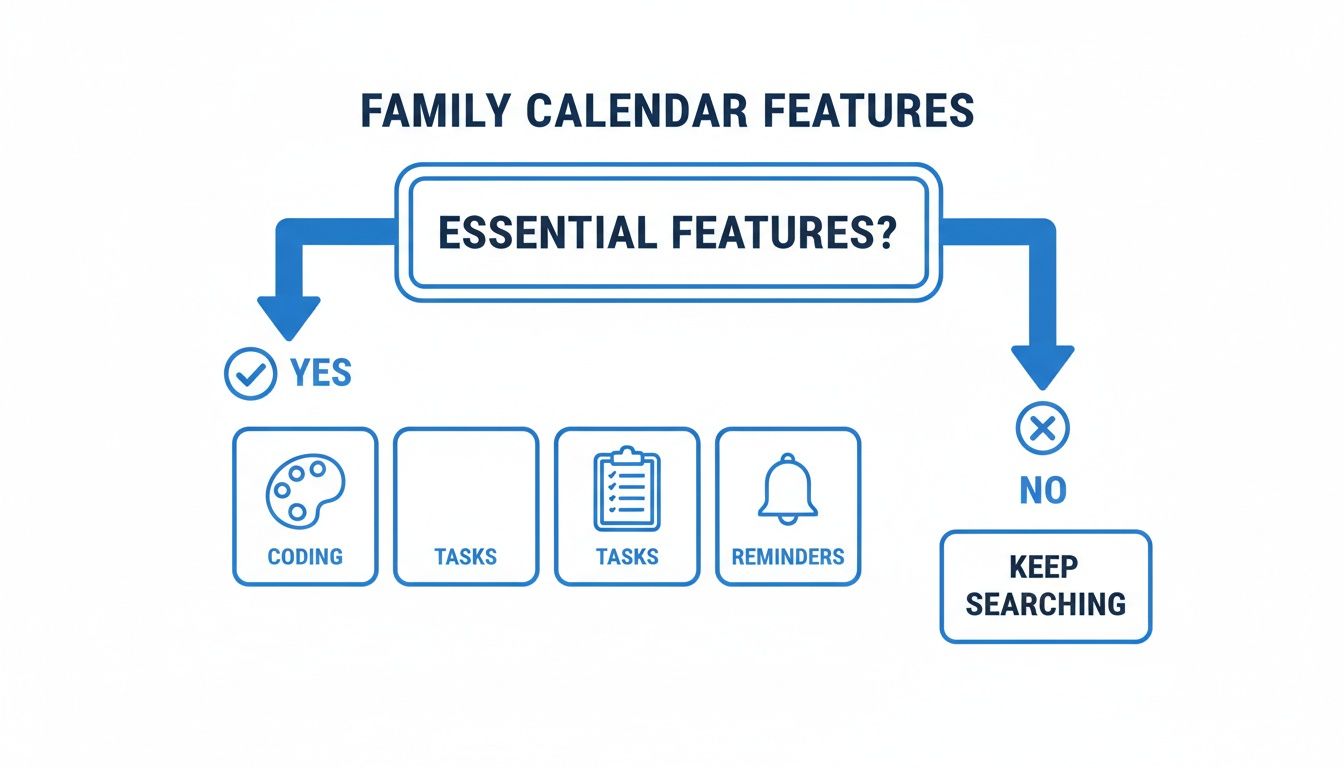
The flowchart makes it pretty clear: fundamentals like color-coding, task management, and reminders have to be there before you even consider anything else.
Key Factors to Consider
As you weigh the options, get real about your family’s habits. A family full of tech-savvy teens might do just fine with an app. But a household with younger kids or less tech-inclined adults will almost certainly get more value from a visible, physical hub.
Here’s a quick breakdown of how they stack up:
| Factor | Digital Apps | Physical Hub (Everblog) |
|---|---|---|
| Visibility | You have to open the app to see anything | Always-on, at-a-glance view for everyone |
| Accessibility | Depends on everyone having their own device | Centralized and accessible to the whole family |
| Screen Size | Small, cramped, and often cluttered | Large, clear display showing the whole week |
| Distractions | Competes with texts, games, and social media | A dedicated, distraction-free interface |
| Cost Model | Free with ads, or a recurring subscription | Typically a one-time hardware purchase |
Ultimately, the best shared calendar for your family comes down to a simple choice. Do you want a tool that requires active, daily effort from everyone? Or do you want a passive, ambient system that keeps the whole family in the loop without even trying? For truly getting a household on the same page, a central, physical hub is often the most direct path to a more organized and connected family life.
How Everblog Creates a Unified Family Experience
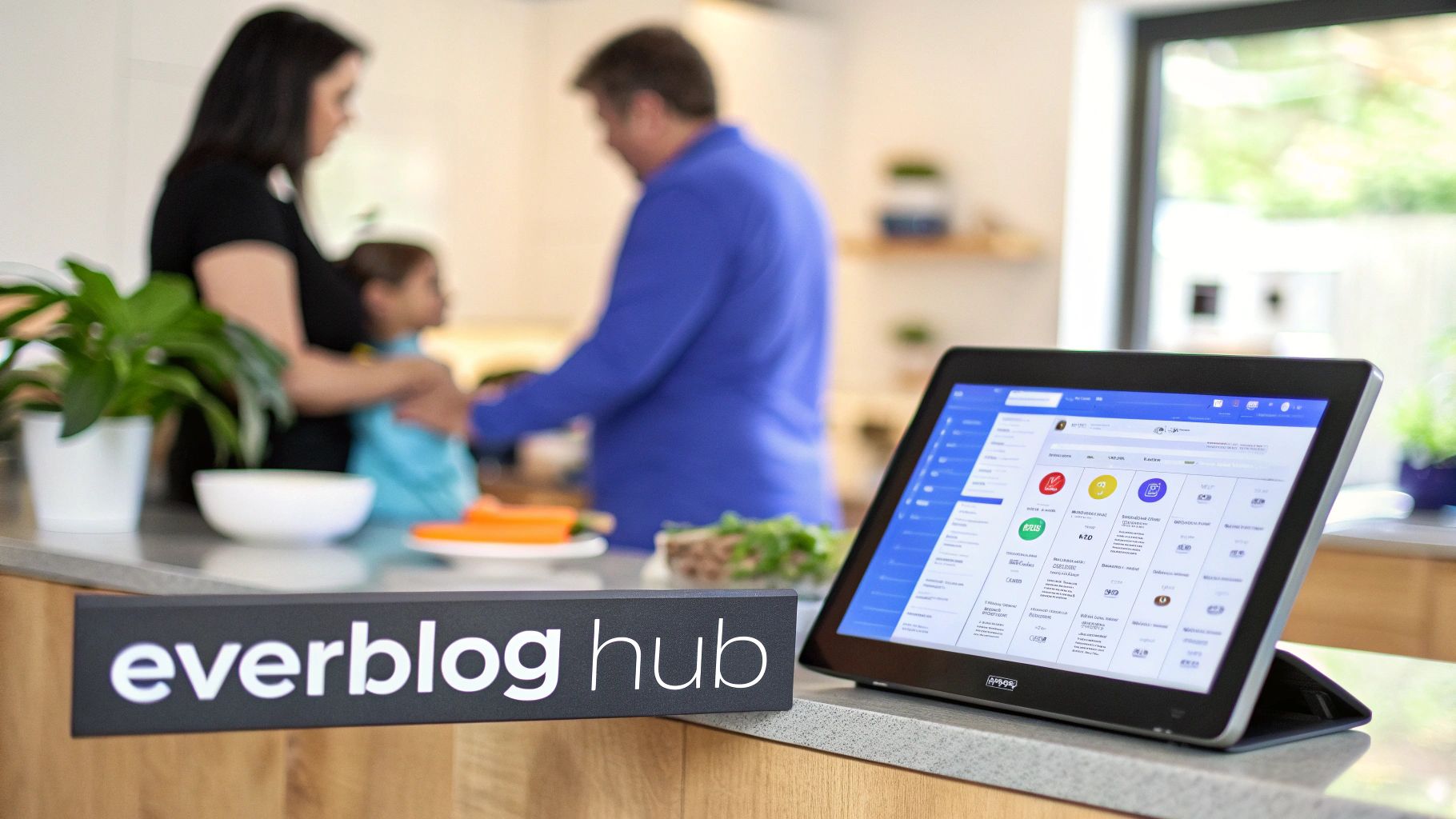
It’s one thing to list a bunch of features, but where a true family hub shines is in how it solves the real-world, deep-rooted chaos of family life. We’re talking about ending the constant cycle of reminders, dodging missed appointments, and silencing the daily "what's for dinner?" panic. A dedicated device like Everblog isn't just another app you download—it’s a whole new operating system for your family.
Picture your kitchen counter, finally free from the blizzard of scattered papers and sticky notes. In their place sits a single, elegant 21.5-inch display that acts as the single source of truth for everyone. This is the heart of the Everblog experience. It pulls all the moving parts of family life out of everyone’s individual phones and puts them into one shared, highly visible space.
The End of App Hopping
One of the biggest headaches with going digital is the fragmentation. Your work schedule is in one app, the shared family calendar is in another, your to-do list is in a notes app, and the grocery list is buried in a group text. It’s a mess. Everblog was built to eliminate that chaos by bringing all your essential tools together into one cohesive system.
Instead of bouncing between a half-dozen apps, everything is right there on one central screen. It’s designed to be the best shared calendar for families because it brings these key areas under one roof:
- Chore Manager: You can assign tasks, set deadlines, and see what’s done without the constant nagging. It builds accountability in a visual, low-conflict way that actually works.
- Rewards Tracker: This turns chores into a game for the kids. They can see their progress toward a goal, which transforms household responsibilities from a daily battle into a motivating challenge.
- Meal Planner: Plan your dinners for the week and automatically create a shopping list that anyone in the family can add to.
- Media Hub: When it’s not actively being used, the hub becomes a dynamic digital picture frame, sharing family photos and videos.
This integrated approach means the calendar isn’t just a schedule; it’s a complete command center for your home.
Everblog is designed to address the root cause of family disorganization—a lack of shared visibility. By putting schedules, tasks, and plans in a central, public space, it shifts responsibility from one person to the entire family unit.
And the need for a tool like this is exploding. The global shared calendar app market is projected to jump from USD 278 million in 2024 to a staggering USD 646 million. After the pandemic, a massive 62% of parents reported looking for "at-a-glance" tools to get a better handle on their households. Everblog's gentle nudges and gamified chore system, which has been shown to reduce missed chores by 45%, fit this need perfectly. You can learn more about the growth of the shared calendar market.
Addressing Common Family Frustrations
We didn't just build another gadget; we engineered Everblog to solve the specific pain points that standard apps and our competitors tend to ignore. The goal was to create a frictionless experience that encourages everyone—from young kids to tech-skeptical grandparents—to actually use it.
To see how Everblog stands apart, let's compare it to the standard calendar apps most people use on their phones.
Everblog vs Standard Calendar Apps
| Feature/Aspect | Standard Calendar Apps | Everblog Digital Hub |
|---|---|---|
| Visibility | Hidden on individual phones; easy to ignore. | Central, always-on display in a high-traffic area. |
| Functionality | Limited to scheduling events and reminders. | Integrated calendar, chores, meals, and lists. |
| Family Engagement | Relies on one person managing and sending invites. | Gamified chores and visual rewards encourage participation. |
| Ease of Use | Requires unlocking a phone and navigating an app. | Hands-free voice commands for quick entry. |
| Cost Model | Often free with limited features or require subscriptions. | One-time purchase, subscription-free for life. |
This comparison highlights a fundamental difference in philosophy. Standard apps are personal tools, while Everblog is a true family system.
One of its biggest differentiators is the subscription-free model. So many smart home devices lock their best features behind a monthly paywall, but with Everblog, it’s a one-time purchase. You get full access to everything, including all future updates, without another bill to worry about.
Another small detail that makes a huge difference is the easy voice entry. Instead of trying to type on a tiny keyboard with messy hands, you can just say, "Everblog, add dentist appointment for Tuesday at 3 PM." It’s a simple feature that dramatically lowers the barrier to keeping the calendar updated in the heat of the moment.
Finally, the hub is backed by a rock-solid 2-year warranty, giving you peace of mind that your investment is protected. This commitment to quality and thoughtful design is what elevates Everblog from a cool gadget to an indispensable family tool that fosters clarity, connection, and a much calmer, more organized home.
Setting Up Your Shared Calendar for Lasting Success
Picking the right tool is a great start, but a new family calendar is only as good as the habits you build around it. Think of it like bringing home a new board game; it’s no fun if it just sits in the box. Real success comes when the calendar becomes a natural, indispensable part of your family’s rhythm.
Getting there means getting everyone on board, from a tech-skeptical partner to kids who just see another screen. A little bit of thoughtful planning during setup can be the difference between a gadget that collects dust and a hub that genuinely calms the household chaos.
The Family Kickoff Meeting
Before you even plug in a device like Everblog, get everyone together for a low-key "family kickoff meeting." This isn’t a lecture; it's more like a launch party for your family's new command center. The whole point is to build a little excitement and create a sense of shared ownership from day one.
Keep it light and fun—maybe over pizza on a Friday night. Frame the calendar as something that helps everyone. It gives them more visibility into their own schedules and helps create more time for the fun stuff.
During the kickoff, you can:
- Assign Colors: Let each family member pick their own color. It’s a simple thing, but it gives them a personal stake in the system right away.
- Set Ground Rules: Agree on a few simple rules together. For example, if it's not on the calendar, it's not official. Or, new event requests need to be added by a certain time.
- Explain the 'Why': Connect the calendar to real-life wins. "This will help us make sure we don't miss any more soccer games," or "Now we can actually plan fun weekend trips without surprises."
This first meeting really sets the tone. By involving everyone in the setup, you shift the calendar from being a top-down rule into a shared family project. It’s no longer "Mom's calendar"—it's "our calendar."
Migrating and Customizing Your System
Once everyone is on board, it’s time to populate the calendar with your family’s life. This is your chance to do a little spring cleaning with your schedule and build a system that reflects how your family actually operates. Don't just dump everything in at once; be strategic.
Start by adding all the non-negotiable, recurring events that form the backbone of your week. These are the big rocks that everything else has to fit around.
Key Recurring Events to Add First:
- School and Work Schedules: Block out the core hours for every family member.
- Weekly Activities: Get all the sports practices, music lessons, and club meetings in there.
- Household Routines: Don't forget recurring chores like trash day or family clean-up time.
- Important Health Appointments: Input any standing therapy sessions or doctor visits.
This is also the perfect time to consolidate any digital calendars you're already using. Many of us have schedules scattered across different apps. To make it easy, we put together a simple guide that shows you exactly how to sync your Everblog hub with Google Calendar and pull everything into one organized place.
Building a Lasting Weekly Routine
A shared calendar thrives on consistency. The single most effective habit you can build is a weekly planning session. It doesn't have to be long or formal—a quick 15-minute check-in every Sunday evening is all it takes.
During this session, gather around your Everblog and look at the week ahead. Confirm appointments, figure out who’s driving to practice, and maybe even plan a few meals. This simple ritual ensures everyone starts the week on the same page, which goes a long way toward eliminating Monday morning chaos. If you're looking for a structured approach, looking at an effective event planning timeline template can give you some great ideas for organizing your family's time.
By making this weekly review a non-negotiable part of your routine, the calendar becomes more than just a schedule. It becomes the centerpiece of your family's teamwork, turning disorganization into a predictable, manageable, and much calmer flow.
Getting More From Your Hub Than Just Scheduling
A shared family calendar is a game-changer for getting everyone to the right place at the right time. But its real magic happens when you stop seeing it as just an appointment book. The best family calendars become a central hub for teaching life skills, building good habits, and actually connecting with each other. It stops being an organizer and starts being an investment in a calmer, more capable family.
Think of your family hub as a training ground for real-world responsibilities. Instead of just listing out chores, you can use built-in tools to teach teamwork and accountability. When every family member can see their tasks and physically check them off, it creates a visual scoreboard of shared effort. This works so much better than the constant verbal reminders that usually just end in frustration.
Teaching Kids About Money and Responsibility
One of the most important lessons we can teach our kids is how money works, and your family hub is a surprisingly great place to start. A rewards tracker, for example, creates a tangible link between effort and reward.
- Make chores a game: Assign point values to tasks like “Make Your Bed” or “Help with Dinner.”
- Set clear goals: Let your kids save up their points for something they really want, like a new toy or a special trip for ice cream.
- Introduce budgeting 101: This simple system teaches the basics of earning, saving, and working toward a goal.
This whole approach turns boring chores into a fun challenge. The dynamic shifts from you nagging them to them feeling empowered, learning firsthand that their contributions earn them real rewards.
When you link chores to rewards inside the calendar, you’re not just getting the house clean. You're planting the seeds for a strong work ethic and a real understanding of how value is created.
Protecting and Prioritizing Family Time
In our crazy, overscheduled lives, unstructured family time is usually the first thing that gets pushed aside. A shared calendar gives you the power to put a fence around that precious time. When you intentionally block out "Family Game Night" or "Unstructured Weekend" on the schedule, you're giving it the same importance as a doctor's appointment or soccer practice.
It's a small action, but it sends a huge message to everyone: our time together matters, and it's non-negotiable. It stops other commitments from sneaking in and ensures you stay connected. In the same way, using the built-in grocery list to plan meals together can turn into a mini-lesson on budgeting and nutrition. As you build the shopping list, you can talk about costs, make healthy choices, and show your kids the effort that goes into feeding a family. Your hub becomes less about managing chaos and more about living with intention.
A Few Common Questions
Alright, even with a plan, making a change like this in your family's routine can bring up some "what if" scenarios. Let's tackle the most common questions head-on so you can feel confident this will actually work for your crew.
How Do I Get My Kids to Actually Use the Calendar?
This is the big one, isn't it? The secret is to make it their hub, not just another thing Mom and Dad are telling them to do. A visual, interactive screen is way more interesting than a boring app on a phone.
Get them involved right from the start. Let them pick their own color or avatar. Use the built-in rewards tracker to turn their chores into a game—nothing gets a kid moving like a clear goal with a fun payoff. The most important part? Make it a habit. A quick glance together at breakfast every morning makes it a natural part of the day.
What If My Partner and I Use Different Calendar Apps?
Ah, the classic Google vs. Apple household struggle. You're not alone! This is exactly the kind of mess a central hub is built to fix. Trying to sync two different ecosystems is a recipe for missed appointments and out-of-date information.
A dedicated device like Everblog becomes the single source of truth for your family. Think of it as a neutral command center where everything comes together. No more unreliable syncing or wondering if your partner saw the update. Everyone looks at the same screen and gets the same information, no matter what phone is in their pocket.
Is a Digital Hub Worth the Cost Over a Free App?
Free apps are great for one person's basic schedule, but they often fall short for a whole family. A dedicated hub is an investment in your family's sanity and organization. Think about the hidden costs of those "free" apps—they're cluttered with distracting ads, and the best features are usually locked behind a monthly subscription. Plus, there's the mental drain of constantly switching between different tools.
A one-time purchase for an all-in-one hub gives you a tool designed specifically for families. It puts your schedules, chores, and meal plans in one highly visible place without those nagging subscription fees. In the long run, it’s not just more effective—it’s a whole lot less stressful.
Ready to bring a new level of calm and order to your home? The Everblog digital calendar is the subscription-free command center your family has been waiting for. Learn more and see how it works on everblog.com.


