








Let's be honest, for most of us, running a household feels like trying to direct traffic in the middle of a circus. You’ve got sticky notes on the fridge, a paper calendar covered in scribbles, endless text threads, and five different apps just to keep track of who needs to be where and when. It’s exhausting. This is the "mental load" we all hear about—that invisible, never-ending job of keeping everyone’s life on track.
So, what if you could replace all that chaos with one single, elegant solution?
What Is a Digital Wall Planner and How Does It Work?
A digital wall planner is exactly that solution. Think of it as a smart, wall-mounted command center for your family. It's a dedicated screen that pulls all your schedules, chores, and to-do lists into one central place that everyone can see at a glance.
It’s designed to do one thing exceptionally well: transform the constant, stressful job of coordinating your family into a smooth, collaborative flow. This isn't just about tracking appointments; it's about reclaiming your peace of mind.
This simple flowchart shows how these devices take the messy, tangled threads of family life and weave them into a clear, harmonious picture.
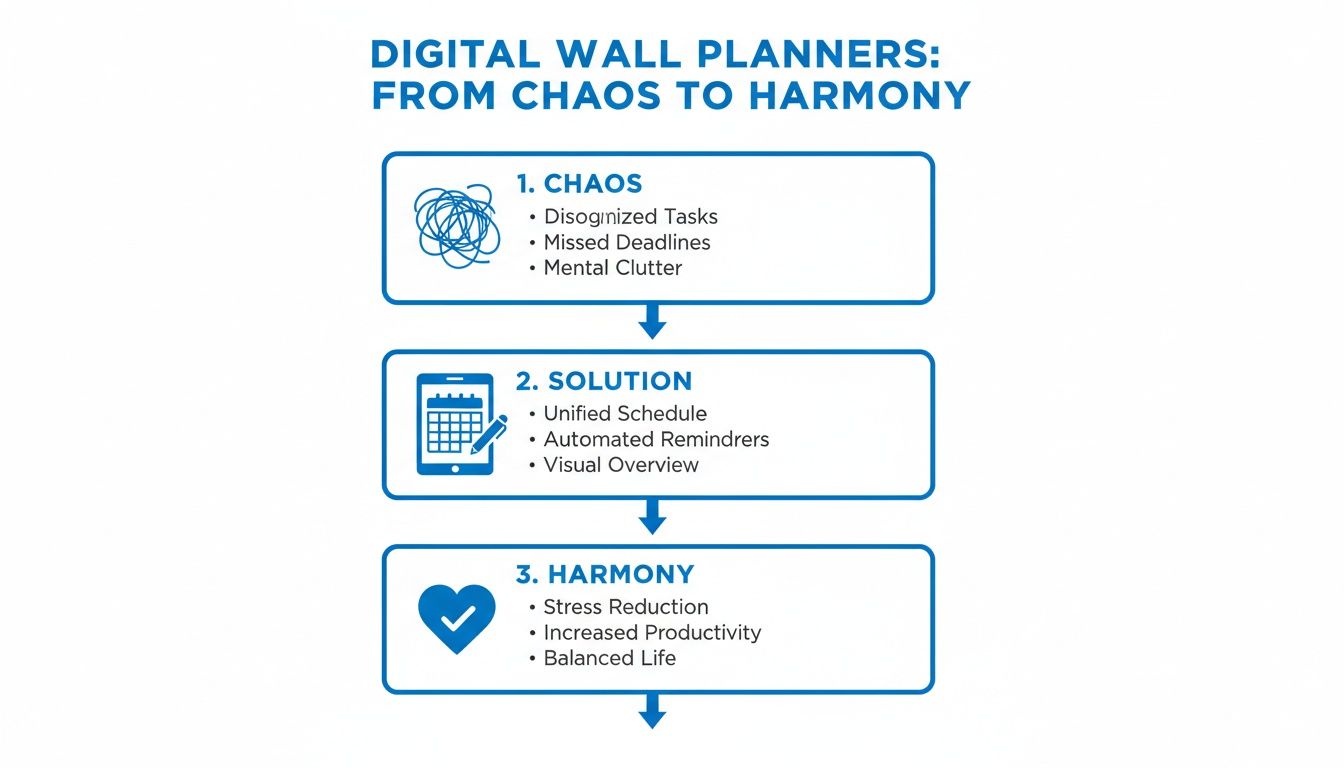
The journey is clear: you move from disorganized chaos to a central hub that fosters genuine family harmony. It’s a game-changer.
More Than Just a Calendar
Now, you might be thinking, "Can't I just use an app on a tablet?" And while you could, a digital wall planner is fundamentally different. It's designed to be a permanent fixture in a high-traffic spot like your kitchen or entryway. Its very presence creates a natural focal point for the family, moving coordination from individual phone screens to a shared, public space.
This shift away from paper is already happening in a big way. By 2025, digital solutions are projected to make up about 62% of the revenue in the broader calendars and planners market. Families are clearly looking for a better way to manage their lives, and the old paper-and-pen method just isn't cutting it anymore.
How It Works in Practice
At its heart, a digital wall planner syncs with the calendars you already use, like Google Calendar or Apple Calendar. When you add a doctor's appointment on your phone, it instantly appears on the wall for the whole family to see. No more last-minute reminders or missed events.
But the best systems go way beyond a simple shared calendar. They become a true digital family command center by integrating all the tools you need to run your household smoothly:
- Shared Calendars: See everyone’s schedule at a glance, with color-coding to easily spot who’s busy and when.
- Chore and Task Managers: Assign chores, track progress, and teach kids responsibility without the constant nagging.
- Meal Planners and Grocery Lists: Plan the week's dinners and let everyone add what they need to a collaborative shopping list.
- A Family Hub: Leave notes for each other, share photos, and stay connected in one central place.
Ultimately, it's a dedicated tool built to cut down on the redundant questions ("What's for dinner?" "Do I have practice today?") and empower every single member of the family to be on the same page.
Paper Calendars vs Digital Wall Planners at a Glance
Wondering how a digital hub truly stacks up against the classic paper calendar on your wall? The differences are night and day when it comes to managing a modern, busy family.
This table breaks down the key features side-by-side.
| Feature | Paper Calendar | Digital Wall Planner |
|---|---|---|
| Updates | Manual; requires a pen and good handwriting. | Automatic; syncs in real-time from any device. |
| Accessibility | Only visible when you're standing in front of it. | Viewable on the wall and accessible via phone apps. |
| Reminders | None; you have to remember to look. | Sends automated notifications and alerts. |
| Collaboration | One person is usually the designated "updater." | Everyone can add events, chores, and list items. |
| Integrated Tools | Just a calendar. | All-in-one: calendar, chores, meals, lists, notes. |
| Flexibility | Plans are messy to change; requires erasing/crossing out. | Easily edit or move events with a simple tap. |
While a paper calendar has a certain nostalgic charm, it’s a passive tool. A digital wall planner, on the other hand, is an active partner in managing your family's life, automating the little things so you can focus on what really matters.
The Four Core Features Your Family Planner Needs
A truly great digital wall planner is so much more than a fancy screen hanging on your wall. Think of it less like a calendar and more like a command center—a central hub designed to take all the chaotic moving parts of family life and smooth them out into a simple, visible flow. While lots of devices offer a basic calendar, the ones that actually make a difference are built around four core features that work together to make your home more collaborative and a whole lot calmer.
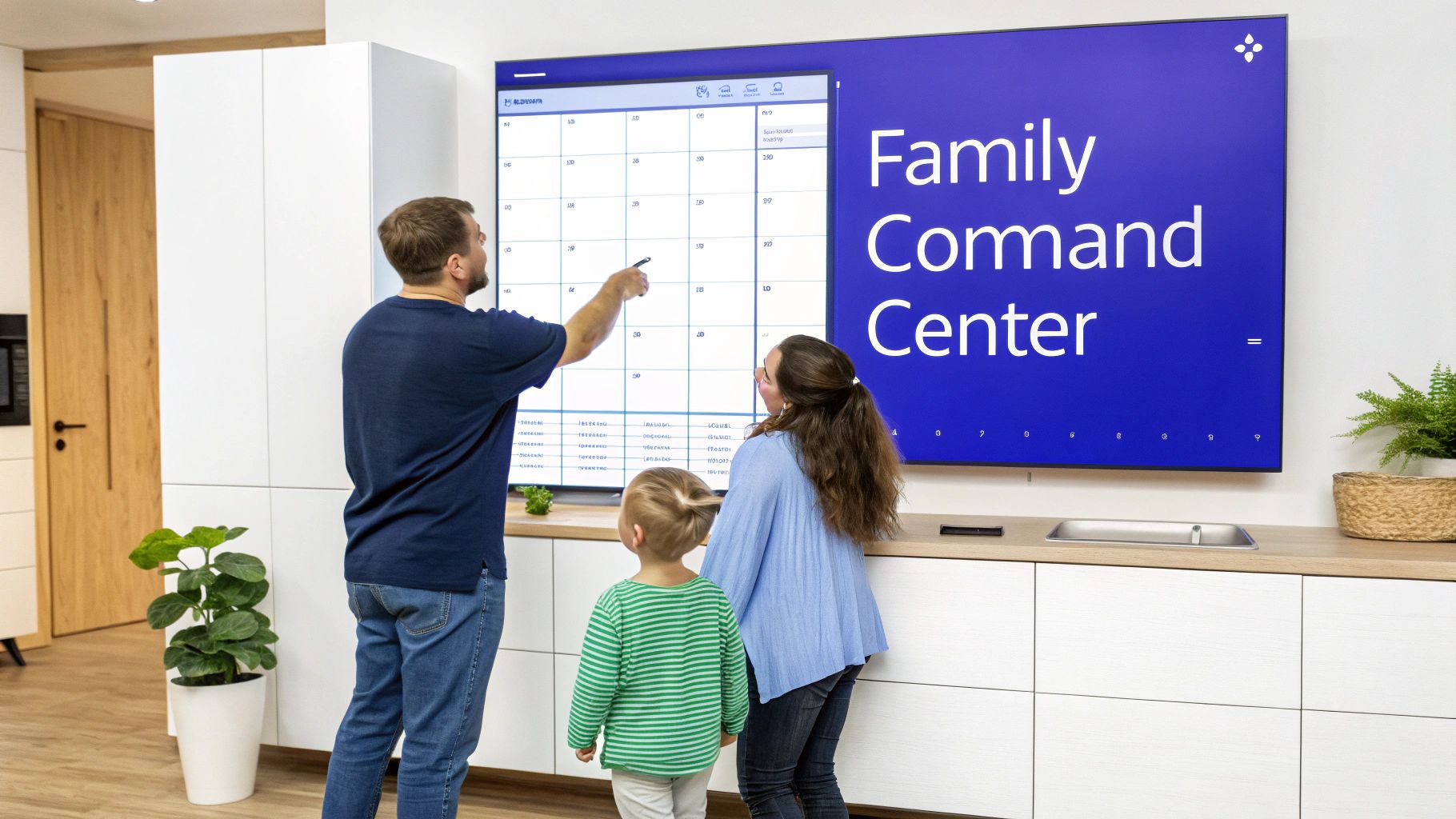
Without these essentials, a planner is just a passive display. But with them, it becomes an active partner in running your household, cutting down on friction and freeing up that precious mental space for everyone in the family. Let's break down exactly what these must-haves are and why they’re so crucial for modern families.
The All-Knowing Shared Calendar
The shared calendar is the absolute heart of any digital wall planner. It’s the single source of truth that finally puts an end to those classic "Oh, I forgot about that!" moments that throw the whole family into a tailspin. This isn't just about noting down appointments; it's about creating total visibility for everyone.
We've all been there: one parent books a dentist appointment for a child, the other schedules a playdate for the exact same time, and the child just remembered they have a late soccer practice. With separate phone calendars or sticky notes on the fridge, that scheduling nightmare isn't discovered until it's too late.
A shared digital calendar solves this mess instantly.
- Real-Time Syncing: When an event is added on someone's phone, it pops up on the wall display for everyone to see. No lag. No manual updates.
- Color-Coding: Assign a different color to each family member. At a glance, anyone can see who’s busy and when, making it dead simple to spot conflicts or find open slots in the schedule.
- Centralized View: All your individual schedules—from Google Calendar, Apple Calendar, or wherever else—get pulled into one master view. No more jumping between different apps just to figure out what’s happening today.
This feature alone turns scheduling from a reactive, chaotic scramble into a proactive, collaborative effort. It’s the foundation of a well-run family. For a deeper look, check out our guide on finding an electronic wall calendar that syncs with your iPhone.
A Chore and Rewards Manager
Getting kids to help out around the house can feel like a never-ending cycle of nagging and negotiations. A built-in chore manager completely changes that dynamic, shifting it from nagging to empowerment. It gives kids a clear, visual system that builds accountability and teaches them valuable life skills without you having to say a word.
Instead of constantly asking, "Did you make your bed?" or "Did you feed the dog?" the planner becomes the friendly taskmaster. Kids can see their responsibilities for the day or week laid out right in front of them.
By gamifying chores, you turn mundane tasks into something kids actually want to do. When a child can physically check off a task and see their progress toward a reward, they get a real sense of accomplishment and ownership.
This kind of system usually includes:
- Easy Chore Assignment: Parents can set up recurring or one-time tasks and assign them to specific kids.
- Visual Progress Tracking: Kids can check off their own chores on the screen or with a companion app.
- Integrated Rewards System: As chores get done, kids earn points or stars that go toward a real-world goal, like extra screen time or a trip for ice cream.
It creates a positive feedback loop that reduces parental burnout and empowers kids to become active, helpful members of the family.
The Meal Planner and Integrated Grocery List
That relentless, daily question—"What's for dinner?"—is a huge source of stress for most parents. A dedicated meal planning feature built into your digital planner tackles this head-on, simplifying the entire process from planning the meal to buying the ingredients.
This is way more than just scribbling down meal ideas. A truly effective system connects the plan with the execution. The planner displays the week's menu so the whole family knows what to expect, which ends the last-minute indecision.
Even better, as you add meals to your plan—like "Taco Tuesday" or "Spaghetti Night"—the system helps build your grocery list. Throughout the week, anyone in the family can add items they need to this shared list. When you’re at the store, the list is right there on your phone, complete and up-to-date. This one simple feature saves time, cuts down on food waste, and ends the frustration of realizing you forgot to buy milk.
A Media Hub for Family Connection
Finally, a great digital wall planner shouldn't just be about organization; it should be a hub for connection, too. A media feature transforms the device from a purely functional tool into a source of family joy and communication. When it’s not showing the schedule, the screen can become a beautiful, dynamic digital photo frame.
This feature lets your family:
- Share Family Photos: Create rotating slideshows of your favorite memories, turning a blank screen into a personal art gallery that brings a smile to your face.
- Leave Digital Notes: Post reminders, encouraging messages, or funny notes for family members to see as they walk by.
- Display Important Information: Use it to show emergency contacts, a quote of the week, or fun facts.
This final piece of the puzzle ensures the planner is truly integrated into the emotional fabric of your home. It becomes a place where the family not only coordinates their lives but celebrates them, too. Together, these four core features create an all-in-one command center that genuinely supports the rhythm of modern family life.
How to Choose the Right Digital Planner for Your Home
Picking the right digital planner for your family isn't just about grabbing a cool new gadget. It’s an investment in your family’s harmony, a tool that should make life easier, not more complicated. Not all of these devices are the same, and the best one for you hinges on your family's unique needs, your budget, and what you really want out of a central command center.
To avoid that sinking feeling of buyer's remorse, you have to look past the flashy marketing and ask the right questions.

This guide will walk you through the things that actually matter, helping you find a planner that becomes an indispensable part of your home instead of another piece of tech that ends up collecting dust.
Evaluating the True Cost
The sticker price is just where the story begins. The biggest financial trap with these devices is often hidden in the pricing model. A planner that looks like a bargain upfront can end up costing you way more if it locks its best features behind a monthly subscription.
When you start comparing, you'll see two main approaches:
- Subscription-Based: These planners tempt you with a low initial hardware cost. But to get the good stuff—like meal planning, photo displays, or better calendar syncing—you have to pay a monthly or annual fee. Over a few years, those fees can easily add up to hundreds of dollars.
- One-Time Purchase: Other devices, like Everblog, work on a "buy it once, own it forever" model. The upfront cost might be higher, but you get everything—all current and future features—without another bill showing up. This is almost always the better deal in the long run and makes budgeting so much simpler.
Before you buy, do the math. Seriously. Tally up the total cost of a subscription planner over two or three years and put it next to the one-time price of a subscription-free option. The difference might shock you.
Screen Size and Hardware Quality
The physical device itself plays a huge role in how useful it will be. This planner is meant to be a central hub in your home, so its display has to work for everyone, from the kids to the grandparents.
Ask yourself this: Is the screen big enough and bright enough for me to read from across the kitchen? A small, dim screen completely misses the point of having an at-a-glance hub. You want a display that is high-resolution and large enough—think 21 inches or more—to show the whole month, the chore chart, and the meal plan without looking like a jumbled mess.
Then, consider the build quality. Does it feel solid? Is the frame made from something that actually looks good in your home? A well-made device won't just stand up to daily life; it will blend into your decor instead of sticking out like an electronic sore thumb.
Ease of Use and Family Buy-In
The fanciest digital planner on the market is totally worthless if your family hates using it. The interface has to be so simple that everyone, from your five-year-old to a tech-shy partner, can figure it out without a manual. That means big icons, clear text, and dead-simple navigation.
Think about how this tool fits into your family's ecosystem. A planner that smooths out your schedules frees up brain space for other things. For example, once the daily chaos is under control, you might even have the energy to discover useful learning apps for children that can support their growth.
To make sure the planner is a hit, look for these key things:
- Simple Setup: Getting started should be a breeze. It should walk you through connecting to Wi-Fi and syncing your calendars without making you feel like you need an IT degree.
- Companion App: Life happens on the go. A good mobile app is non-negotiable for adding appointments or updating grocery lists while you're out.
- Customer Support: Don't overlook this. When something goes wrong (and with tech, it sometimes does), having a real, helpful human to talk to can save you a world of frustration.
By focusing on these practical points—cost, hardware, and usability—you can confidently choose a digital wall planner that truly serves your family and becomes a trusted tool for a more organized, connected home.
Setting Up Your Planner for a More Organized Life
Unboxing your new digital wall planner should be exciting, not another chore on your to-do list. Think of this as the first step toward a calmer, more coordinated household. The whole setup process is designed to be super simple, getting you from the box to a fully functional family command center in no time.
First things first. You’ll want to mount the device somewhere everyone sees it—the kitchen is usually a prime spot. Plug it in, connect it to your Wi-Fi, and then grab your phone. The companion app will walk you through the most important part: syncing up your digital life.
The Initial Sync and Customization
This is where the magic really happens. The planner's main job is to pull everyone’s scattered schedules into one central, easy-to-read hub. The app makes it a breeze to link the calendars your family already relies on, whether that’s Google Calendar, Apple’s iCal, or another platform.
Once you’re connected, you can start tweaking the display to match your family's unique rhythm. Taking a few minutes to get this right is key to making the planner genuinely useful from day one.
- Assign User Colors: This is a game-changer. Give each family member their own color so you can see who’s doing what with just a quick glance from across the room.
- Choose Your View: Most planners let you switch between daily, weekly, and monthly views. Start with whatever feels most natural for how your family already thinks about its schedule.
- Set Up Core Features: Before you get lost in the details, activate the chore manager and meal planner. These tools deliver an immediate payoff and are your secret weapon for getting everyone on board.
Honestly, this initial setup should take you less than 30 minutes, but the clarity it brings is instant.
Launching Your Planner as a Family
Here’s a pro-tip: a digital wall planner works best when everyone feels like it's theirs. Instead of just setting it up yourself, turn the launch into a quick, positive family huddle. This one small move transforms the planner from "mom's new gadget" into "our family's command center."
A successful launch isn’t about enforcing rules; it’s about creating shared excitement. When kids and partners feel involved in the setup, they are far more likely to actually use the tool every single day.
Hold a quick "family kickoff" meeting to get everyone on the same page and build that buy-in from the get-go. Here’s a simple three-step plan to make it a win:
- Input the First Week Together: Grab everyone and add the upcoming week’s events. Ask about soccer practice, project deadlines, and appointments, and pop them in right then and there so they see how simple it is.
- Let Kids Set Up Their Chores: Get your kids involved in creating their own chore lists. Letting them help choose icons or assign rewards for completed tasks gives them a sense of control and makes them way more likely to participate.
- Plan the First Meal: Use the meal planner to map out dinner for the next couple of days. This shows off its practical value right away and puts an end to the "what's for dinner?" debate before it can even start.
Creating these quick wins builds confidence and shows every single person in your family how this new planner is going to make their life easier. Once your schedule is under control, you’ll free up the mental energy to tackle bigger projects, like following a comprehensive guide to organizing your home room by room. By starting strong, you’re setting the stage for a much more organized and connected family life.
A Day in the Life With a Digital Wall Planner
It’s one thing to talk about features, but seeing how a smart planner actually works in a real home? That’s where it all clicks. Let’s follow the Miller family through a pretty standard day to see how this hub turns their daily chaos into calm. It’s not just organizing their to-do lists; it’s making their entire day flow better.
The morning starts with a quiet glance, not a frantic scramble. As everyone makes their way into the kitchen, the big, bright screen on the wall already has the whole day laid out.
- 7:15 AM: Dad sees his 9:00 AM video call and his afternoon dental appointment. No surprises.
- 7:20 AM: Ten-year-old Leo spots the reminder that it's his turn to feed the dog. He might’ve missed that otherwise.
- 7:25 AM: Mom sees Mia has soccer practice at 4:00 PM and knows she needs to pack her gear.
Nobody’s shouting, “What are we doing today?” or “Did you remember…?” The planner’s already answered those questions, starting the day on a much more peaceful note.
Afternoon Accountability and Easy Updates
The after-school rush is where this thing really proves its worth. When Leo and Mia get home, they head to the kitchen and check the screen for their chores. "Unload Dishwasher" and "Tidy Room" are right there waiting for them.
This visual system gives them a sense of ownership. Instead of waiting for a parent to remind them, they see what needs doing. Once Leo’s done with the dishwasher, he taps the screen to mark it complete, and a little star icon fills in next to his name. It’s a small thing, but it gives him a quick, satisfying win.
By making chores a visible, interactive part of the day, the planner changes the whole dynamic. It’s less about parental nagging and more about kid-driven accountability. It almost becomes a game.
Suddenly, Mom remembers she promised to schedule a playdate for Mia. Without grabbing her phone, she just says, "Hey, add playdate with Sophie to this Saturday at 2 PM." The voice command is picked up instantly, and the event pops onto the calendar for everyone to see. Those little hands-free moments save so much time and hassle.
Seamless Coordination for Modern Families
As dinnertime rolls around, there’s no “What’s for dinner?” debate. The meal plan is right there on the screen: Taco Tuesday. The grocery list was updated over the weekend, so everything is ready to go. That feature alone eliminates a huge daily stressor.
This is also where the planner becomes a lifesaver for co-parents. Mia’s dad lives in a different house, but he can see her entire schedule on the companion app. He knows about soccer practice and the playdate without needing a separate text or call. The digital wall planner is the neutral, shared source of truth that keeps both parents in sync and able to support their daughter's routine together.
This type of connected tech is exactly what families are looking for. Market forecasts show that a device with a large shared display, voice entry, and a no-subscription model aligns with both consumer demand for digital tools and the steady growth of the wall calendar market.
This connected approach just makes life simpler. We actually wrote a whole guide on how a smart calendar simplifies daily family scheduling if you want to dive deeper.
As the day winds down, the planner’s screen saver mode kicks in, showing a slideshow of photos from their last family vacation. The command center transforms into something warm and personal. From that calm morning coffee to the coordinated evening routine, the digital wall planner has been the silent partner keeping the whole family moving in the same direction—together.
Frequently Asked Questions
Thinking about bringing a digital wall planner into your home but still have a few questions floating around? You're not alone. Let's tackle some of the most common queries and concerns we hear from families just like yours.
We'll give you clear, straightforward answers to demystify the tech and show you how practical these devices really are. From setup and costs to data privacy, you'll have all the info you need.
Is a Digital Wall Planner Hard to Set Up?
Not at all. Honestly, they’re designed for busy parents, not tech wizards. The whole process is usually just plugging it in, connecting to your Wi-Fi, and using a simple app on your phone to link your existing calendars. That's it.
The interfaces are made to be intuitive, with big icons and clear text that everyone from young kids to grandparents can figure out right away. The goal is to get you organized in minutes, not spend hours fumbling with a manual.
Do I Have to Pay a Monthly Subscription Fee?
This is a huge one, and it really depends on the brand. Some planners look like a great deal upfront, but then they lock essential features—like chore charts or meal planners—behind a recurring monthly fee. Those costs add up fast.
A one-time purchase model offers better long-term value and financial predictability. With this approach, you own the device outright, and all its features—plus future software updates—are included at no extra cost.
Other brands, however, sell their planners as a one-time purchase. You buy it, you own it, and you get every feature and all future updates without ever seeing another bill. It's a much more straightforward approach.
Can My Whole Family Use and Update the Planner?
Absolutely—that’s the whole point! These devices are built for collaboration. Each person in the family gets added as a user through a companion phone app, letting them see the shared schedule and add their own appointments or check off chores from anywhere.
It’s the perfect way to keep everyone on the same page, whether you’re co-parenting across two households or just trying to track after-school activities. A good digital wall planner ensures the schedule is always current, whether an event is added from the kitchen screen or from a phone across town.
Will This Device Be Outdated in a Year?
A quality planner is built to last. The key is to look for devices that get automatic "over-the-air" (OTA) software updates. This is just like how your smartphone gets better over time—new features, performance boosts, and security patches are sent directly to your planner over Wi-Fi.
This process ensures the hub you buy today keeps getting smarter and more useful for years to come. It protects your investment and prevents your family’s command center from becoming obsolete.
What Happens if My Wi-Fi Goes Down?
Great question. If your internet connection drops, you won’t be left staring at a blank screen. Most planners will continue to display the last synced version of your calendar, so you can still see what was on the schedule.
Of course, you won't be able to add new events or get live updates from other family members' phones until the connection is back. Think of it as a static snapshot of your day. As soon as the Wi-Fi returns, the device automatically reconnects and syncs up all the changes.
How Does It Handle Data Privacy?
Your family’s schedule is personal, so privacy should be a top priority. Trustworthy brands use industry-standard encryption to protect your information, both on the device itself and when it's syncing with your phones.
Before you buy, take a minute to read the company's privacy policy. You want to see clear, transparent language about how your data is stored and used. A reputable company will be upfront about its commitment to keeping your family's information secure and will never sell it to third parties.
Ready to bring calm and clarity to your family's schedule? The Everblog digital wall planner consolidates your calendars, chores, and meal plans into one beautiful, easy-to-use hub—all with no monthly subscription. Discover how it can transform your home by visiting https://everblog.com today.


