


When three schools run on different clocks, the winning move in many households is to systematize decisions before mornings start. A shared digital calendar, visible home command center, and repeatable meal-prep routine can remove much of the day-to-day scrambling.
Ever had one kid at the right campus and realized the second backpack is still by the door for a different bell schedule? Families in high-change seasons often feel like they are managing 40-60 events a month, and disciplined calendar systems can reduce coordination strain when they fit existing routines digital family calendar field trials. Treat the 40-60 event range and any "up to 60% less scheduling friction" figure as example household benchmarks to validate against your own 30-day baseline, not guaranteed outcomes. You will leave with a practical setup you can implement in 14 days and refine over three weeks.
Design One Scheduling Backbone
Capture events at the moment they appear
The real leak is event entry lag, not which app you pick. When information sits for even about 45 seconds before entry, details get lost, and that compounds quickly when a household is carrying 40-60 events each month.

A governed one source of truth works best for three-school logistics: one shared Family calendar, one calendar per child, and private parent calendars overlaid only for conflict checks. Add explicit roles (Primary Scheduler, Co-Scheduler, Backup/Executor), and require an owner plus backup on every drop-off and pickup event.
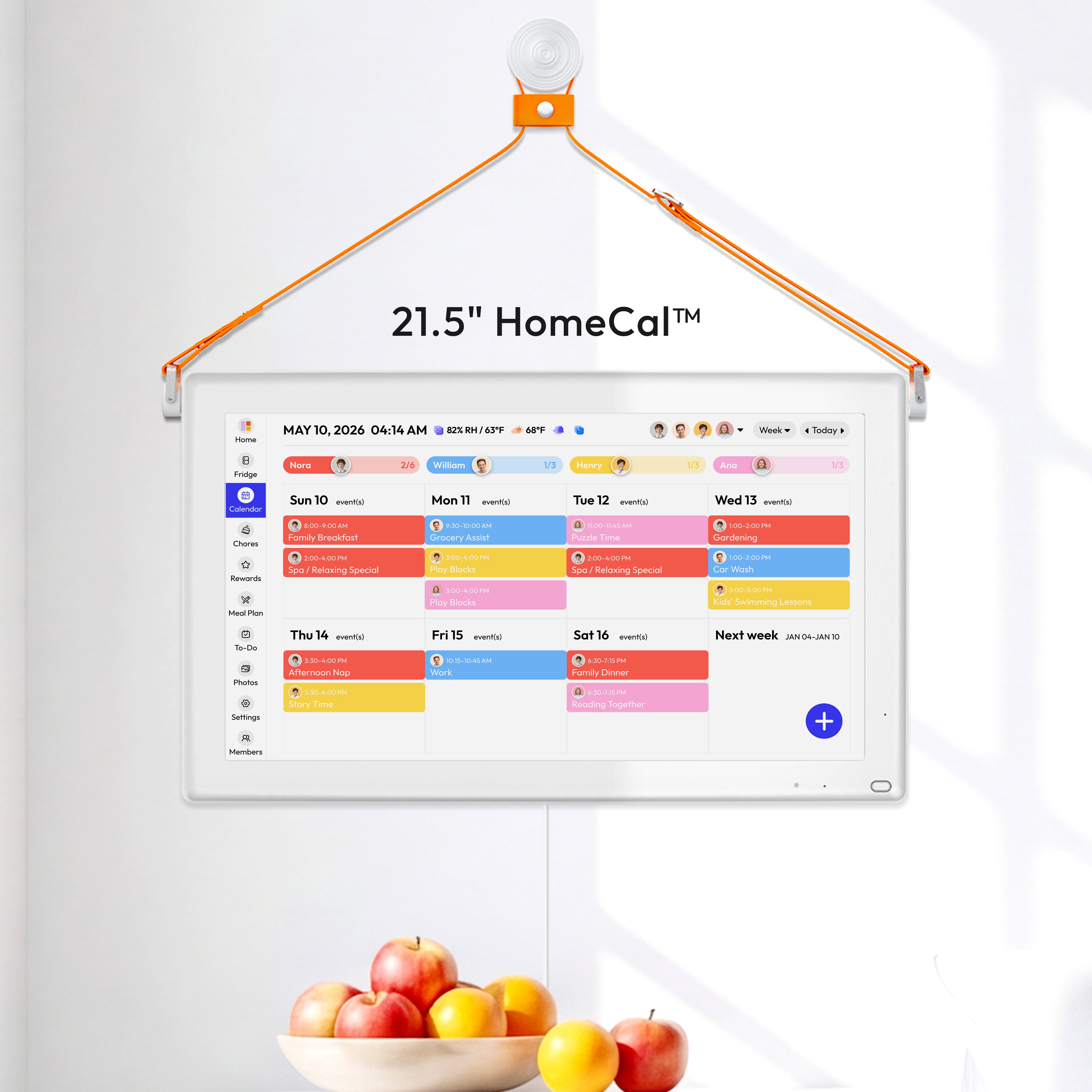
The most practical tool stack is cross-platform calendar sync on phones plus one home display. For many homes this means Google Calendar as the base and optional hardware later; if you want a wall display, examples range from about $169.99 to $599.00 depending on size and features.
Turn Your Home Into a Shared Visibility System
Place the command center where routines already happen
A high-traffic command center location is more important than perfect decor. Put it where everyone naturally passes, such as the kitchen, mudroom, or hallway by your main exit.
The setup only needs a few command center essentials: a visible calendar, a paper inbox, a message board, and simple hooks/cubbies for backpacks and lunchboxes. Even a low-cost build can work if each item has a fixed home and the system stays easy to maintain.

Use digital displays to remove update lag
The biggest issue with paper is a company. A better model is one visible household display, synced personal devices, and a weekly reset so every caregiver sees the same version without rewriting anything.
Run a Carpool Operating Rhythm
Assign ownership for every drop-off and pickup
Carpool breakdowns often come from unclear accountability, and explicit owner + backup rules can fix that fast. For each school movement, assign one primary adult and one backup in the event itself, then set reminders at 24 hours, 2 hours, and 30 minutes.
The most effective household rule is “nothing is real until it’s on the calendar”. Pair that with a Sunday 10-minute sync to check bell times, early-release days, sports conflicts, and who owns each pickup window for the week.
Applicability and Exceptions
This rhythm is most reliable when the workflow matches existing home routines calendar routines.
- Single-parent household: keep one Owner for each movement and pre-assign one external Backup per weekday.
- Shift-work household: replace one long weekly sync with two short handoff syncs tied to shift changes.
- No-car household: assign ownership by transit leg (walk, bus, train) and move reminders earlier for transfer risk.
- Split-city commute household: create route templates by city and define fixed handoff points where responsibility changes.
Build failure buffers for real life
A documented a company showed why backup paths matter: one lost artifact can disrupt the entire week. Add two standing buffers: a pre-approved alternate driver list and a “late-running protocol” text template that triggers 20-30 minutes before pickup risk.
Offload Morning Decisions with Meal Planning
Standardize breakfast and lunch prep windows
Reliable mornings start with night-before prep: pack lunches, lay out clothes, and confirm next-day school logistics before bedtime. This removes decision spikes from the exact hour when three-school households have the least margin.

A repeatable make-ahead breakfast rotation is easier to sustain than daily improvisation. Keep Monday-Thursday options prepped (overnight oats, egg muffins, burritos, parfait cups), and use a simple plate formula each morning: fruit or vegetable + fiber-rich carb + protein.
Pair the food plan with calendar checkpoints
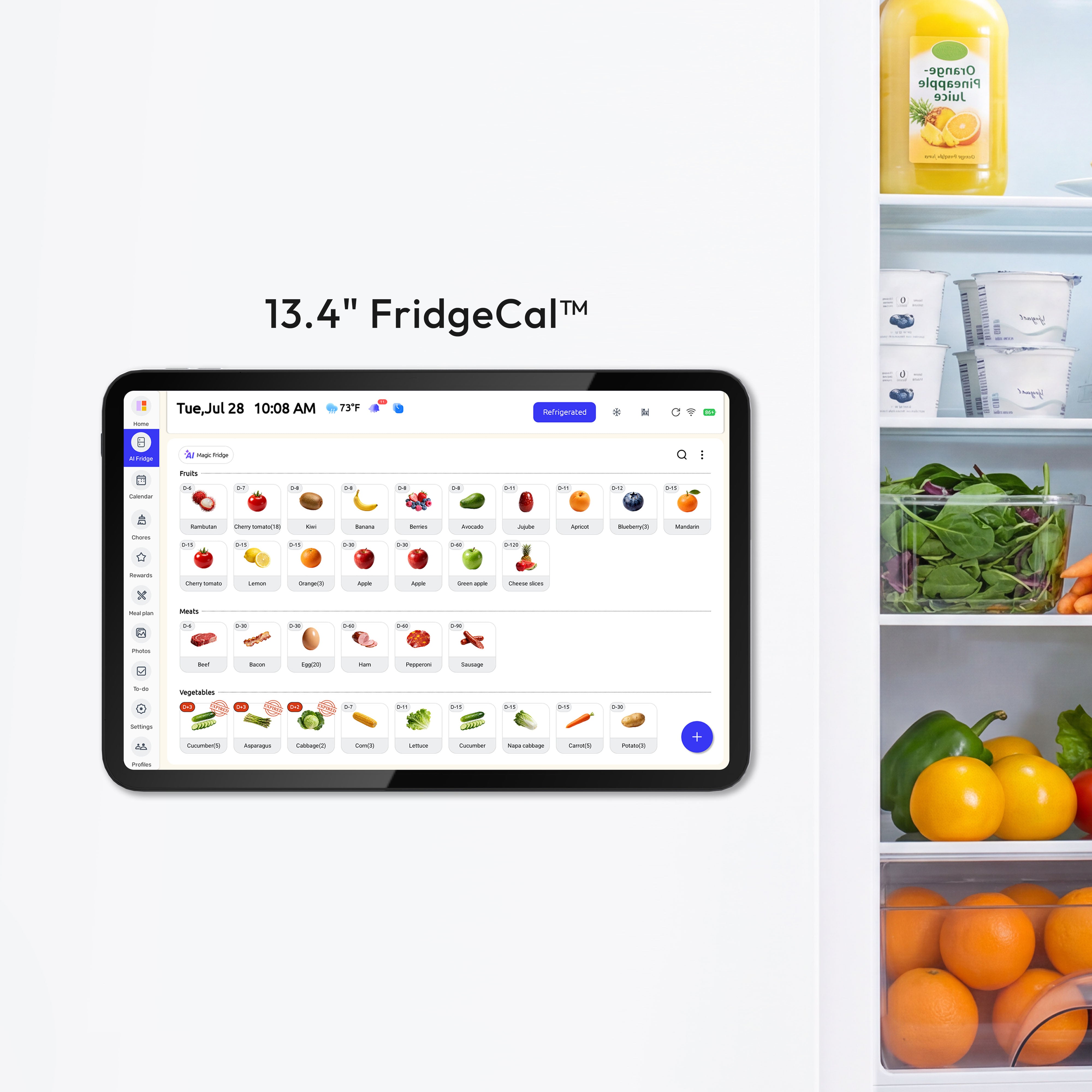
Use one a company to finalize both schedules and food. During that reset, date-label ready-to-eat items using USDA leftovers safety guidance, keep the fridge at 41°F or below based on FDA Food Code cold-holding guidance, and enforce a 3-minute nightly check so next-day breakfast and drop-off timing are already decided. If your local public-health or food-safety authority sets stricter limits, follow those thresholds.
Implement in 14 Days, Stabilize in 30
Day-by-day rollout for three-school households
A practical a company starts small: Days 1-3 choose one visible display and connect existing calendars, then Days 4-7 prioritize fast entry for school, work, appointments, meals, and chores with 4-6 colors. By week two, run the same nightly check and Sunday reset without adding new complexity.

A phased Week 1-3 calendar system adds structure without overload: Week 1 core setup and naming rules, Week 2 permissions and work free/busy sync, Week 3 templates and only high-priority automation. Use target metrics as household benchmarks to validate against a 30-day baseline, not guaranteed outcomes: 50% fewer scheduling messages in one month, weekly coordination under 15 minutes, and zero missed non-emergent events.
30-Day Pilot Scorecard
Run a 30-day household pilot (n=1 household) after a 30-day baseline window; this month-long cadence is consistent with month-long field study design. Calculate improvement with improvement = (baseline - post) / baseline.
Weekly coordination time log (template + example):
Week |
Coordination time (minutes) |
Note |
2026-03-01 to 2026-03-07 |
42 |
One late pickup; backup handoff not confirmed |
Monthly scheduling-message count (template + example):
Period |
Scheduling messages sent |
Counting rule |
Baseline month |
86 |
Include SMS + family chat reminders |
Missed/late event log (template + example):
Date |
Event |
Outcome |
Cause |
Preventive change |
2026-03-05 |
Middle-school pickup |
Late (12 min) |
Traffic + delayed backup trigger |
Trigger backup at T-30 min |
Anticipate bell-time changes instead of reacting to them
District-level school start-time shifts can suddenly reshape sibling logistics, aftercare, and commute routes. Treat your system as a living operations plan by pre-building alternate drop-off templates for earlier elementary starts or later high school starts, then activating the right template when policy changes land.
Practical Next Steps
For many households, a 30-minute one-time setup can be enough to launch: choose platform, build structure, add first events, and share permissions. After that, consistency matters more than adding features.
- Create one shared Family calendar plus one calendar per child.
- Add role tags to every school event: Owner and Backup.
- Install a visible command center by your main exit and label each child’s drop zone.
- Run a Sunday 7:30 PM reset for schedule conflicts, meal plan, and grocery list.
- Run a 3-minute nightly check for next-day drop-offs, lunches, and clothing.
- Track 30-day outcomes: missed events, coordination messages, and weekly planning minutes.
A monthly KPI review rhythm keeps the system honest. If results stall, simplify: fewer reminders, clearer ownership, and tighter weekly review agendas usually restore reliability within 1-2 weeks.
Important Note
The planning templates and organizational systems provided here are intended as adaptable blueprints. Every family’s needs, dietary requirements, and physical capabilities are different. We recommend tailoring these schedules to your specific health needs and household dynamics. Results from productivity or meal-planning systems may vary, and consistency remains the responsibility of the individual user. For food storage temperatures and leftovers timing, follow local public-health or food-safety authority requirements whenever they are stricter than the examples used here.
References
- https://piccal.ai/guides/manage-family-calendar/
- https://www.workmate.com/blog/how-business-professionals-build-a-parental-multi-kid-calend
- https://www.morgen.so/blog-posts/digital-family-calendar
- https://theturquoisehome.com/top-10-family-command-centers/
- https://wrangleyourspace.com/2024/08/03/the-ultimate-guide-to-creating-and-maintaining-a-family-command-center-for-the-school-year/
- https://everblog.com/blogs/family-command-center/digital-family-calendar-vs-paper
- https://everblog.com/blogs/family-command-center/why-we-switched-from-paper-wall-calendars-to-digital-no-more-scribbles
- https://www.foodstuffs.co.nz/news-room/2025/surviving-the-back-to-school-rush
- https://ollie.ai/2025/10/10/breakfast-for-busy-mornings/
- https://mynews13.com/fl/orlando/news/2026/03/15/orange-county-parents-push-back-on-proposed-high-school-start-time-change
Evidence Basis and Source Mapping
- Calendar coordination fit and routine compatibility: digital family calendar field trials.
- Family communication context for ICT use: family communication and well-being association.
- 41°F cold-holding threshold basis: FDA Food Code supplement.
- Refrigeration risk context for cut leafy greens near 39-41°F: FDA temperature control recommendations.
- Date-label and leftovers handling routine basis: USDA leftovers safety guidance.
- Raw shell egg refrigeration context: FDA egg safety guidance.
- No direct source; conservative placeholder used: 40-60 events/month, up to 60% less scheduling friction, 50% fewer scheduling messages, weekly coordination under 15 minutes, and zero missed non-emergent events. Validate these with your own baseline/post pilot data.


