


A digital family calendar solved the real problem: too many moving parts on one sheet of paper. For a home that juggles school, work, meals, chores, and appointments, a shared screen is easier to update, easier to read, and harder to ignore.
Have you ever looked at a wall calendar full of arrows, crossed-out dinners, and side notes and still not known what tomorrow looks like? We hit that point after a misplaced paper calendar triggered missed appointments and a forgotten school project, while the replacement digital display took about 20 minutes to set up. The framework below shows how to make the switch without turning your home into one more app project.

The Problem With Paper in a Busy Home
One Surface, Too Many Jobs
Paper calendars are fine when the household is low-change and everyone checks the same wall at the same time. They break down when one square has to carry school deadlines, sports, work meetings, doctor visits, dinner plans, and chore reminders all at once.
The bigger issue is not the handwriting itself. It is the lag between when something changes and when every family member learns about it. A paper calendar creates one static version of the week, but family life changes dynamically, so the wall starts lying unless someone constantly rewrites it.
What Digital Actually Fixed
A Shared Surface Plus Sync
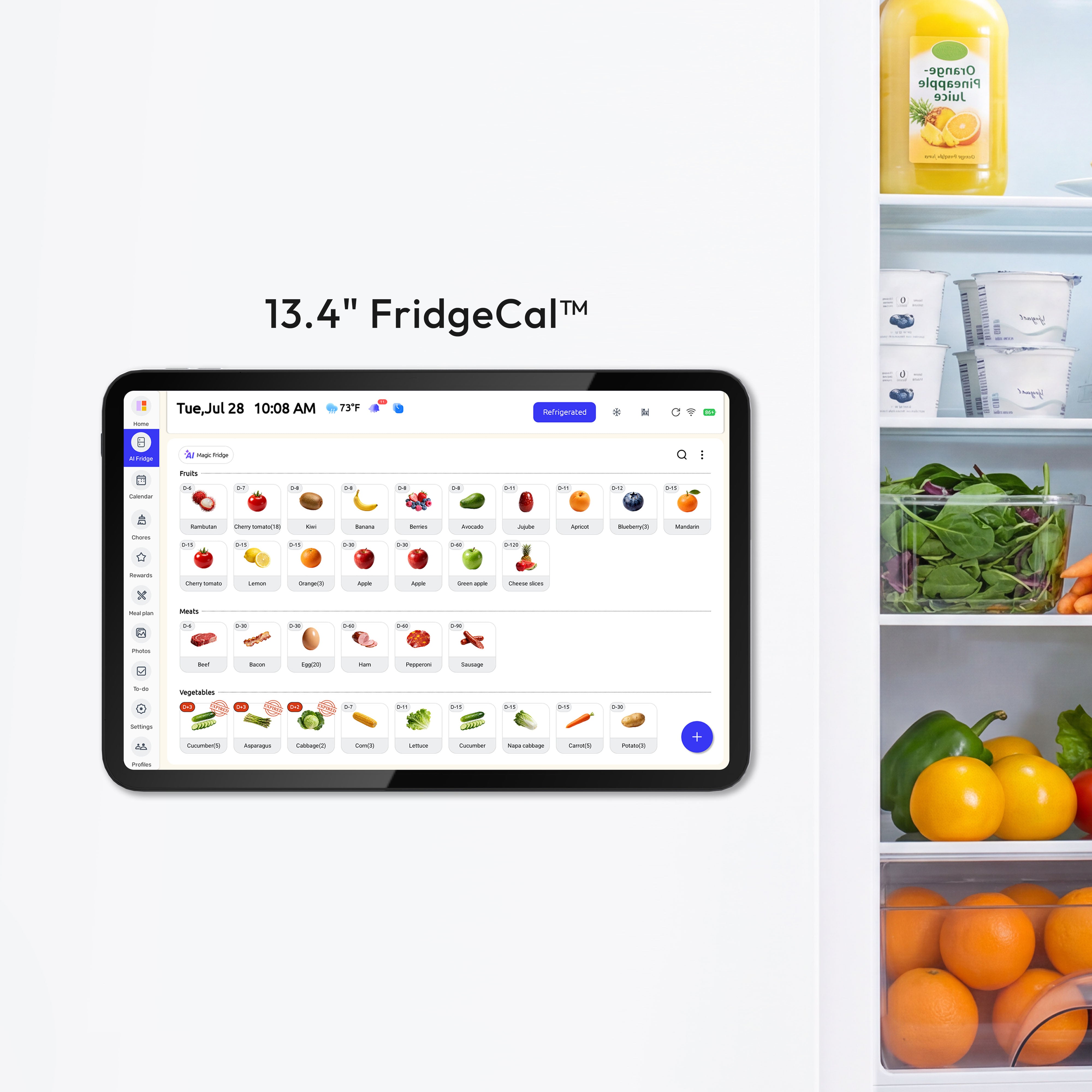
In practice, a fridge calendar works because it sits where families already make breakfast, lunch-packing, after-school, and dinner decisions. That turns the calendar from decoration into an operational surface.
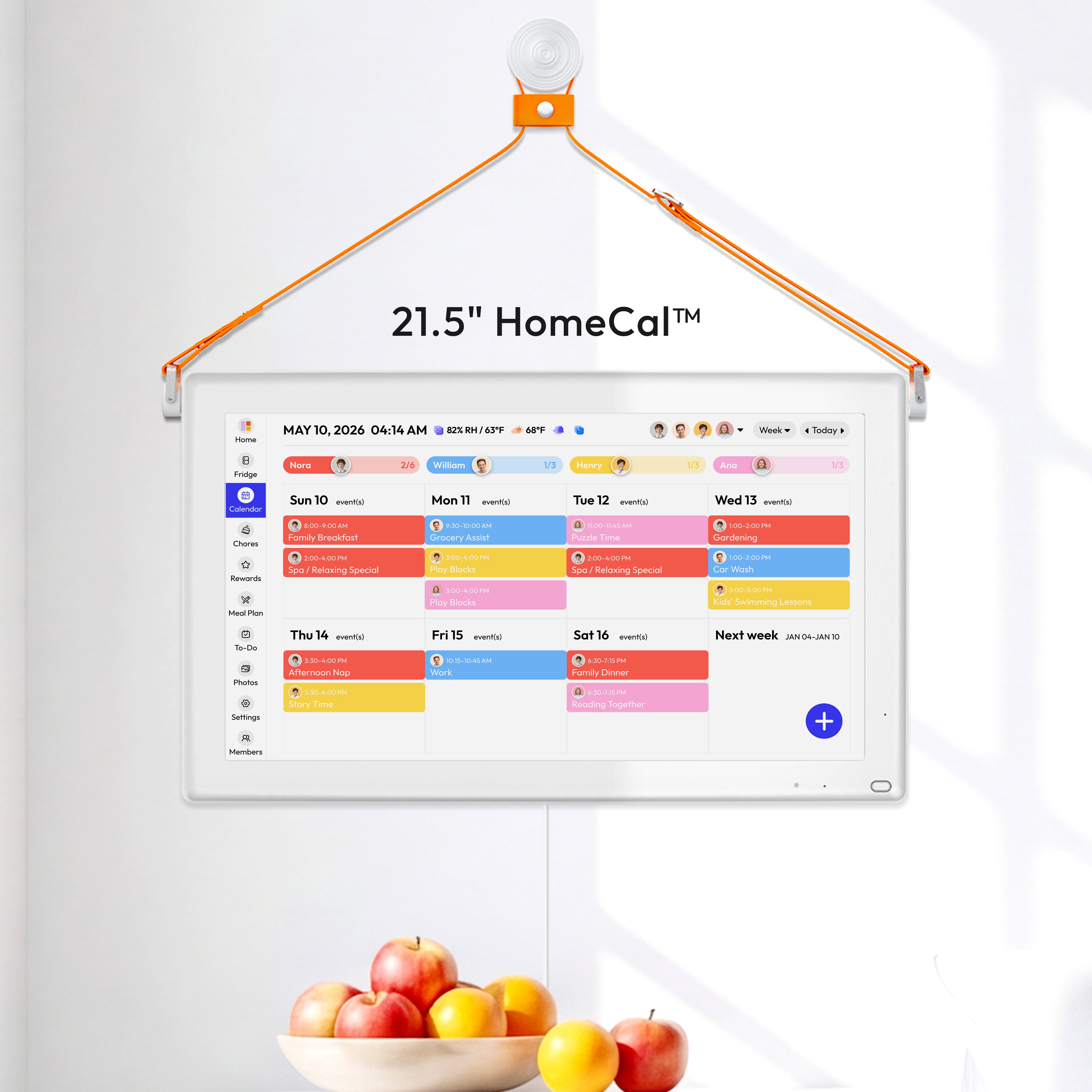
A larger wall calendar makes more sense when the household needs distance readability near the entryway or a home command center. The real gain is not just size. It is that one shared view can hold schedules, reminders, meal plans, and household tasks without the crossed-out clutter that made paper hard to trust.
The system that worked for us has three parts: one visible surface, synced personal devices, and a weekly reset. Once the same calendar lives on the wall and on phones, the home no longer depends on one person to rewrite the wall or remember every update.

Meal Planning Got Easier Because Food Safety Became Visible
Put Meals on the Same Surface as Appointments
A weekly meal plan works better when the same screen also shows safe refrigerator use, because meals are not just ideas; they have storage limits, thawing windows, and leftover deadlines. Keeping the fridge below 41°F, avoiding over-packing, and using or freezing most opened or cooked foods within 4 to 7 days turns meal planning into a safer routine, not just a prettier list.
The home storage chart makes those limits concrete: ready-to-eat salads keep 3 to 4 days, opened hot dogs keep 1 week, opened luncheon meat keeps 3 to 5 days, and shell eggs keep 3 to 5 weeks in the refrigerator. On paper, those windows usually live in memory or not at all; on a digital family calendar, they can sit beside the meal plan as discard reminders or “use first” prompts.
Date Labels Reduce Guesswork
For ready-to-eat foods held longer than 24 hours, date marking matters because the Food Code allows a maximum of 7 days at 41°F or below. A simple leftover label such as “chicken soup - discard Friday” is much easier to enforce when the family calendar also holds the meal plan, grocery trip, and cleanup routine.

Weekly planning also gets cheaper and calmer when you build first-in, first-out storage into the system. The calendar becomes the front-end decision tool and the fridge becomes the back-end inventory: new groceries go behind older ones, leftovers get dates, and the meal plan starts with what must be used first.
A 7-Day Setup That Actually Sticks
Days 1-3: Build One Shared Surface
Start by choosing one display location the household already passes several times a day. For most homes, that is the kitchen, pantry wall, or the path between the garage and the main living area. Then connect the calendars that already exist instead of rebuilding the week from scratch.
Keep the visual system simple. Four to six colors is usually enough, and activity-based colors often scale better than person-based colors in larger families. A practical default is school in blue, medical in red, logistics in orange, activities in green, and social plans in yellow, with initials or icons added so color is not the only cue.
Days 4-7: Reduce Friction
The first week should focus on entry speed, not feature depth. Add school events, work commitments, appointments, meal plans, and recurring chores; leave flexible wish-list items out of the calendar so the main view stays credible.
Most households can launch the system in 1 week and stabilize it within 14 days if they keep the routine small. A Sunday reset at 7:30 PM plus a 3-minute nightly check is enough for most families to catch double-bookings, confirm the next day’s meals, and spot leftover food that needs to be used or frozen before it becomes waste.
When Paper Still Works
Use a Simple Decision Test
Paper still makes sense for a low-change household that wants zero setup, zero Wi-Fi dependence, and one wall everyone reliably checks every day. If your schedule rarely changes after it is written and you do not need reminders, shared editing, or remote access, paper is still a valid tool.
Digital becomes the better choice when the home manages two or more active calendars, frequent schedule changes, or recurring misses caused by cluttered handwriting, outdated notes, or misplaced paper. That threshold usually appears long before families name it; they feel it first as friction around dinner, pickups, school forms, and “I thought you knew” conversations.
Practical Next Steps
Start Small and Standardize
If you are considering the switch, keep the first version boring and reliable. The goal is not a perfect dashboard. It is a system the whole household will actually use for schedules, meals, and home routines.
The easiest mistake is trying to digitize everything on day one. Start with shared commitments and meal timing, then add chores, shopping, or rewards only after the base routine holds for a full week.
- Audit one week of scheduling friction and list every missed handoff, meal scramble, and duplicate entry.
- Choose one shared display location in the kitchen or main traffic path.
- Connect existing calendars first, then add chores and meal planning after the schedule view feels stable.
- Use 4 to 6 fixed colors and add initials or icons so events stay readable for everyone.
- Add leftover discard dates and grocery reminders to the same weekly view.
- Run a 20- to 30-minute Sunday reset and a 3-minute nightly check for the first 14 days.
Important Note
The planning templates and organizational systems provided here are intended as adaptable blueprints. Every family’s needs, dietary requirements, and physical capabilities are different. We recommend tailoring these schedules to your specific health needs and household dynamics. Results from productivity or meal-planning systems may vary, and consistency remains the responsibility of the individual user.
References


