

Quick Answer: The best smart kitchen display depends on its primary job. Echo Show and Nest Hub are strongest for voice assistance, entertainment, recipes, communication, and smart-home control. Dedicated family calendars prioritize persistent schedules, chores, meals, and lists. Tablet dashboards offer flexibility, while refrigerator-first organizers fit households that want family planning next to food decisions.
At breakfast, one parent may need to confirm pickup ownership while a child needs to see an after-school chore. At dinner, someone else wants a timer, recipe, grocery note, and a quick view of tomorrow. No single screen category is automatically best at all of these jobs.
What Do You Need a Kitchen Display For?
The right category depends on whether your kitchen mainly needs voice help, persistent family planning, flexible apps, or food-centered coordination.
Voice and smart-home control point to a general smart display
Amazon Echo Show and Google Nest Hub products are designed around assistants, media, communication, recipes, timers, and compatible home devices. They can show calendars and reminders, but those functions share the interface with many other jobs. Choose this category when spoken interaction and smart-home control matter more than keeping a full family plan continuously visible.
Persistent schedules point to a dedicated family calendar
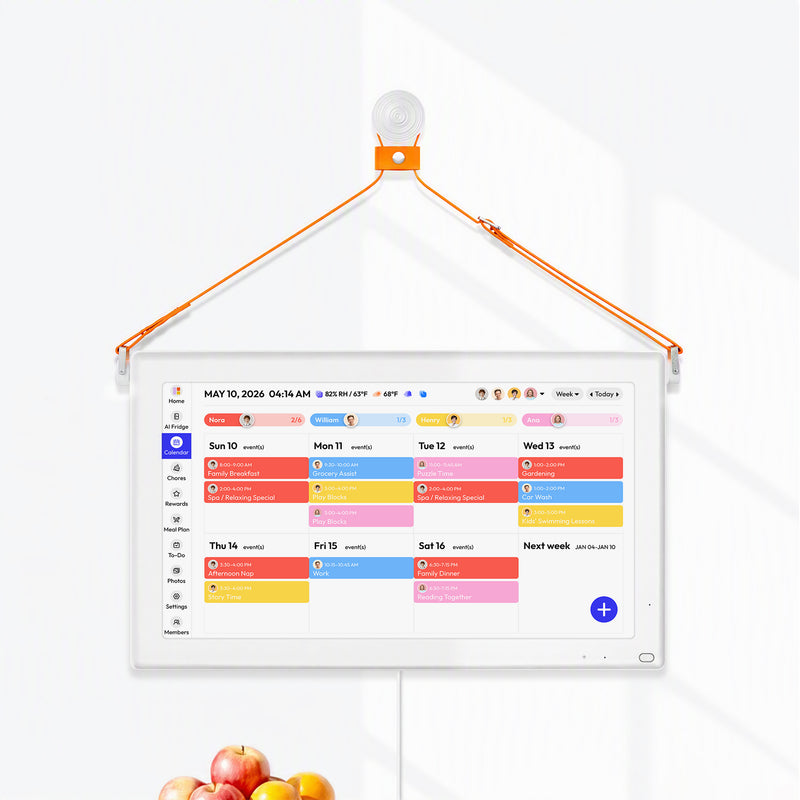
Skylight, Cozyla, Hearth, and similar displays center the household schedule. Their interfaces commonly emphasize color-coded calendars, tasks, routines, meals, lists, and remote app access. They usually offer less general entertainment freedom than a tablet, which can be a strength for families that want focus.
Custom workflows point to a tablet dashboard
An iPad or Android tablet can run calendar, task, recipe, notes, and home-control apps. That flexibility also makes the household responsible for mounting, charging, account security, kiosk behavior, sleep settings, notifications, and updates. A reused tablet can be economical, but only if someone is willing to administer it.
Food-centered decisions point to a refrigerator-first organizer
A fridge-oriented display places schedules, meals, grocery information, and potentially food inventory where food decisions happen. That physical context is useful only when the display fits the surface, remains readable, and the household maintains the food data. Review what a digital calendar for a refrigerator changes before treating placement as a feature by itself.
Four Smart Kitchen Display Categories Compared
Category-level strengths become clearer when every option is evaluated against the same household jobs.
|
Category |
Primary job |
Strongest kitchen moments |
Typical tradeoffs |
Representative examples |
|
Voice-assistant display |
Spoken help, media, home control |
Timers, recipes, music, calls, camera feeds |
Family plan may require navigation; microphones and cameras need review |
Echo Show, Nest Hub |
|
Dedicated family calendar |
Persistent household planning |
Schedule glance, chores, routines, meals, lists |
Dedicated hardware, outlet or mount, possible subscription |
Skylight Calendar, Cozyla Calendar |
|
Tablet or DIY dashboard |
App flexibility and custom integration |
Mixed apps, notes, recipes, dashboards |
Setup, kiosk maintenance, distraction, support horizon |
iPad, Android tablet, DAKboard, Home Assistant |
|
Refrigerator-first organizer |
Planning at the food decision point |
Meals, groceries, food review, near-view schedule |
Surface fit, smaller viewing context, charging or power, data upkeep |
FridgeCal and similar fridge displays |
This is not a score table. A category can be excellent at its primary job and mediocre at another. The next step is to test the moments your family repeats.
Use the Morning-to-Dinner Kitchen Test
Four common moments reveal whether a screen supports the household's main task or only offers an adjacent feature.
Test schedule visibility at breakfast
Ask a person standing in the normal breakfast path to identify today's school exception, work constraint, pickup owner, and next appointment within five seconds. Record whether the information is already visible, appears in a widget, needs a voice request, or requires navigation.
After school tests chores and handoffs
Ask a child to find the next responsibility, then have an adult change a pickup away from home. Check reach, permissions, text size, and how the changed information returns to the kitchen. A visually appealing display is not useful if the child cannot reach it or the caregiver cannot understand it.
Dinner preparation tests hands-busy usefulness
Open a meal, find a recipe, set a timer, note a missing grocery, and check whether an ingredient is already available. Voice-first displays may be strongest when hands are wet or occupied. Dedicated calendar and fridge displays may be stronger at retaining the meal, schedule, or list context. Those are different advantages.
Sunday planning tests the complete workflow
Review the week, place meals, assign chores, update the list, and confirm a second user can edit. Count duplicate entry and unsupported handoffs. If the process still requires three unrelated systems, the new screen may be adding a view rather than creating a coherent routine.
|
Moment |
Five-minute task |
Evidence to record |
A good result looks like |
|
Breakfast |
Find today's exception and pickup |
Active view, taps, voice request, distance |
Answer is clear from the normal path |
|
After school |
Find chore and change pickup remotely |
Child reach, roles, phone path, display result |
Both local and remote users see the current plan |
|
Dinner |
Open meal, timer, recipe, food, and list |
Input method, screen persistence, module switches |
Primary cooking task is easy without losing context |
|
Sunday planning |
Edit week with two contributors |
Duplicate entry, plan gates, corrections |
One source remains current and shared |

Echo Show and Nest Hub Fit Voice-First Kitchens
Choose a general smart display when voice, media, recipes, communication, and home control matter more than a persistent full-family planner.
Echo Show centers Alexa, widgets, and Fire TV
Amazon's current Echo Show device specifications describe several screen sizes and generations. The Echo Show 21, for example, combines a 21.4-inch touch display, Alexa, built-in Fire TV, a camera with a physical cover, microphones, speakers, and AC power. This makes it a strong kitchen candidate for media, video calls, smart-home widgets, and voice requests.
Calendar, reminder, shopping-list, and smart-home widgets can support family coordination, but do not assume the screen offers a persistent full-month calendar or a dedicated child chore workflow. Test the exact model and software layout your household will use.
Nest Hub centers Google services and home control
Google's official Nest Hub display comparison positions the 7-inch Nest Hub for a simpler room setup and the 10-inch Nest Hub Max as a kitchen helper with video calling. Both support entertainment, compatible smart-home control, calendars, reminders, and to-dos. The Max includes a camera; the smaller Nest Hub does not.
That ecosystem fit matters. A household already using Google Home, compatible cameras, and Google services may value consolidated voice and home control more than a specialized chore chart. A family that mainly needs a large week view may find the 7- or 10-inch screen too small or too navigation-dependent.
Voice-first displays are not failed family calendars
These products solve a broader interaction problem. They are often the better choice for cooking timers, spoken conversions, music, video calls, and device control. Judge them on that job rather than penalizing them for not behaving like dedicated planning boards.
Dedicated Family Calendars Fit Planning-First Kitchens
Choose a dedicated family calendar when the home needs a persistent shared schedule with chores, routines, meals, and lists.
For families considering a larger shared planning screen, the Everblog 21.5-inch HomeCal brings calendars, chores, meal planning, and lists into one display. Consider it when a larger shared view matters more than refrigerator-mounted placement.
Persistent views reduce navigation
A family-calendar screen can keep time, ownership, and household work close to the default view. In an independent 2026 comparison, WIRED's reviewer discussed how digital wall calendars affected placement and household participation, while also noting update delays and product-specific tradeoffs. Use that hands-on digital wall calendar review as one reviewer's experience, not universal proof.
Skylight and Cozyla overlap more than simple checklists suggest
Skylight's current 15-inch Calendar 2 page lists Google, Outlook, Apple, Cozi, and Yahoo sync, plus included tasks, color coding, mobile access, lists, and multiple calendar views. Its paid Plus plan currently adds rewards, meal planning, photo screensavers, and Magic Import.
Cozyla's current 15.6-inch Calendar Neo page lists Apple, Google, and Outlook calendar sync, profiles, chores, routines, to-dos, a home screen, parental lock, a companion app, and device linking as core functions. Its Essential plan currently adds voice, rewards, habits, imports, meal planning, recipes, grocery generation, and Pantry Tracker.
These systems therefore should not be reduced to "one has chores and the other does not." Compare the exact model, free tier, optional plan, app roles, and the workflow you intend to use.
Compare subscription costs before buying
One family may need only calendars and lists, while another wants meals, rewards, photo import, or pantry tools. Price the required tier rather than the cheapest hardware configuration. Current plan rates can change, so use official pages at the time of purchase.
Tablet Dashboards Fit Technical and App-Heavy Households
A tablet dashboard can be the most flexible option when someone accepts responsibility for setup, security, and ongoing maintenance.
Existing hardware can lower the entry cost
A usable tablet, secure mount, dependable charger, and appropriate support life may cost less than a dedicated display. Check battery health, operating-system updates, screen burn-in risk, and whether the device can remain awake safely. The risks of using an iPad as a family calendar are mostly operational, not evidence that tablets are a poor choice.
App freedom preserves specialized tools
A family can keep the recipe manager, task app, calendar, notes, and home controls it already likes. The danger is recreating fragmentation on one piece of glass. Define a default home screen and a clear source of truth for each type of information.
Plan for ongoing app and device maintenance
Test auto-launch, screen sleep, password prompts, operating-system updates, notifications, app crashes, and remote recovery. A custom dashboard is only as reliable as the person who maintains it.
Refrigerator-First Displays Fit Food-Centered Planning
Choose a refrigerator-first display when schedules, meals, grocery decisions, and food information repeatedly intersect at the refrigerator.
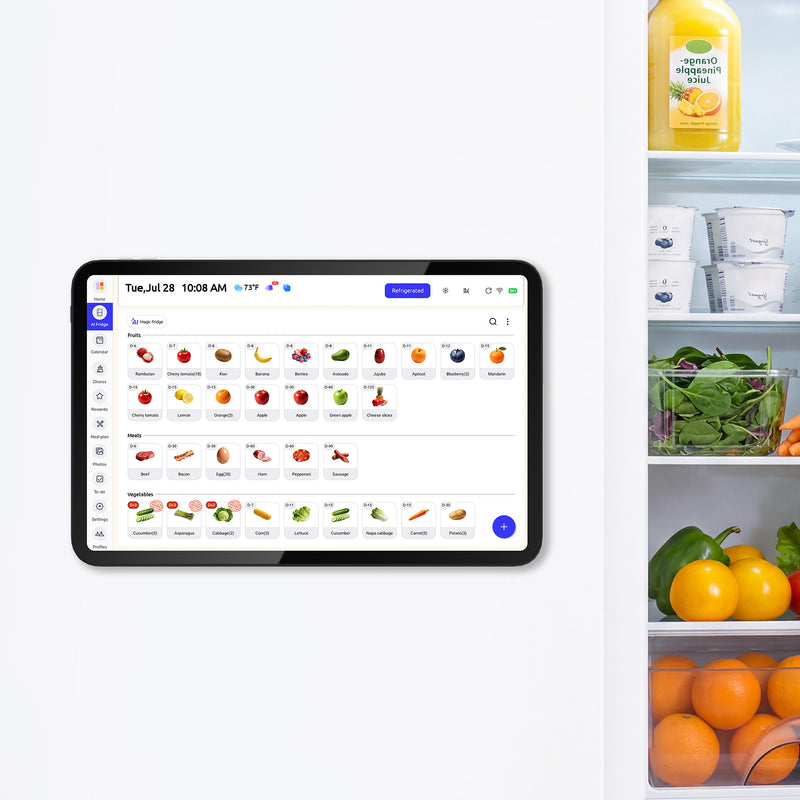
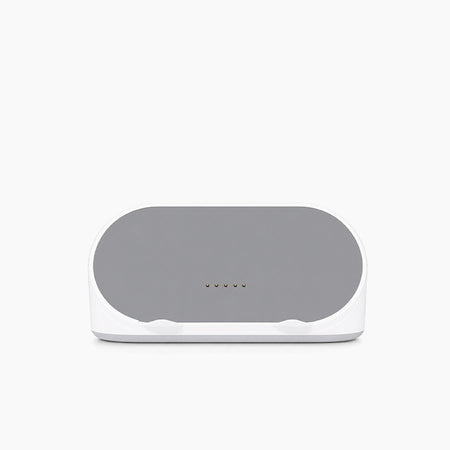
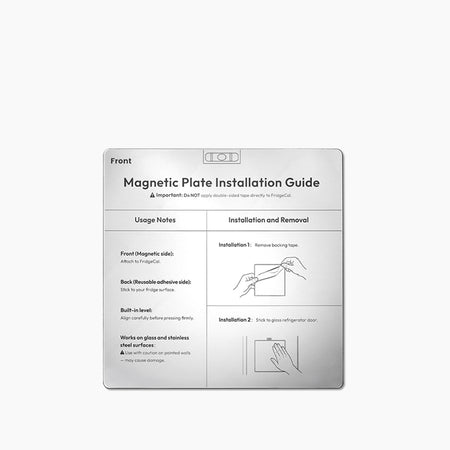
The current refrigerator-based household planning screen from Everblog is a 13.4-inch rechargeable touchscreen. The manufacturer lists calendar sync, chores, meal planning, shopping lists, food inventory, expiration reminders, recipe suggestions, mobile access, magnetic mounting, and an included mounting plate. The product page also says core features carry no monthly fee.
Those documented functions make the format relevant for near-view kitchen coordination. They do not establish that every food, meal, and list action is automatic. Households still need to review inventory, confirm food safety, and test how each module behaves on the current software.
Physical fit is equally important. A refrigerator door may be non-magnetic, crowded, exposed to glare, or awkward to charge. A 13.4-inch screen is easier to place than a 21-inch wall display, but it is not intended for the same across-room reading distance.

Placement Can Change the Winner
The best software is irrelevant if the display cannot be read, powered, reached, or cleaned safely in the actual kitchen.
Viewing distance defines the right screen context
Countertop and refrigerator screens support close interaction. Wall displays support longer sight lines. Test the planned location with a paper rectangle matching the product dimensions. Stand at breakfast, entry, and cooking positions and check whether a sample week is legible. A glare and viewing-angle checklist can prevent a screen from disappearing in morning light.
Power changes the installation
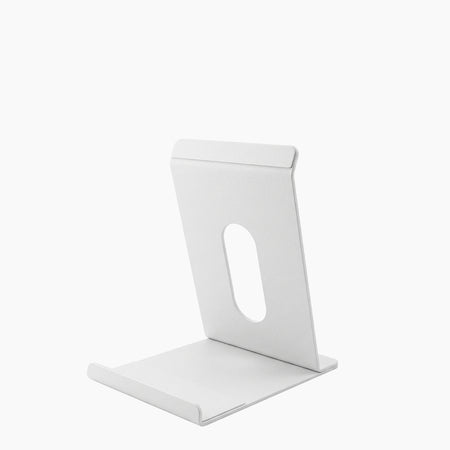
Echo Show, Nest Hub, Skylight Calendar, and Cozyla Calendar Neo rely on supplied power for normal use. A rechargeable fridge display can remove the permanent cord but introduces a charging cycle. A tablet may need continuous power to act like a fixture. Do not stretch cables across hot, wet, or high-traffic areas.
Cleaning belongs in the plan
Keep screens away from direct splashes, stovetop heat, and food-preparation interference. Follow the manufacturer's instructions rather than spraying cleaner onto the display. This kitchen touchscreen cleaning guide covers placement and routine care.
|
Constraint |
What to inspect |
Why it can change the category |
|
Viewing distance |
Font size, screen size, default view |
Near fridge interaction and across-room wall viewing are different jobs |
|
Power |
Outlet, adapter, cable, charging schedule |
Cordless placement trades cable clutter for charging upkeep |
|
Mounting |
Surface, studs, stand footprint, door movement |
A technically compatible screen may still obstruct the kitchen |
|
Environment |
Glare, heat, steam, splashes, fingerprints |
Poor placement can make a good interface unusable |
|
Reach |
Adult and child height, accidental taps |
Visibility and interaction need different heights |
Privacy and Security Belong in the Comparison
Compare microphones, cameras, accounts, software updates, permissions, and visible personal information before installing a connected screen.
Sensors should match the primary job
Voice and video households may value microphones and cameras. A planning-only household may prefer fewer sensors. Look for documented mute switches, camera covers, indicator behavior, and account controls on the exact model.
Check software updates and account security
The NIST consumer IoT cybersecurity baseline identifies capabilities that commonly matter across consumer connected products. The FTC's connected-device guidance recommends unique credentials, two-factor authentication when available, current firmware and apps, and disabling unused features.
Public screens should show less sensitive detail
Avoid putting access codes, medical details, full home addresses, private school records, or sensitive child information on the default kitchen view. Use a short event label and keep confidential details in an appropriate account or secure document system.
Which Kitchen Display Fits Your Family?
The best smart kitchen display is the category that completes the family's most frequent kitchen task with the least duplicate maintenance.
|
Household priority |
Best starting category |
Why |
Do not choose it if |
|
Timers, media, calls, recipes, home control |
Echo Show or Nest Hub |
Voice and ecosystem integration lead |
You require a persistent large family planner |
|
Schedule, chores, routines, meals, lists |
Dedicated family calendar |
Planning tools stay central |
You mainly want general apps or entertainment |
|
Existing apps and custom integrations |
Tablet or DIY dashboard |
Maximum software flexibility |
No one will maintain kiosk and account behavior |
|
Meals, groceries, food status at the fridge |
Refrigerator-first organizer |
Information sits at the food decision point |
Fridge surface, charging, or near-view size does not fit |
|
Stable plan with reliable phone users |
No new screen |
Existing app or whiteboard may be sufficient |
A recurring public-visibility gap remains |
Frequently Asked Questions
These answers separate category fit from individual feature claims.
Is Echo Show a good family calendar?
It can show calendar and reminder information, but it is primarily a voice, media, communication, and smart-home display. It is a good fit when those jobs lead and a persistent full-family planning view is secondary.
Can Nest Hub show a shared family calendar all day?
Do not assume a permanent full-calendar mode. Test the selected model, current Google Home software, calendar account, and default-screen behavior. Nest Hub is designed as a multi-purpose assistant display rather than a dedicated calendar board.
Is a tablet cheaper than a dedicated family display?
It can be if suitable hardware already exists. Include the mount, power, kiosk software, setup time, battery condition, security updates, and support horizon before calling it cheaper.
Which kitchen display is best for meal planning and grocery lists?
Dedicated family calendars and refrigerator-first organizers usually make those workflows more central. Compare the exact plan tier, mobile app, list-sharing behavior, and whether meals, inventory, and groceries actually exchange data.
Which display tracks food inventory and expiration dates?
Some refrigerator-first products and selected paid family-calendar tiers document pantry or food tracking. Verify item detail, quantity, storage location, date handling, reminders, and upkeep before buying.
How to Test a Kitchen Display Before Buying
Choose one representative model from the category that matches your primary job, then run breakfast, after-school, dinner, and Sunday-planning scenarios. The right answer may be a voice display, family calendar, tablet, fridge organizer, or no new screen at all. What matters is whether the tool removes duplicate work while keeping the household's source information current.


