




A digital family calendar can be worth it for a household coordinating several schedules and shared tasks. It is not a universal family gift. The strongest fit is a home with multiple children or caregivers, frequent changes, repeated pickup handoffs, and a common location everyone passes. The strongest reasons to skip it are equally clear: the current system already works, the family doesn't want another screen, there is no suitable location, or nobody will complete setup.
Among broad family gift ideas, this is a practical purchase rather than a novelty. The value depends on fit, not the number of features. That qualification matters when families already manage competing demands. Pew Research Center's 2026 research on working parents found that 52% of full-time working parents said their job makes it harder to be a good parent. A calendar cannot fix that strain, but it may improve how a household shares current plans.
What Makes One Gift Work for a Whole Family?
A whole-family gift earns its place by serving a repeated shared need without creating a bigger burden.
It Solves a Shared, Repeated Problem
Being placed in the living room doesn't make an item a family gift. Several people should benefit from its main job. For a calendar, that job is schedule visibility and coordination: who goes where, when they need to leave, and who owns the handoff.
A feature used twice during the holidays is less valuable than a modest function used every school morning.
Everyone Can Access It Without Borrowing One Person's Phone
A home display gives children, grandparents, babysitters, and less app-focused family members a common view. Adults still need mobile access to make supported updates away from home, but the household plan should not disappear inside one parent's phone.
Visibility doesn't equal understanding. Colors, names, and event details must stay simple enough for the intended users.
It Does Not Create More Work Than It Removes
Count calendar connections, account setup, charging or power, mounting, updates, and household rules as part of the gift. Identify who will maintain the system. If one recipient inherits all setup and ongoing administration, the shared gift may reinforce the problem it was meant to address.
It Fits the Home, Budget, and Technology the Family Already Uses
Confirm physical space, outlets, Wi-Fi, phones, calendar services, privacy preferences, subscriptions, warranty, and returns. If the family needs new hardware, a permanent mount, or recurring fees to use the key feature, include those in the real cost of one gift for a whole family.

Is a Digital Family Calendar Worth It? Use This 30-Second Fit Test
Yes, it is worth considering when most strong-fit signals are true and the pause conditions can be resolved.
|
Strong fit signals |
Reasons to pause |
|
The household manages three or more active schedules. |
A paper calendar or shared app already works reliably. |
|
Plans change after people leave home. |
No one wants to maintain a shared system. |
|
Children or caregivers need a visible shared view. |
There is no safe, visible place with suitable power or mounting. |
|
Pickups, chores, meals, or shopping depend on one person's memory. |
The recipient dislikes home screens or connected devices. |
|
The family already checks a common kitchen or entry location. |
Calendar-service compatibility is uncertain. |
|
Adults will connect calendars and follow update rules. |
Required subscriptions or accessories exceed the budget. |
If four or more fit signals describe the household and the pause items have real answers, the category merits a closer look. If the family is content with paper, don't create a problem to justify the gift.
Families Most Likely to Benefit
Families Coordinating Several Children's Schedules
Sports, lessons, school events, appointments, birthday parties, and different pickup plans create linked decisions. A color-coded shared view can make overlaps easier to spot and help children see what comes next. It cannot resolve a conflict or decide which activity takes priority.
Dual-Income or Shift-Work Households
These households often need a change made away from home to appear in a common place. The display can support the current plan, while a mobile app supports approved updates. Avoid assigning calendar ownership by gender. Decide who enters each event type and who confirms handoffs.
Co-Parenting and Multi-Caregiver Households
More caregivers increase the need for clear permissions and information boundaries. A shared calendar may help with school events, pickups, and appointments, but it does not replace direct communication or legal custody arrangements. Keep private information out of views that don't need it.
Families Combining Schedules, Chores, Meals, and Lists
A dedicated display makes more sense when events are only one piece of the coordination problem. If the household also needs a digital calendar and chore chart, meal plan, grocery list, and task ownership, one visible system may reduce the number of places people must check. This guide shows how to combine meals, chores, and events in one family planning system.
When a Digital Wall Calendar Is Probably Not Worth It
The Current System Already Works
A paper calendar, whiteboard, or shared app may be the better answer for a small or stable schedule. More functions don't improve a system the family already trusts. You can compare a digital fridge calendar with paper and whiteboards before replacing a maintained routine.
One Person Would Still Do All the Updating
A shared screen doesn't create shared ownership. If one adult remains responsible for finding, entering, correcting, and explaining every event, the device may become a more expensive version of the stale calendar it replaced.
The Family Has No Suitable Shared Location
The display needs to be visible without blocking a walkway, crowding a counter, or creating unsafe cable routing. Check viewing distance, outlet access, mounting permission, surface compatibility, and whether the recipient is willing to give up wall or refrigerator space.
Never drill, mount, or attach a device in someone else's home without approval.
The Buyer Has Not Confirmed Compatibility or Ongoing Cost
Calendar services, mobile operating systems, accessories, and software policies can change. Confirm the household's exact services and the current product's supported behavior. Review subscriptions, warranty, return terms, and replacement costs rather than generalizing from another brand.
What to Check Before Buying a Digital Family Calendar as a Gift
|
Question |
Why it matters |
What to verify |
|
Which calendars does the household use? |
Unsupported services can defeat the main purpose. |
Google, Apple/iCal, Outlook, Cozi, TeamSnap, Yahoo, or others; sync direction and timing. |
|
Where will people view it? |
Screen size should match distance and room. |
Refrigerator, wall, counter, entry, glare, viewing angle, and touch access. |
|
How will it get power? |
Charging and cable needs shape placement. |
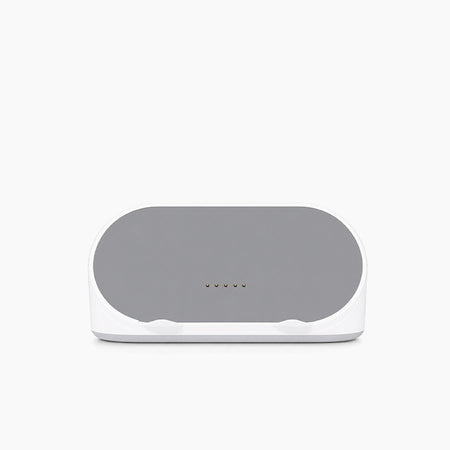
Rechargeable or continuous power, outlet, cable route, dock, and household charging habit. |
|
Which shared features matter? |
Unused features don't add value. |
Chores, rewards, meals, grocery lists, reminders, mobile app, and photo display. |
|
Are key functions subscription-free? |
Recurring fees change total cost. |
Core versus premium features and current policy. |
|
What protections does the buyer have? |
A poor fit should be reversible. |
Current warranty, returns, delivery market, and gift receipt. |
|
What data will the device handle? |
Calendars can contain sensitive details. |
Permissions, account controls, privacy policy, camera, voice, food, or child-profile data. |
For a deeper comparison, use a complete family digital calendar buying guide. Recheck product pages shortly before purchase because features and commercial terms can change.
FridgeCal vs. HomeCal: Which Shared Gift Fits the Home?
The main difference is not which model is universally better. It is how the family views and powers the display.
|
Decision factor |
FridgeCal |
HomeCal |
|
Best location |
Refrigerator or compact kitchen area |
Kitchen wall, entry, family room, or countertop |
|
Screen |
13.4-inch touchscreen |
21.5-inch touchscreen |
|
Power style |
Rechargeable and cordless in normal use |
Continuously powered |
|
Viewing pattern |
Close-up kitchen interaction |
Larger at-a-glance household view |
|
Shared functions |
Calendar sync, chores, lists, meals, food tools, mobile access |
Calendar sync, chores and rewards, lists, meals, food tools, mobile access |
|
Main tradeoff |
Smaller view and periodic charging |
More space and power-location planning |
Choose FridgeCal When the Refrigerator Is Already the Family Hub
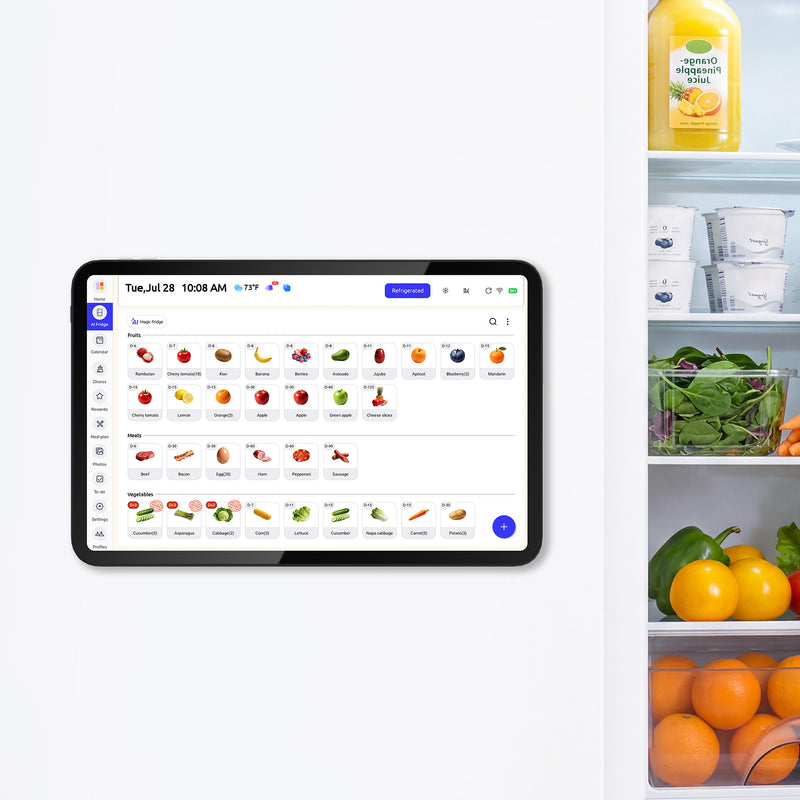
The Everblog 13.4-inch FridgeCal AI fridge calendar fits smaller kitchens, renters, and households that make schedule and food decisions at the refrigerator. Everblog currently describes it as magnetic and rechargeable, with a mounting plate for suitable non-magnetic surfaces. Confirm the actual refrigerator surface before gifting.
Its current U.S. page lists calendar auto-sync, chores, lists, meals, mobile access, and no subscription for core features. The smaller screen favors close interaction, and charging frequency varies with settings and use.
Choose HomeCal When the Family Needs a Larger Shared View
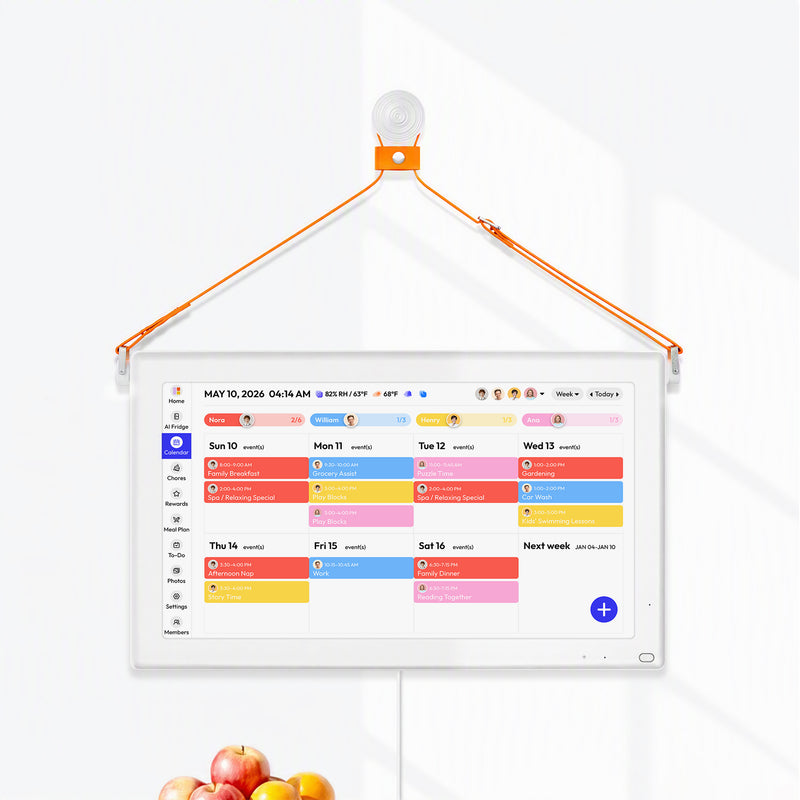
The Everblog 21.5-inch HomeCal digital wall calendar suits a permanent common-space view that several people can scan from farther away. Everblog currently lists calendar syncing, color coding, chores and rewards, meals, lists, mobile access, and no subscription for core features.
It needs more room and continuous power. Confirm the intended wall, counter, stand, outlet, cable path, and mounting permission before buying.

How to Give the Calendar Without Creating a Setup Chore
- Ask first.Confirm that the household wants a display and agree on its location.
- Check their ecosystem.Identify phones and calendar services without requesting passwords.
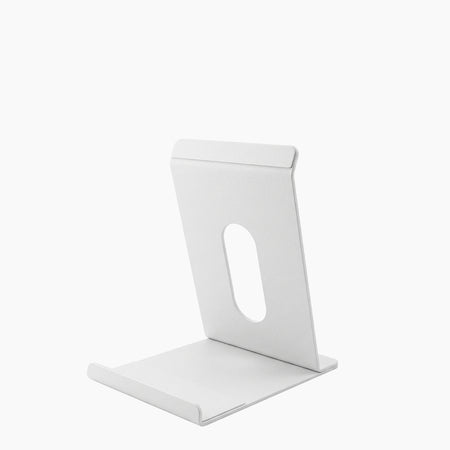
- Plan the physical setup.Choose a stand, mounting option, cable route, or charging plan only after confirming the location.
- Keep the gift reversible.Include the receipt and verify current return terms.
- Offer help without taking control.Let the recipient enter credentials and approve calendar permissions.
- Start small.Connect calendars and assign family colors first. Add chores, meals, lists, and other functions after the core view works.
The linked guide can help recipients set up a digital family calendar without overwhelming the household. Never ask someone to send or store their password so you can “finish the surprise.”
Alternatives When a Digital Family Calendar Is Not the Right Gift
Practical family gifts don't have to be screens. Choose a shared calendar app when adults need remote coordination but a home display adds little. A paper wall calendar or dry-erase board suits a stable schedule and people who enjoy handwriting.
A digital photo frame is better when the family's goal is memory sharing across homes. An experience, museum membership, cooperative game, or meal subscription may fit a household that doesn't want another connected device. You can also compare family calendar apps and displays before deciding whether hardware is necessary.
The right alternative preserves the giver's intent without forcing space, accounts, or a new routine on the recipient.
The Verdict: Worth It for the Right Household, Not Every Household
A digital family calendar is worth considering when several schedules overlap, plans change during the day, multiple people need a visible home view, and adults will maintain simple update rules. It is easy to skip when the family trusts a simpler system or doesn't want the setup and screen.
For an Everblog option, FridgeCal supports a compact fridge-first workflow. HomeCal provides a larger powered view for a wall or counter. Apply the fit test before comparing product details. A well-matched shared family gift solves an existing problem; it doesn't ask the recipient to invent a reason to use it.
FAQs About Digital Family Calendars as Gifts
Is a Digital Family Calendar Worth the Money?
It can be when several people need a shared, current schedule and will use the display regularly. It is less likely to justify its cost for a simple schedule or a household already satisfied with paper or an app.
Is a Digital Wall Calendar a Good Gift for Parents?
Yes, if the parents want a shared planning system and the giver confirms placement, compatibility, and setup preferences. Don't frame it as a gift that assigns household management to one parent.
Does a Digital Family Calendar Require a Subscription?
Policies vary by brand. As of October 18, 2026, Everblog's U.S. product pages state that core FridgeCal and HomeCal features don't require a subscription. Verify the current policy before purchase.
Can Children Use a Digital Family Calendar?
Children can use visible color-coded schedules and task lists when the interface and routine suit their age. Adults may still need to set permissions, supervise use, and keep event details accurate.
Should I Choose FridgeCal or HomeCal?
Choose FridgeCal for a compact, rechargeable refrigerator display used at close range. Choose HomeCal for a larger, continuously powered view on a wall or counter in a shared room.


