



Quick Answer: The best digital fridge calendar for busy parents is the one the household can keep current. Prioritize compatibility with the calendars you already use, remote editing, a readable home view, and the two or three shared workflows your family will maintain every week. A longer feature list matters less than reliable adoption.
What Is a Digital Fridge Calendar?
A digital fridge calendar is a shared screen that keeps schedules, chores, and meal plans visible on the refrigerator. Family members can check pickups before school or dinner plans after work without reaching for a phone. Before choosing one, check mounting compatibility, door clearance, and power or charging needs.
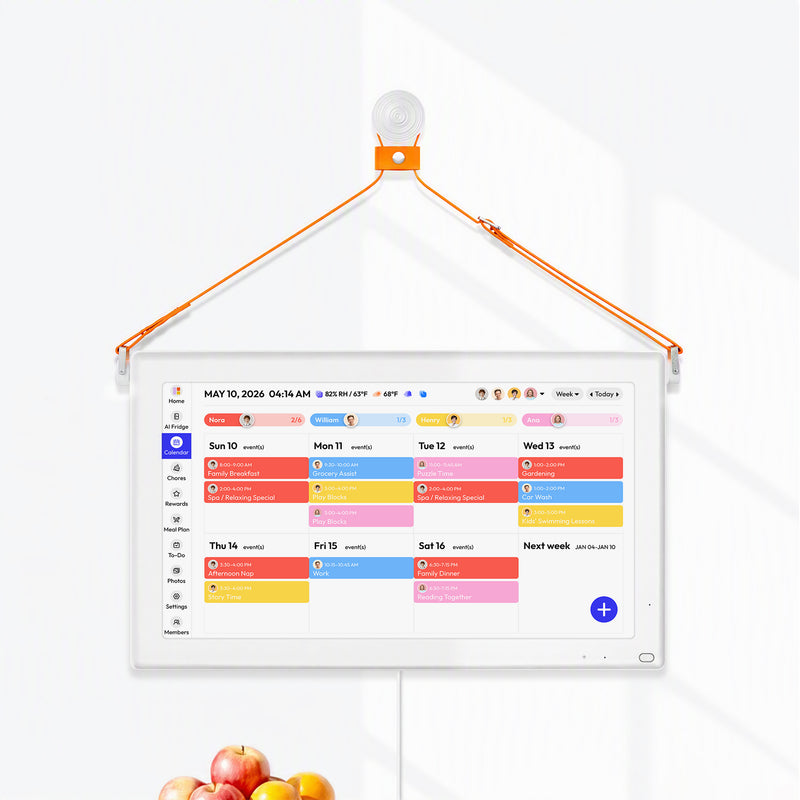
If you need to read plans from across the room, a larger wall display may suit you better. This family calendar screen selection guide explains how to match screen size to viewing distance. Unlike a smart refrigerator, a standalone calendar adds a planning screen without replacing your appliance.

7 Criteria for Choosing a Digital Fridge Calendar
The following rubric weights the work busy parents repeat, not the novelty of individual features. The weights are Everblog's editorial method, not an independent scientific score.
|
Criterion |
Weight |
What to verify before buying |
|
Existing calendar compatibility |
20% |
Providers, sync direction, recurring events, colors, work-account limits |
|
Remote changes and permissions |
15% |
Second-user access, edit path, roles, and what returns to the home screen |
|
At-home visibility |
15% |
Normal viewing distance, text size, glare, child height, next-handoff clarity |
|
Chores and handoffs |
10% |
Assignment, recurrence, completion, correction, and review |
|
Meal planning |
10% |
Schedule context, flexible moves, notes, recipes, and plan gates |
|
Grocery coordination |
10% |
Shared access, adding, editing, checking off, and restoring items |
|
Setup and ownership |
20% |
Accounts, mounting, power, cleaning, subscription, support, and upkeep |
A product should only receive a numerical score after the same task has been run on every model. Until that testing exists, use the table as a buying checklist and label every answer as manufacturer-documented, independently reviewed, hands-on tested, or unverified.
1.Does It Work With Your Family’s Existing Calendars?
The display should show the calendars your household already maintains without forcing everyone to rebuild the week in a second system.
Check How School Events and Work Schedules Actually Sync
Google, Apple, Outlook, Cozi, Yahoo, TeamSnap, and public calendar links may be supported differently. A logo does not tell you whether the connection is one-way or two-way, whether event colors carry over, or whether a work administrator blocks authorization. Verify the exact provider and account type that each adult uses.
The safest test is a small sample week: one school event, one recurring practice, one work shift, and one canceled appointment. Check how each appears, who owns the color, and whether editing in one place creates a duplicate elsewhere. This calendar-sync decision guide explains why provider support and editing behavior should be evaluated separately.
Keep One Version of Each Practice, Pickup, and Appointment
If Google Calendar is the source of truth, the kitchen display should be a shared view and supported editing surface, not a second independent calendar. A meal plan, chore, or grocery list can live in its own module because it represents a different kind of information. The school concert should not exist as two unrelated events that can drift apart.
|
Test event |
Enter it first in |
Check on the display |
Failure to watch for |
|
Weekly practice |
Existing source calendar |
Recurrence, color, owner, end date |
Duplicate series or wrong time zone |
|
Changed pickup |
Parent's phone |
Updated time and responsible adult |
Old time remains visible |
|
School PDF event |
Verified import or manual entry |
Date, location, notes |
Important detail is dropped |
|
Canceled appointment |
Existing source calendar |
Removal or cancellation state |
Stale event remains in the home view |
2.Can You Update Pickup Plans While Away From Home?
When a meeting runs late, you should be able to change the pickup plan from your phone so the caregiver at home can see the update on the kitchen display. Before buying, check whether another caregiver can access the plan from their own account and whether changes appear on both the display and connected phones. Also check permissions: a parent may need full editing access, while a babysitter may only need to view the day’s schedule. This shared calendar setup for babysitters explains how to plan access for different caregivers.
3.Can Kids and Caregivers Quickly See What’s Next?
TBefore school or pickup time, kids and caregivers should be able to see what’s next, when it starts, and who is responsible without tapping through several screens. Check readability from where your family normally stands, including text size, glare, and mounting height.
A compact fridge screen suits close-up use, while a larger wall display may be easier to read from the breakfast table. Before mounting, check door clearance and the charging or cable path, and choose a height adults can read and children can safely reach. This kitchen touchscreen height guide offers a placement checklist.
4.Make It Clear Who Does Each Chore and Whether It’s Done
A useful chore tool shows the task, owner, timing, recurrence, and completion state without requiring weekly re-entry.
Set Repeating Chores and Adjust Them When Plans Change
Create one daily task, one weekly task, and one one-time job. Complete a task, undo it, reassign it, and skip one occurrence. Check whether rewards, histories, reminders, or advanced recurrence require a paid plan. The ability to correct an accidental tap is as important as the satisfying checkmark.
Chore tools cannot ensure independence or less parental prompting. They can make ownership visible and create a shared completion record. Whether that changes family behavior depends on expectations, review, and consistent use. For a format comparison, see why paper and digital chore systems fail in different ways.
5.Plan Dinners Around Practice Nights and Late Shifts
Meal planning adds value when it places realistic dinners beside busy nights, leftovers, and food priorities.
How Easy Is It to Move Dinner When the Schedule Changes?
Enter a quick dinner after practice, leftovers after a late shift, one cook night, and one flexible slot. Then move an event and see how easy it is to adjust the meal. A fixed seven-dinner plan may look complete but creates extra edits when the week changes.
Do You Need a Dinner Plan or a Record of What’s in the Fridge?
Many calendar displays can show meals. Fewer document ingredient quantities, storage locations, or expiration information. Separate these functions when comparing devices. A weekly meal box answers "What are we eating?" An inventory answers "What do we have, and what needs attention?" If your household only needs the first answer, deeper food tools may add unnecessary maintenance.
6.Keep Both Shoppers Working From the Same Grocery List
The shared list should let multiple shoppers act on the same purchasing decision without creating conflicting copies.
Add Milk at Home and Check It Off at the Store
Add milk from the display, edit its quantity from a phone, check it off from a second account, and restore it after an accidental completion. If the system offers categories, assignments, notes, or meal-generated items, test those separately. A list that is visible in the kitchen but unavailable at the store solves only half the problem.
Do Meal Plans and Food Inventory Update the Grocery List?
A device can offer inventory, meal planning, and grocery lists without automatically moving data among them. Confirm whether a planned recipe creates items, whether checking off a purchase adds inventory, and whether canceling a meal removes anything. Manual review can still be a sound workflow, but it should be understood before purchase.
7.Check Setup, Ongoing Costs, and Weekly Upkeep
The best device is the one the family can configure, power, update, and afford over several years.
What Does Setup Involve, and Who Will Keep It Updated?
List account creation, calendar permissions, member invitations, mounting, app installation, display preferences, and required software updates. Manufacturer setup-time claims are not a substitute for an independent timed test. Also decide who owns weekly corrections. If that person is the same parent who already coordinates everything, the tool may centralize information without distributing the work.
What Will Your Family Pay Beyond the Screen Price?
Hardware price alone creates misleading comparisons. Include subscriptions required for meals or rewards, optional accessories actually needed for your placement, and power or charging habits. Promotional prices and plan rates can change, so record the date and recalculate before ordering.
|
System type |
Best fit |
Main strength |
Main tradeoff |
|
Shared calendar app |
Phone-reliable adults |
Remote access with no new screen |
Children and non-app users may not see it |
|
Magnetic whiteboard |
Stable week, one updater |
Low cost and immediate local visibility |
Remote changes require a manual relay |
|
Large wall calendar display |
Open room, across-room viewing |
Persistent schedule at larger scale |
Outlet, cable, wall space, and possible plan cost |
|
Refrigerator-first display |
Near-view kitchen coordination |
Plan appears where meals and shopping decisions happen |
Surface fit, smaller view, charging or power, data upkeep |
When Is Everblog FridgeCal a Good Fit for Your Family?
A refrigerator-first display is most relevant when cordless placement, near-view scheduling, and food-related decisions genuinely belong in one kitchen workflow.
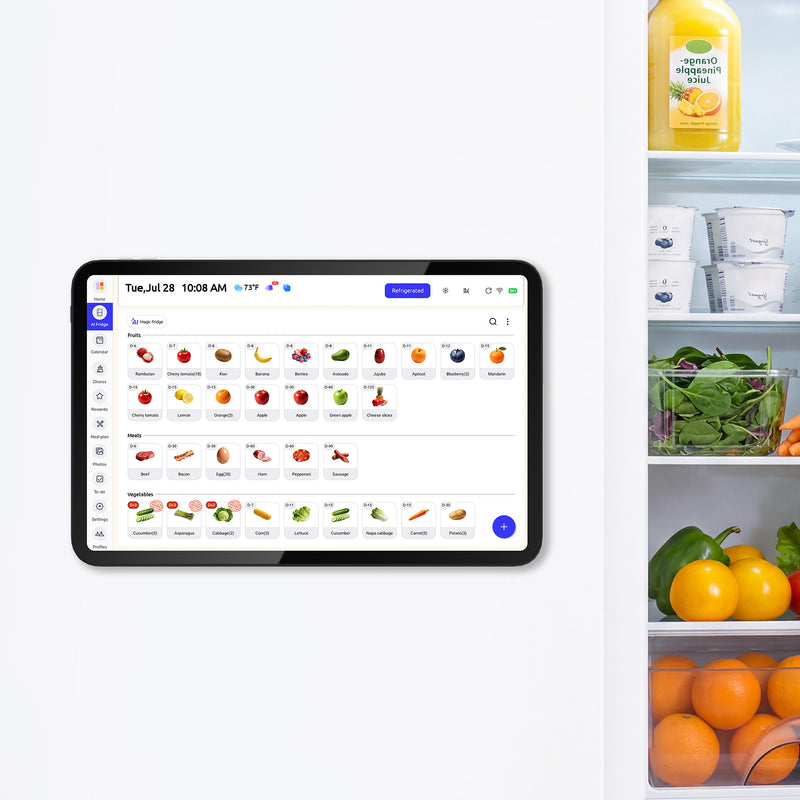
The current refrigerator-mounted family planning display from Everblog is a 13.4-inch rechargeable touchscreen. It brings connected family calendars, chores, meal planning, shopping lists, food inventory, and expiration reminders to a rechargeable touchscreen at the refrigerator. Family members can check and update shared information through the mobile app while away. FridgeCal supports Google, Outlook, Apple, TeamSnap, Cozi, and Yahoo calendar connections, with no monthly subscription required for core features. Check the sync direction and editing rules for the accounts your family uses.
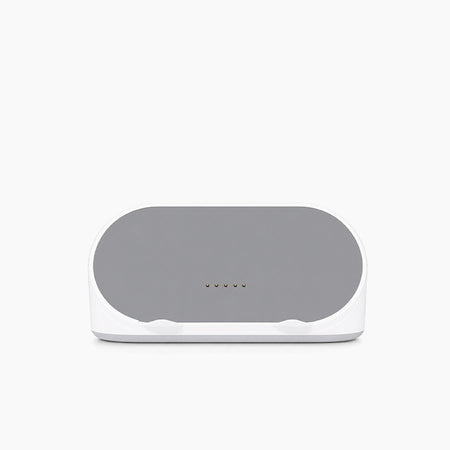
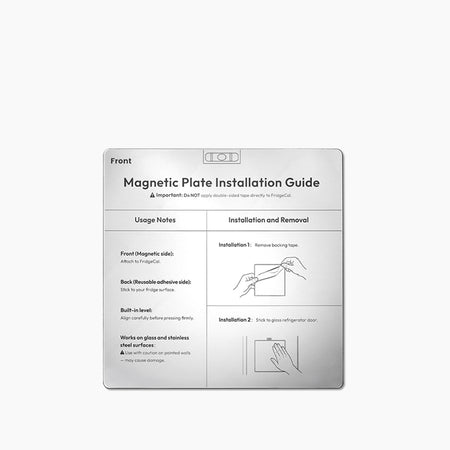
FridgeCal's physical design creates real tradeoffs. The compact screen is intended for close kitchen use, not distant wall viewing. Magnetic mounting depends on the door surface and clearance, although the package includes a plate for suitable non-magnetic surfaces. Rechargeable operation removes a permanent cable but adds a charging habit. Food information is only useful when inputs are reviewed and corrected.
|
Busy-parent need |
Documented FridgeCal fit |
What still needs household testing |
|
Existing calendars |
Six named services on current product page |
Work-account permissions, sync direction, recurring events |
|
Away-from-home updates |
Companion app describes calendars, lists, meals, chores, and food |
Separate roles and each module's observed update behavior |
|
Child-visible home view |
13.4-inch touchscreen for refrigerator placement |
Height, glare, text size, accidental edits |
|
Food-centered planning |
Inventory, dates, meal ideas, shopping, and meal planning are listed |
Input effort and cross-module behavior |
|
Ongoing cost |
Official page says no subscription for core features |
Future terms, optional accessories, replacement needs |

When Is an App, Whiteboard, or Wall Display a Better Fit?
A digital fridge calendar is unnecessary when a cheaper or differently placed system already keeps the plan current.
Choose a shared app if all contributors reliably check their phones and children do not need a public display. Choose a whiteboard if the schedule changes rarely, one person updates it at home, and remote access is unimportant. Choose a large wall display when across-room readability matters more than refrigerator placement. Choose a voice-first smart display when timers, recipes, media, calls, and home control are the primary kitchen jobs.
If you like the family-calendar idea but are unsure about location, compare fridge and wall display formats before choosing a model.
Frequently Asked Questions
These answers resolve the most common busy-parent buying questions.
What is the best digital fridge calendar for busy parents?
The best one is the display that fits your current calendars, remote-change habits, viewing location, and two or three weekly workflows. Do not choose from feature count alone. Run a sample week and verify the exact model, plan, and mounting arrangement.
Can a digital fridge calendar sync with Apple and Google Calendar?
Many models list Apple and Google support, but support can differ by account type, sync direction, permissions, and recurring-event behavior. Test both providers with a new event, an edit, and a cancellation before moving the household's workflow.
Do digital family calendars require a subscription?
Some do not, while others include core calendar tools and charge for meal planning, rewards, photos, imports, or food features. Compare the feature tier your family will actually use, then calculate the cost over the planned ownership period.
Can children use a digital calendar without a phone?
Yes, a shared touchscreen can provide a home view without requiring a personal phone. Test mounting height, text size, glare, permissions, and how easily an adult can correct accidental changes.
Is a digital fridge calendar worth it for a stable schedule?
Often it is not. A whiteboard or shared app may be a better fit when changes are rare, contributors are limited, and the household does not need chores, meals, or lists on a public screen.
Choose a Calendar That Fits Your Family’s Everyday Routine
Start with compatibility, remote updates, visibility, and maintainable weekly work. Pick the device only after your household has named its source of truth, its main viewing location, and the people responsible for changes. That approach is less exciting than comparing checkmarks, but it is far more likely to prevent an expensive unused screen.
References
- LINC family coordination field trial, University of Calgary and Microsoft Research, 2007.


