



Quick Answer
The best weekly fridge calendar pads for busy parents suit stable schedules updated by one person at home. When several caregivers change pickups, work trips, or meals while away, a shared digital calendar with a visible home display may fit better. This guide uses five everyday scenarios to compare how each setup handles a changing week.
How Often Does Your Family’s Weekly Plan Change?
A weekly planner should be chosen by how the family changes plans, not by how tidy it looks on Sunday. Count who edits, where information arrives, and which people need the current view.
|
Day |
Original commitment |
Owner |
Dinner |
Preparation note |
|
Monday |
School pickup 3:15 |
Alex |
Chicken and rice |
Thaw chicken Sunday |
|
Tuesday |
Soccer 5:00 at North Field |
Jordan |
Tacos |
Chop toppings Monday |
|
Wednesday |
Piano 4:30 |
Alex |
Pasta and spinach |
Use open spinach |
|
Thursday |
Open evening |
Both adults |
Soup and bread |
Defrost soup Wednesday |
|
Friday |
Grocery pickup 4:00 |
Jordan |
Stir-fry |
Use remaining vegetables |
|
Saturday |
Game 9:00 |
Alex |
Pizza |
Check uniform Friday |
|
Sunday |
Weekly reset 5:00 |
Family |
Leftovers |
Review next week |
Paper for Stable Weeks
A weekly pad suits one person updating plans at home. It needs no account or charging. Add a note such as “Reviewed Tuesday 7 p.m.” so everyone knows when it was last checked.
A Shared Calendar for Changes Away From Home
When parents and caregivers update plans from work, school, or the store, a shared digital calendar can reduce repeated copying between messages and paper.
A Visible Plan for Kids and Caregivers
Children, grandparents, and sitters may not use the family app. Keep an up-to-date home view where they can easily check pickups, activities, and meals.
Weekly Pad, Whiteboard, App, or Digital Display?
A pad optimizes simplicity, a dry-erase board optimizes repeatable structure, and a digital display optimizes shared updates. None removes the need for ownership.
|
Setup |
Best fit |
Main advantage |
Main limitation |
Maintenance owner |
|
Weekly pad |
One planner, stable week, handwritten meals |
Fast reset and flexible notes |
No remote update or recurring entry |
Person who posts the new page |
|
Dry-erase weekly board |
Repeated zones for rides, meals, and priorities |
Reusable structure and easy correction |
Manual rewriting, marker upkeep, no away-from-home edit |
Weekly board reviewer |
|
Shared app plus home summary |
Adults check phones; children need a visible headline |
Portable source plus simple public view |
Summary can become stale |
Contributors update app; reviewer refreshes summary |
|
Digital home display |
Several editors, recurring events, remote changes |
Shared digital source visible at home |
Setup, permissions, connectivity, charging or power |
Each contributor plus weekly conflict reviewer |
A digital family calendar versus paper comparison can help when the decision extends beyond one weekly view.
A weekly pad is fast and disposable
The pad is easiest when dinners and activities fit on one line per day. Temporary notes such as “thaw chicken” or “bring cleats” take seconds to add. The tradeoff is propagation: the writer must reach the page to correct it, and recurring events return every week as manual entries.
A dry-erase board supports repeated zones
A dry-erase layout can reserve space for schedule, pickup, dinner, and priority. It avoids paper refills and makes midweek corrections easy at home. It still needs markers, cleaning, and enough writing room. It cannot change while the responsible person is at work unless someone relays the update.
A digital display distributes updates
A digital view fits when current schedule information already exists in shared calendars but needs a public kitchen surface. WIRED's independent digital calendar testing describes how central placement and family participation affected use in one reviewer's home. Treat that as attributed experience, not a population-wide result.
Before choosing a display, test calendar compatibility, edit permissions, recurrence, private-event handling, and what happens without a network connection.
What Happens When School, Work, and Dinner Plans Change?
A useful weekly system keeps viewers on the current plan without forcing one parent to repeat every change. The scorecard below shows what to record, not invented results.
|
Change |
Information that must move together |
Pad or board path |
Shared digital path |
Failure to watch |
|
Monday: school meeting added |
Time, adult attending, pickup cover |
Receive notice, contact other adult, write change at home |
Add event, assign pickup, confirm affected adult sees it |
Meeting appears without pickup reassignment |
|
Tuesday: overnight work trip |
Travel block, dinner owner, next-morning duty |
Rewrite two days and message handoff |
Update availability and reassign tasks in source |
One surface keeps the old owner |
|
Wednesday: practice moves fields |
Time, address, driver, equipment |
Message driver, correct board later |
Edit event details and confirm driver |
New location is separated from owner |
|
Thursday: dinner switches |
Meal, thawing task, missing item |
Erase meal and update list separately |
Revise meal and list where supported |
Old prep reminder remains active |
|
Friday: Grandma shops |
List, quantity, pickup time, substitution rule |
Send current list or photo, then reconcile |
Share current list and access permissions |
Shopper sees an outdated copy |
Monday tests whether ownership travels with the event
“School meeting 6:00” is incomplete if it conflicts with pickup. Record who entered it and who accepted the revised responsibility.
Tuesday tests multi-day consequences
An overnight trip can change dinner, morning drop-off, and preparation ownership. Use a parenting handoff plan for different commutes when work locations shift.
Wednesday tests detail integrity
Preserve the time, field address, driver, and equipment note. A location left in the coach's message makes the home plan incomplete.
Thursday tests the meal connection
Switching soup to pasta may cancel a defrosting task and create a grocery gap. Tools shown together do not necessarily exchange data automatically.
Friday tests guest access
Grandma needs the current list, quantities, substitution limits, and pickup details without unrelated private information. Record only outcomes the test actually observes.
The scorecard separates accuracy from aesthetics
Record update steps, duplicate entries, messages, stale views, remote access, and the maintenance owner. Report best fit by household pattern, not a universal winner.

When Is a Paper Weekly Planner Enough?
Paper remains strong when planning is local, tactile, inexpensive, and deliberately limited. Its lack of accounts and connectivity is an advantage for households that do not need remote collaboration.
Writing creates a visible reset moment
Removing the old sheet and writing the next week creates a clear transition. That is a workflow benefit, not a claim about memory or cognition. Families needing a repeatable agenda can use a weekly family calendar reset.
No account, Wi-Fi, or charging is required
The pad continues to work during an outage and does not expose schedule data through an account. It does require paper replenishment, a pen, a mounting method, and responsible disposal or archiving.
The page handles temporary context quickly
Short notes such as “use spinach,” “bring snack,” or “uniform washed” are often faster to write than to structure in an app. Keep rapidly changing times and assignments in the chosen source of truth if several people depend on them.
When Is It Worth Switching to a Digital Calendar?
Digital is worth considering when it replaces repeated updates already occurring across calendars, texts, and paper. More features alone do not justify the cost.
Recurring events reduce weekly rewriting
Recurring activities can avoid weekly re-entry. Test one-off edits, cancellations, and season end dates before trusting the series.
Remote edits can return to the kitchen view
Verify whether phone changes appear on the home display, which accounts can edit, and how the system handles a failed connection. Do not treat a successful sync as confirmation that the new pickup owner noticed the change.
Shared context can clarify handoffs
An event can hold owner, time, location, and preparation notes while meals and shopping tools remain nearby. This can make the plan easier to inspect, but it does not resolve conflicts or distribute work by itself.
How Can You Use Paper and a Shared App Together?
Paper and digital can coexist only when each surface has a distinct job and one source controls final times and assignments. Two complete schedules create version conflict.
Keep one source of truth for times and assignments
When remote edits matter, let the shared calendar own changing times, locations, and owners. A fridge pad can show dinner, a short packing list, or temporary notes without becoming a second full schedule.
Add a last-reviewed time to paper plans
Add “Reviewed Wednesday 8 p.m.” to any static summary. It does not fix a missed update, but it tells the reader when the page last matched the source.
Contributors enter their own changes
The weekly owner should review conflicts, not discover every update. Where practical, the person who receives a change enters it into the maintained source and directly confirms any high-consequence handoff.
What Should You Review Before the Week Starts?
The weekly reset should confirm exceptions, owners, meals, shopping, and contingencies instead of rewriting information maintained elsewhere. Ten minutes is a target to test, not a completion promise.
|
Reset check |
Question |
Owner |
Done |
|
Fixed commitments |
Are school, work, practice, and appointments current? |
___ |
☐ |
|
Exceptions |
What changed from the normal pattern? |
___ |
☐ |
|
Transport |
Who owns each drop-off and pickup? |
___ |
☐ |
|
Dinner |
Does each meal fit the actual return time? |
___ |
☐ |
|
Shopping |
Are quantities, shopper, and pickup clear? |
___ |
☐ |
|
Preparation |
What must happen the night before? |
___ |
☐ |
|
Contingency |
Which fragile night needs a backup? |
___ |
☐ |
|
Publication |
Is the current home view posted and dated? |
___ |
☐ |
For dinner selection, link the calendar to a separate meal-planning routine for busy families rather than squeezing recipes into the weekly schedule.

When Is Everblog FridgeCal a Good Fit for Your Week?
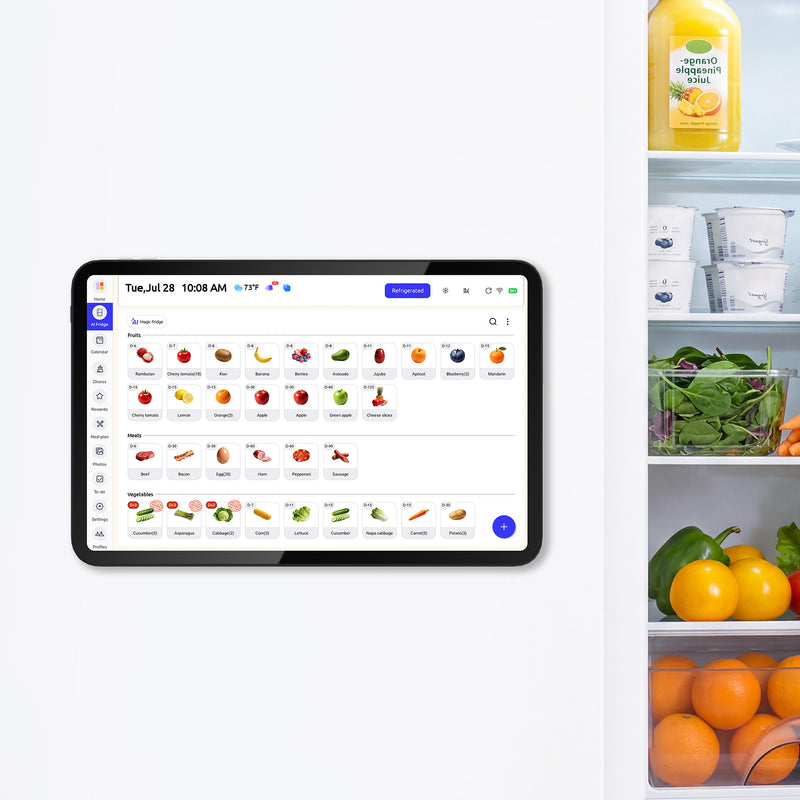
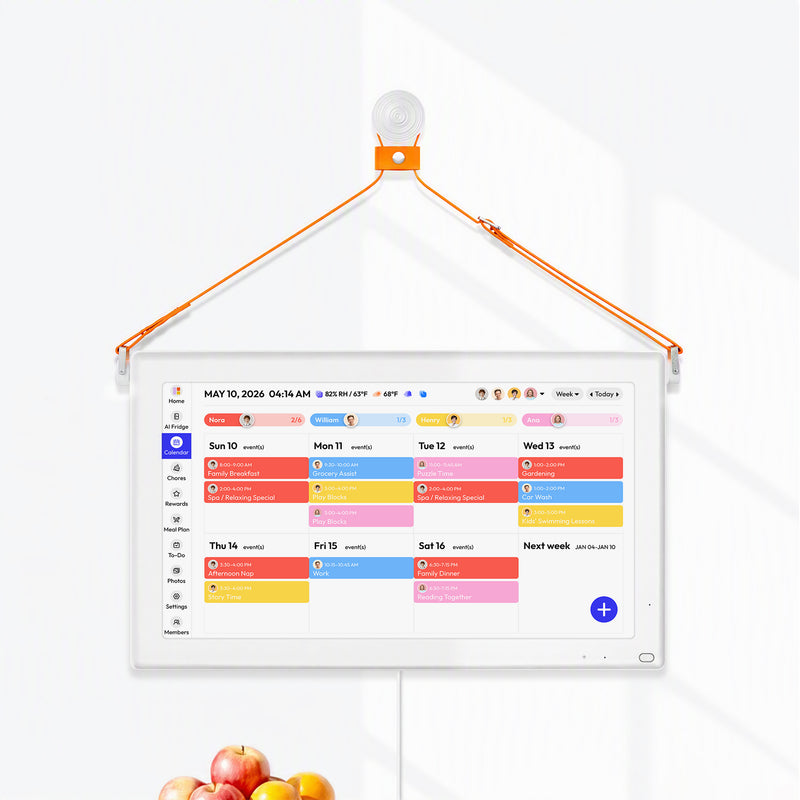
A refrigerator-based digital setup may suit families that already use shared calendars but want the current plan visible where household decisions happen. The Everblog 13.4-inch FridgeCal brings that shared weekly view to the fridge, where schedules, meals, chores, and grocery decisions often overlap.
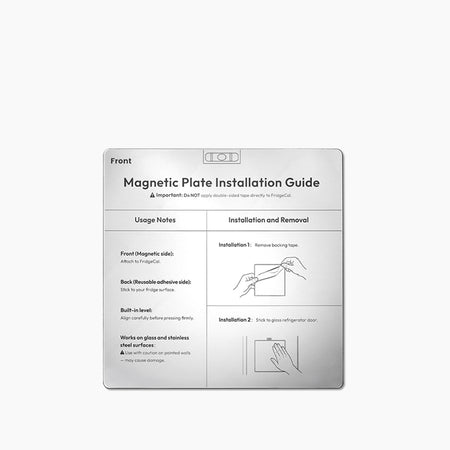
FridgeCal combines connected calendars, chores, meal planning, shopping lists, food inventory, and expiration reminders on a rechargeable touchscreen. It supports mobile access for changes away from home and magnetic mounting, with an included plate for non-magnetic surfaces. Check calendar compatibility, edit permissions, mounting, charging access, and privacy needs before choosing it.
A shared display still depends on everyone keeping the plan current. Contributors need to enter changes, affected people should confirm handoffs, and one reviewer should resolve conflicts. A paper pad may still be enough for a stable week managed locally.
Frequently Asked Questions
What should a weekly fridge calendar include?
Include fixed events, meaningful exceptions, the responsible person, dinner, and only the notes needed for action. Keep private details, full addresses, and long instructions in the maintained source.
Is a weekly planner pad better than a monthly calendar?
A weekly pad gives meals, rides, and preparation more space. A monthly calendar gives broader visibility. Choose one primary view instead of copying complete details into both.
How often should parents update the fridge calendar?
Review it once each week and update important changes when they occur. Assign responsibility for entering changes and add a last-reviewed time to static pages.
Can paper and a shared app work together?
Yes. Let the app own changing times and assignments, while paper holds meals or short-lived reminders. Avoid duplicating the entire weekly schedule.
When is a digital display worth the cost?
It is most defensible when several people make remote changes, recurring events create substantial rewriting, and a visible home view would replace an existing copying step.


