


Quick Answer
The best reusable fridge calendars for meal planning fit how your family updates dinner plans. A magnetic whiteboard or acrylic board suits a stable menu edited at home. A digital fridge calendar is worth considering when several people need to update meals and shopping lists while away. Choose the simplest option your family will keep current.
Which Fridge Calendar Fits Your Meal-Planning Routine?
Choose by how often dinner plans change, where updates happen, and who needs access. If one person plans meals and makes changes at home, a magnetic whiteboard or acrylic board is often enough. Prioritize writing space and easy correction; this magnetic calendar family guide explains what to look for.
If late meetings, practice changes, or missing ingredients often disrupt dinner, consider a digital calendar with shared phone access. Family members can check the latest plan without relying on photos of the board or separate messages.
Connected features still need someone to maintain them. Decide who will update meals and check the shopping list, and verify whether those tools share information automatically or require manual edits.
Magnetic Whiteboard vs. Acrylic Board vs. Paper Pad vs. Digital Calendar
No single format is best for every household because each one reduces a different kind of effort. The comparison below treats all four formats as valid starting points.
|
Format |
Best when |
Main strengths |
Main limits |
Avoid when |
|
Magnetic whiteboard |
One person updates a stable weekly menu at home |
Low setup, no power, flexible writing, visible |
No remote view, finite space, marker care, manual repeats |
Several people change plans away from home |
|
Acrylic board |
The family wants fixed zones and a polished reusable surface |
Consistent layout, clear sections, wipe-clean reuse |
Possible glare, fingerprints, fixed allocation, mounting checks |
The kitchen has difficult reflections or the layout changes often |
|
Weekly paper pad |
One writer prefers pen and a weekly reset |
Fresh page, easy notes, portable archive, no cleaning |
Recurring purchase, no remote editing, old page can stay visible |
The family expects a physically reusable surface or frequent changes |
|
Digital display |
Several editors need a shared source and phone access |
Adaptable views, recurring entries, remote access when supported |
Higher cost, setup, connectivity, charging or power, data upkeep |
Nobody will maintain accounts or use shared features |
Magnetic Whiteboards for Simple Weekly Menus
A magnetic whiteboard suits meals planned and updated at home. Check that it fits your fridge, holds securely, and has enough writing space. Follow the maker’s marker and cleaning instructions.
Acrylic Boards for Clearly Organized Plans
An acrylic board with separate sections can keep dinners, prep tasks, and shopping notes easy to scan. Check mounting compatibility, marker contrast, and glare in your kitchen.
Weekly Paper Pads for a Fresh Start
A paper pad offers a fresh page each week and room for handwritten notes. It isn’t reusable, but it suits one person managing the menu. Remove old pages to avoid confusion.

Digital Displays for Shared Updates
A digital display with phone access suits families who change meals or shopping plans while away from home. Check shared access, power needs, and who will keep the information current.
A Five-Question Quiz Routes You to the Simplest Fit
Five practical answers can narrow the format without a feature-by-feature shopping marathon. The change threshold below is editorial routing guidance, not a scientific cutoff.
|
Question |
If your answer is... |
Best starting point |
Watch for |
|
How often does dinner change after posting? |
Zero or once most weeks |
Magnetic, acrylic, or pad |
The occasional manual correction |
|
Who edits the plan? |
One home-based planner |
Any analog format |
One-person knowledge bottleneck |
|
Where do changes occur? |
Work, school pickup, or store |
Digital or shared app plus visible view |
Permissions and stale copies |
|
Must meals connect with schedules or lists? |
Yes, several times a week |
Digital or disciplined hybrid |
Assuming modules exchange data automatically |
|
What upkeep will the family sustain? |
Wiping or replacing a page |
Analog |
Markers, pads, and weekly reset ownership |
Use the answers to choose one of four routes:
- Choose magneticwhen the plan is stable, flexibility matters, and a compatible refrigerator provides enough writing space.
- Choose acrylicwhen fixed visual zones improve scanning and the family has tested glare and contrast.
- Choose a padwhen one person enjoys writing a fresh plan and the recurring supply cost is acceptable.
- Consider digitalwhen several contributors make remote changes and one shared source can replace repeated copying.
If the answers remain mixed, use a full fridge calendar buying guide to compare placement, power, view size, and maintenance.
What Will You Spend Beyond the Purchase Price?
A fair cost comparison includes consumables, accessories, optional services, replacement assumptions, and upkeep. Do not treat the shelf price as the whole cost or invent a dollar value for family time.
|
Cost input |
Year 1 |
Year 2 |
Year 3 |
Three-year total |
|
Board, pad holder, or hardware |
$___ |
$___ |
$___ |
$___ |
|
Markers, pens, erasers, or pad refills |
$___ |
$___ |
$___ |
$___ |
|
Mount, stand, charging, or power accessory |
$___ |
$___ |
$___ |
$___ |
|
Required or optional service |
$___ |
$___ |
$___ |
$___ |
|
Cleaning or replacement supplies |
$___ |
$___ |
$___ |
$___ |
|
Planned replacement allowance |
$___ |
$___ |
$___ |
$___ |
Date every price entered in the worksheet and separate required costs from optional ones. For a digital product, verify whether core features require a subscription. For analog formats, include realistic pad or marker replenishment.
The cheapest useful system beats the cheapest item. A board that stays outdated has poor workflow value even if it costs little. A connected screen is equally wasteful if the household never edits remotely or uses the shared functions.

What Should You Check Before Buying?
A seven-day kitchen trial exposes problems that product photos cannot show. This protocol has not been run on specific products for this article, so it offers a method rather than performance results.
- Post a realistic week with the family's normal meal names and notes.
- Read the next dinner from the doorway, prep area, and refrigerator.
- Check glare at breakfast and after the evening lights come on.
- Change one meal while away from home and record the full handoff.
- Complete the weekly reset and note who did each maintenance step.
Record erase effort, marker staining, board movement, door clearance, screen or print readability, remote-change steps, and whether the plan stayed accurate. Do not compare reset time unless the same household tests each format with the same week.
When Is Everblog FridgeCal a Good Fit for Your Family?
A fridge-side digital view becomes useful when it removes repeated copying across calendars, messages, and meal notes. It should solve an observed maintenance problem, not serve as the automatic “premium” winner.
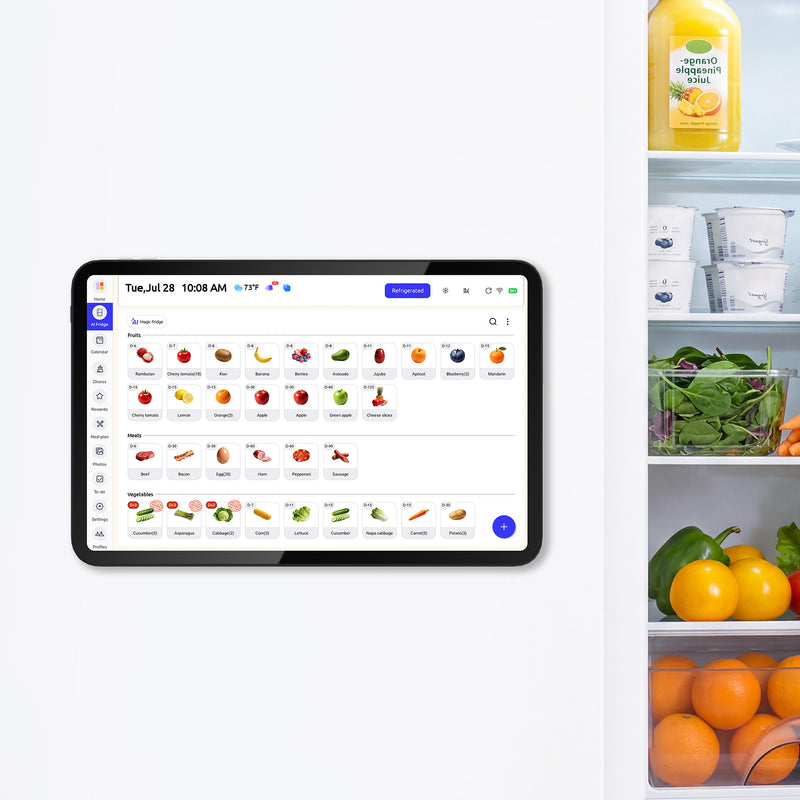
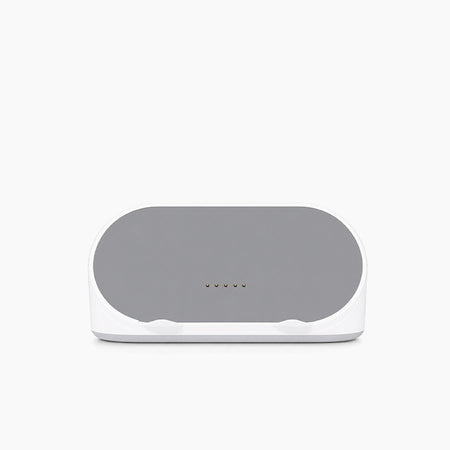
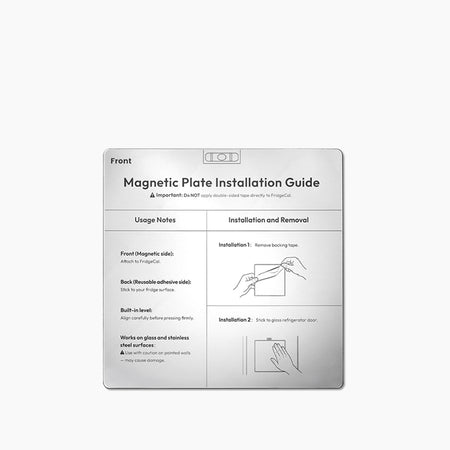
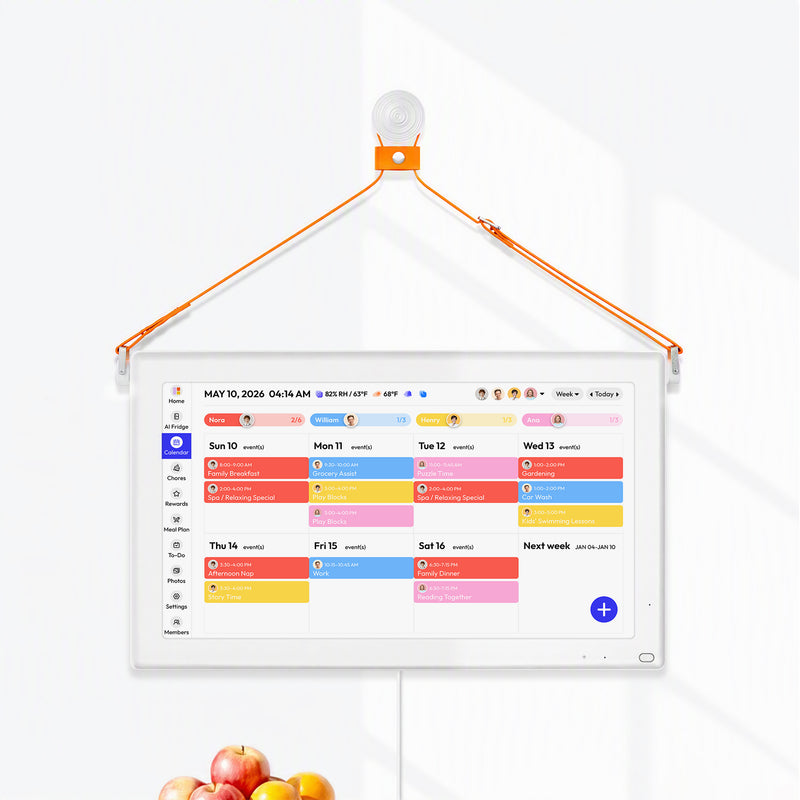
A refrigerator-based planning display with meal and list tools currently describes a 13.4-inch touchscreen, magnetic rechargeable design, calendar connections, meal planning, shopping lists, food inventory, expiration information, recipe ideas, chores, and phone access. It also includes expiration reminders, recipe suggestions, chores, and mobile access for changes away from home, with no monthly subscription required for core features. Before buying, check account compatibility, permissions, mounting surface, charging routine, warranty, return terms, optional accessories, and current pricing.
These modules can live in one system without necessarily transferring every decision automatically. The family still needs to review meals, lists, inventory, and changes. A digital versus traditional fridge calendar comparison can help clarify whether remote editing and reusable views justify the extra setup.
Low-cost formats remain right for many homes. Choose a magnetic or acrylic board when edits are rare and local. Choose a paper pad when the weekly rewrite is a useful ritual. Choose digital only when shared changes and connected context address work the household already performs.
Frequently Asked Questions
Are acrylic fridge calendars better than magnetic whiteboards?
Not universally. Acrylic favors fixed zones and a polished surface, while magnetic whiteboards usually favor flexibility and lower commitment. Test glare, contrast, usable writing space, mounting compatibility, and cleaning instructions on the exact product.
Do reusable fridge calendars stain or ghost?
Some surfaces and marker combinations can ghost. Follow the manufacturer's marker and cleaning guidance, test a small area, and avoid claiming category-wide performance without testing the exact board.
Is a weekly or monthly format better for meal planning?
A weekly view usually provides more space for dinner and preparation notes. A monthly view helps with rotation and upcoming events. Choose the view that answers the family's most frequent meal question without shrinking the writing.
When should a family switch to a digital fridge calendar?
Consider switching when several people make changes away from home, recurring entries create repeated rewriting, or meals regularly depend on schedules and a shared list. Remote access must outweigh the added cost and upkeep.
Can a digital display and reusable whiteboard work together?
Yes, if one source owns the current plan. Use the second surface for temporary notes, prep reminders, or children's tasks rather than copying the entire schedule and creating two authoritative versions.


