


A shared digital family display can turn scattered game schedules, report-card moments, and meal prep into one clear daily plan that feels motivating instead of chaotic.
Have you ever celebrated a game win on Friday, then realized Monday morning that the parent-teacher conference and uniform wash were buried in three different apps? Families managing school and sports often track about 30-50 calendar events in one-child households and about 60-100 in two-child households each year (practice estimate from author-observed one- to two-child households balancing school terms and seasonal sports), so even strong routines can fray fast. You’ll leave with a practical way to build a digital “wall of wins” that keeps achievements visible and household logistics under control.

Data and Scope Note: Event-count ranges and the “about 14 days” stability outcome in this article are author observations from a small, informal set of one- and two-child households supported across one school year and seasonal sports cycles; this is author observation, not systematic research. No formal sample-size target or controlled baseline/post design was used. The observed families were primarily K-12 households in mixed urban/suburban settings, and outcomes varied by season overlap and update volume. Use 30-50 events/year as a one-child planning range and 60-100 as a two-child planning range, not universal targets. Broader workload context from the American Time Use Survey shows parents already split time across work, household activities, and caregiving demands.
Disclaimer: Food safety and ergonomics values below are general home-use guidance and can vary by household setup, age, and health status. Verify food-related steps with food safety basics and monitor setup with monitor quick tips, and consult a qualified professional when personal medical needs are involved.
Start With One Shared “Wall of Wins”
Make one calendar the source of truth
A single source of truth calendar reduces missed handoffs because everyone checks the same place for practices, awards nights, and deadlines. Evidence from reminder-based adherence research shows reminder systems improve patient adherence, so one shared calendar plus alerts is a practical way to reduce misses even though direct family-calendar trials are limited. Keep paper as backup if you want, but avoid running two primary systems in parallel.
A a company works best when it combines three parts: one visible household screen, synced personal devices, and a weekly reset routine. In practice, that means your “win board” is not decoration alone; it is operational.
Define what counts as a “win”
Create three recurring event tags: Sports Win, Academic Award, and Effort Milestone (for things like study streaks or attendance). This helps younger kids feel seen beyond trophies and makes the family calendar emotionally balanced, not just task-heavy.
Style the Display for Fast Decisions and Pride
Placement and visual hierarchy
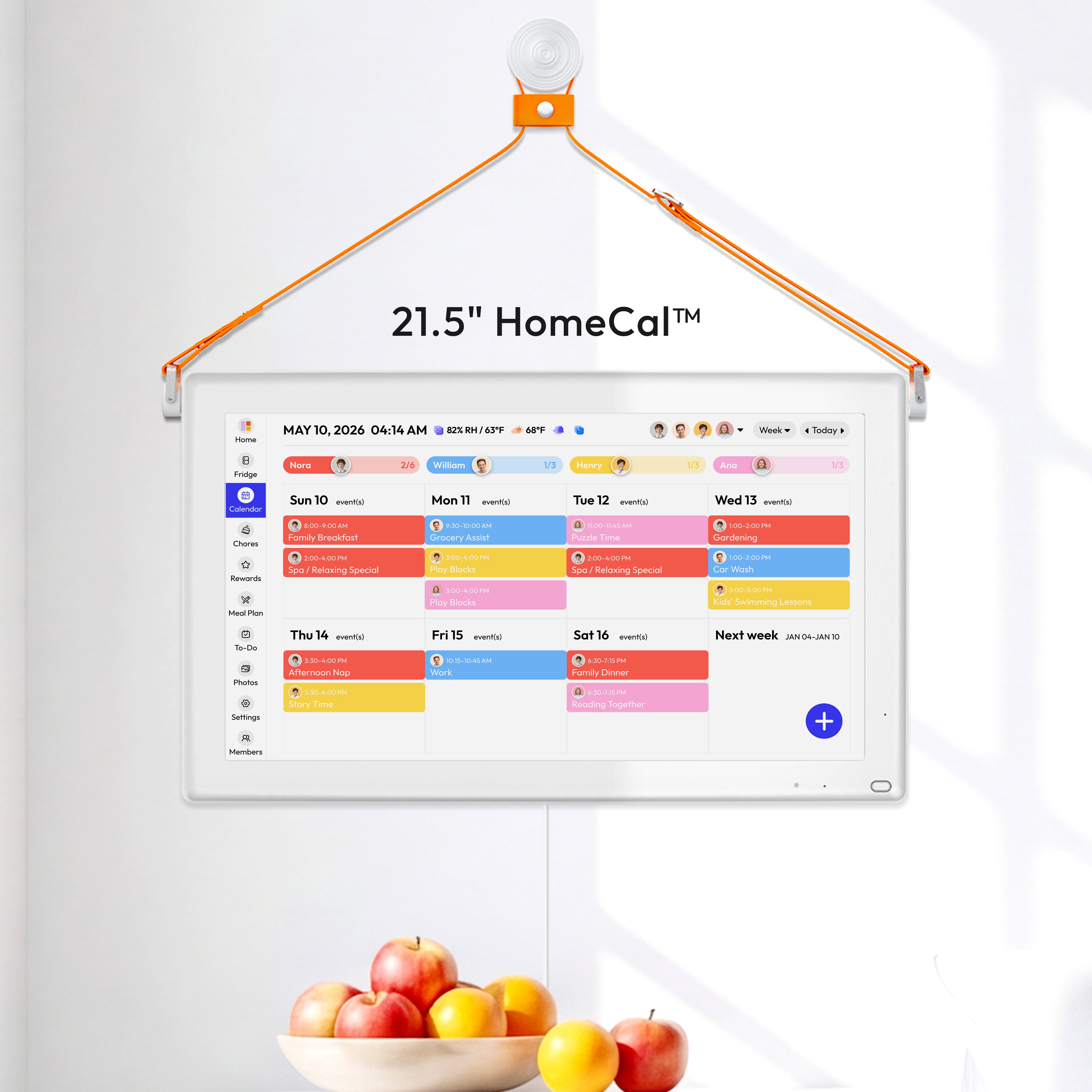
A a company such as the kitchen, pantry wall, or garage-entry path turns the display into a daily checkpoint. Use a 15-24 in screen at roughly eye level, with the top line of the screen at or slightly below eye level and at least 20 in viewing distance for most users based on monitor quick tips, with a “Today” strip on top, “This Week” in the center, and “Recent Wins” on the right.

A color-by-child system makes weekly scanning faster than color-by-activity. Limit to 4-6 fixed colors so the display stays readable from 6-10 ft away.
Key suggestions with low-budget alternatives
Key suggestion |
Standard setup |
Low-budget or low-skill alternative |
Wall-mounted 18-24 in smart display/tablet, 450.00 |
Reuse an old tablet on a stand, 40.00 |
|
Color by child |
App-based color rules and recurring templates |
Printed legend card taped near screen |
Win tiles (sports + academics) |
Digital photo card + event link |
Weekly text-only “wins list” in notes app |
Sunday reset |
20-30 minutes at 7:30 PM with both parents |
10-minute phone call if schedules conflict |
Nightly preview |
3-minute check at 8:30 PM |
Voice reminder + next-day sticky note |
Capture School and Sports Updates Before They Scatter
Use fast intake, not perfect intake
A photo-to-calendar workflow is usually the fastest way to process school PDFs, handouts, screenshots, and magnets into events. For one-child households, the annual event load is often roughly 30-50 items, and for families with two kids it can reach roughly 60-100 items (practice estimate from author-observed mixed school notices plus seasonal sports updates), so speed matters more than formatting perfection at entry time.
A youth sports logistics reality is that updates are fragmented across league apps, group chats, emails, and newsletters. Use a three-tier rule: add schedule-changers immediately, action-required items within 24 hours, and awareness-only items during weekly sync.
Suggested cadence
Run monthly school-calendar uploads (often under 1 minute per upload), then hold one Sunday reset and one nightly 3-minute preview. Most households feel noticeably more stable in about 14 days (author-observed result, not a clinical benchmark; timelines vary by family) when this cadence is consistent. Treat the 14-day mark as a practical trial window rather than a universal benchmark, and use your own weekly missed-event and conflict counts to decide whether to keep or adjust the cadence. See the Data and Scope Note for sample limits.
15-Minute Quick Start
- Create one shared household calendar and make it the final source for school, sports, and award events.
Safety check: confirm edit/view permissions before posting private notes. - Add the three tags Sports Win, Academic Award, and Effort Milestone.
Safety check: test one event per tag so colors and reminders display correctly on both phone and wall screen. - Apply the three-tier intake rule: add schedule-changers immediately, action-required items within 24 hours, and awareness-only items during weekly sync.
Safety check: if an item changes meal timing, add a food reminder using food safety basics. - Run a 14-day check schedule with one Sunday reset and one nightly 3-minute preview.
Safety check: treat 14 days as an author-observed starting window and adjust for your household.
Copy/paste 14-day scorecard template:
Week 1
- Missed events/week: __
- Schedule conflicts/week: __
- Late arrivals (over 10 minutes): __
- Sunday reset completion (Yes/No): __
- Nightly 3-minute checks completed (0-7): __
Week 2
- Missed events/week: __
- Schedule conflicts/week: __
- Late arrivals (over 10 minutes): __
- Sunday reset completion (Yes/No): __
- Nightly 3-minute checks completed (0-7): __
- Paste this reminder text into your calendar template:
Fridge check: keep at 40°F or below. Leftovers: refrigerate promptly and eat or freeze within 3-4 days.
Safety check: these values follow Leftovers and Food Safety.
Connect Recognition to Meals and Household Rhythm
Tie achievement moments to home operations
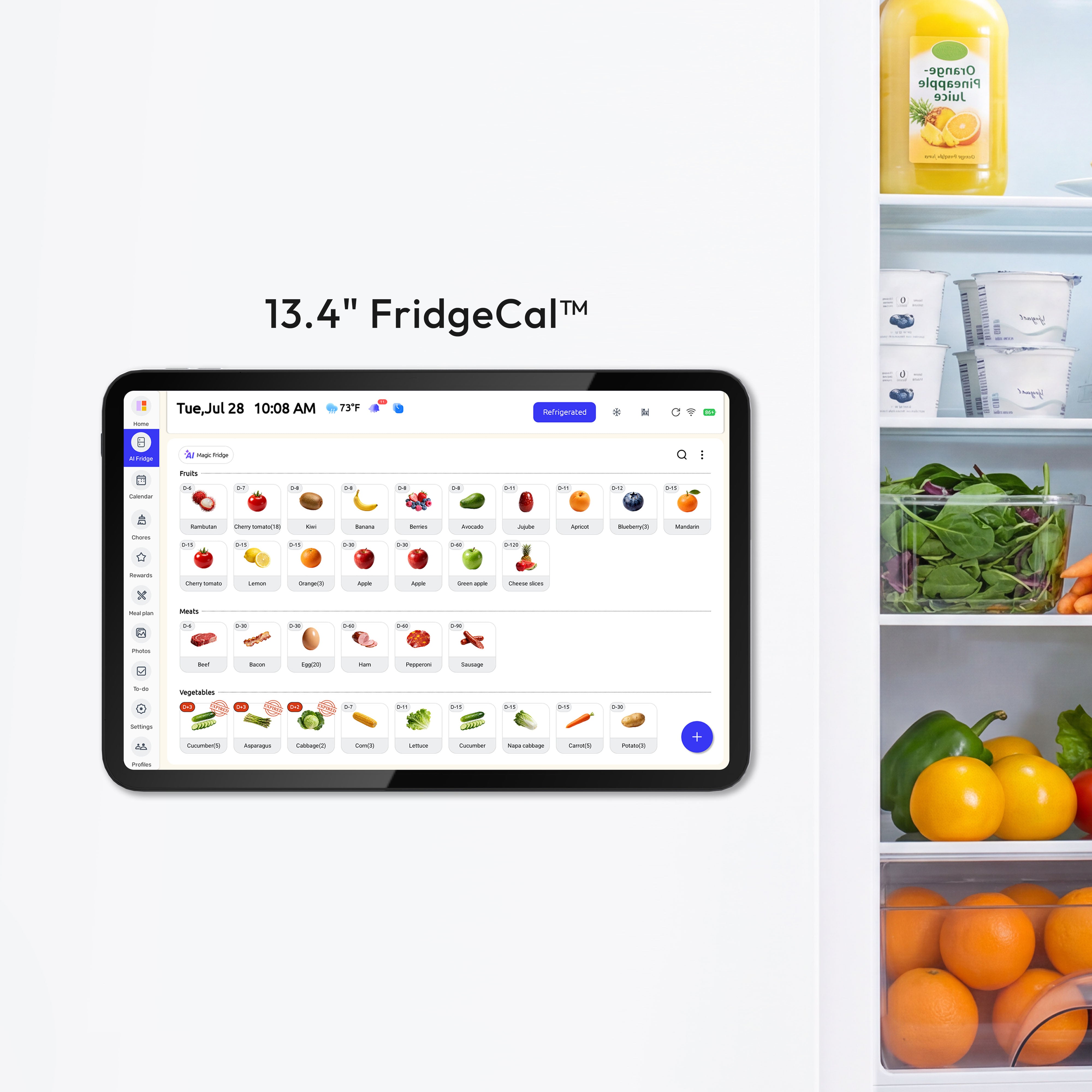
A family organizer with calendar and meal modules can connect game nights and award ceremonies to grocery lists, prep tasks, and reminders in one flow. This is where “visualizing success” becomes practical: every win event triggers the support tasks that make the week work.
A single household hub with permissions is useful when kids, co-parents, or extended family need different levels of access. If a shared kitchen tablet is visible to guests, keep sensitive notes private while leaving schedule essentials public.
Add food-safety guardrails to the calendar
Quick reminder: this is general household guidance, and higher-risk family members may need stricter choices based on people at increased risk for food poisoning.
A a company keeps celebration meals safer during busy weeks: keep the refrigerator at 40°F or below using food safety basics, and use cooked leftovers within 3-4 days using Leftovers and Food Safety. Add recurring reminders for leftovers at day 2 and day 3 (or freeze by day 3-4) so meal planning stays realistic.
Safety & Boundaries
A reported parental stress baseline shows logistics pressure is real, so this system should lower stress, not add surveillance. If the display causes conflict, anxiety, or perfectionism, reduce visible metrics and focus on “next action” clarity instead of performance comparisons.
A sports cognition study found higher-level players maintained better tracking performance under heavy load, which is useful context for training demands but not a reason to over-schedule children. Families should avoid rigid optimization if a child is recovering from injury, showing burnout, or struggling emotionally; consult a pediatrician, licensed counselor, or school support professional when motivation drops sharply for more than 2-3 weeks.
Practical Next Steps
- Set your “wall of wins” structure in one evening (45-90 minutes, 450.00).
Alternative: start with one shared phone calendar and a printed weekly view. - Import the next 30 days of school and sports events (30-60 minutes).
Alternative: enter only Tier 1 schedule-changers first, then add Tier 2 within 24 hours. - Add operations links to each major event (1-2 minutes per event).
Alternative: use one checklist note titled Game Day or Awards Night and reuse it. - Run a Sunday reset for 20-30 minutes and a nightly 3-minute check for 14 days (author-observed window).
Alternative: if consistency is hard, do resets every other Sunday plus nightly voice reminders.
Decision checklist
- Do we have one calendar everyone agrees is the final source of truth?
- Can each child’s week be read in under 10 seconds by color?
- Are sports wins and academic awards visible in the same place as logistics?
- Does every major event include location, arrival time, and prep items?
- Are meal safety reminders (40°F or below fridge, 3-4 day cooked-leftover window from Leftovers and Food Safety) on the schedule?
- Has the routine reduced stress after 14 days, not increased it?
Shared school coordination is common across U.S. families in Parent and Family Involvement in Education: 2023, so use this conflict protocol when shared-calendar edits collide:
- Conflict protocol Step 1 (dedupe owner): assign one owner per event type and merge duplicates within 24 hours.
- Conflict protocol Step 2 (lock authoritative calendar): keep one household calendar as final for time and location; other apps can mirror but not overwrite.
- Conflict protocol Step 3 (weekly permission audit): review who can edit Tier 1 schedule-changers and remove stale editor access.
References


