
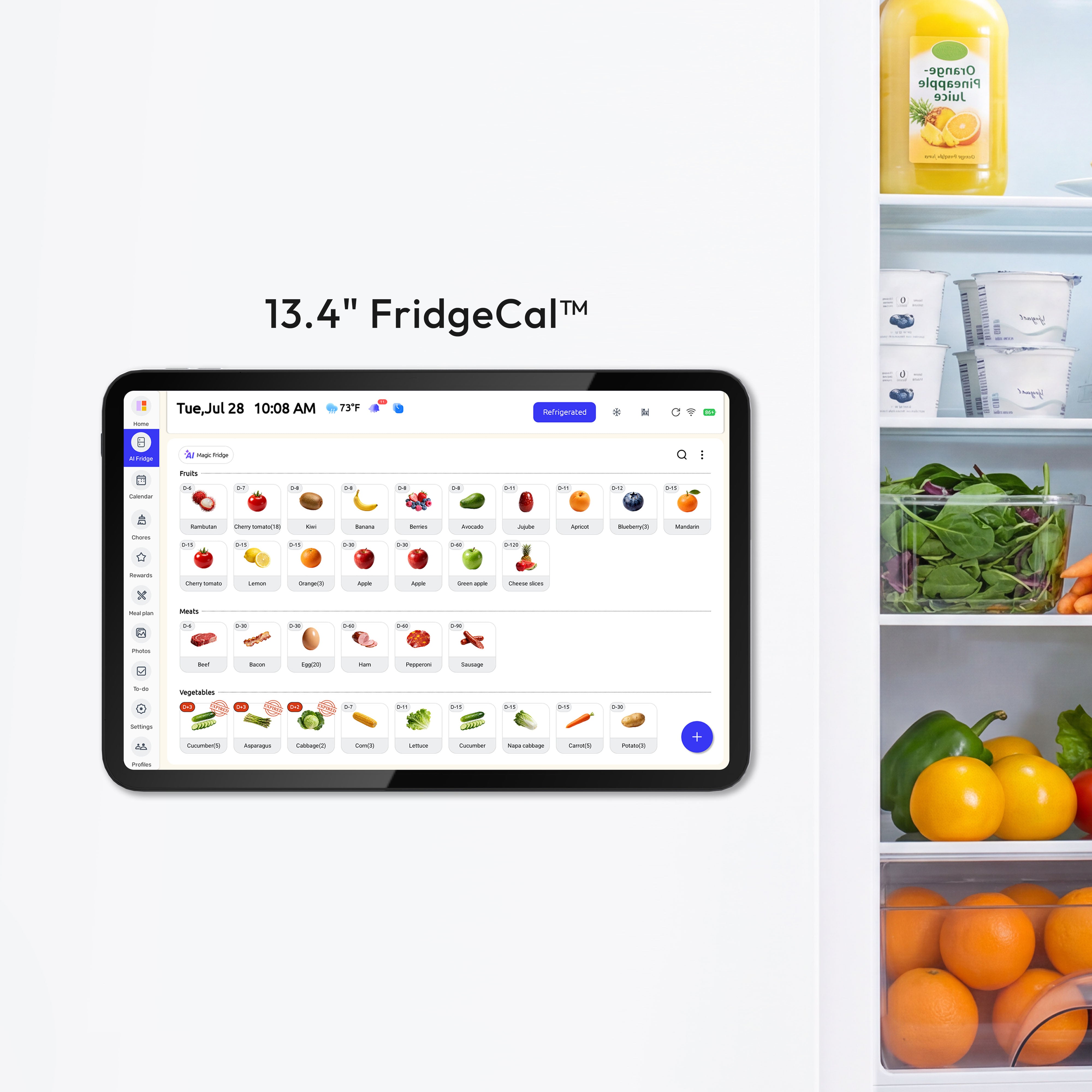
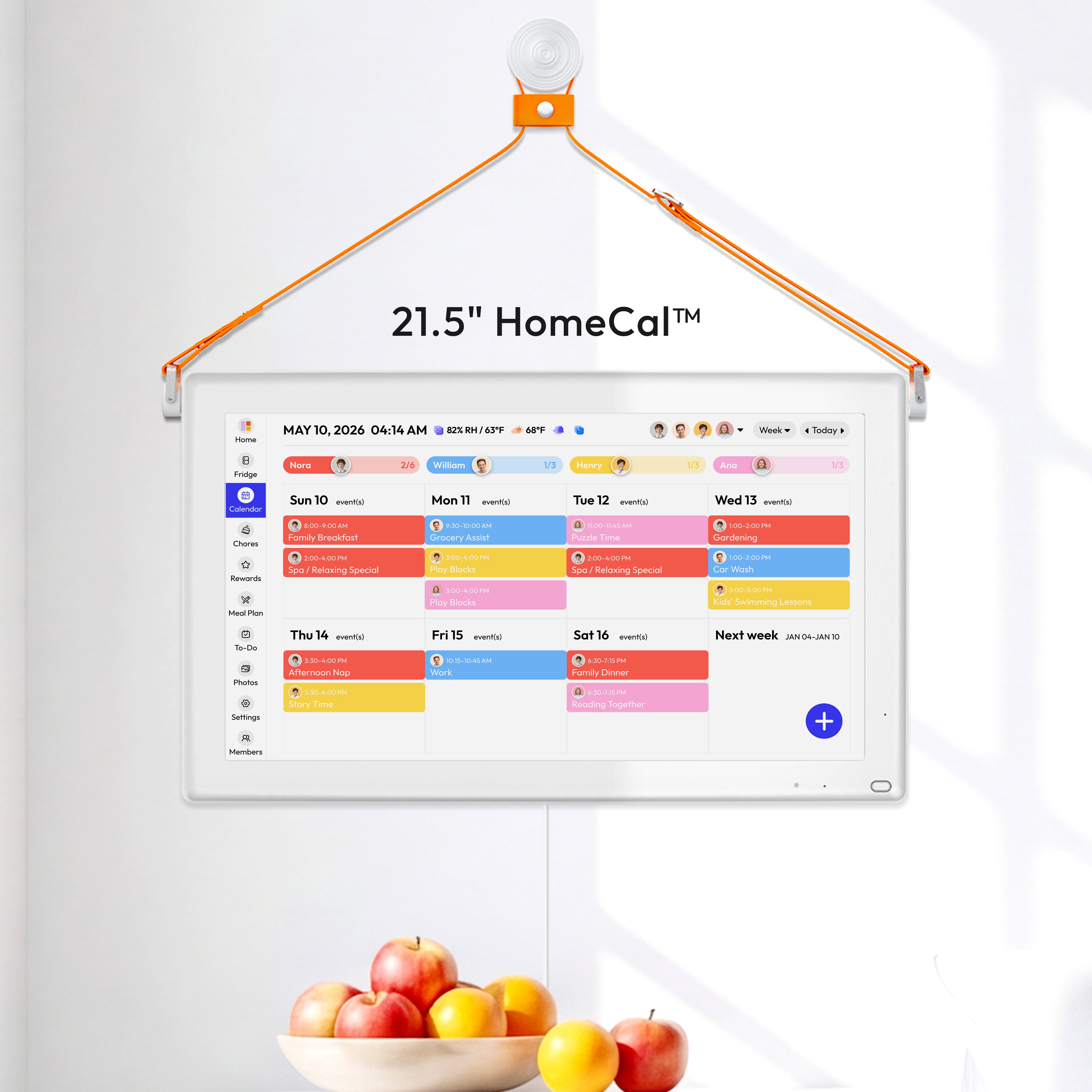


A shared smart display can be a safe family hub for meals, chores, school, and sports, but it is a poor place for full-detail medical, work, financial, or travel events. Everblog's privacy promise is credible as a screen-and-permissions strategy, not as proof that a smart display never hears more than you expect.
You add next week's dinners, soccer pickup, and a dentist reminder, then realize a guest can read the screen from the table and start wondering about the microphone, too. The setups that feel safest in daily use keep household logistics visible while moving sensitive details off the shared display or renaming them in plain, vague language. You should leave this with a clear standard for when a family display is helpful, when it is too exposed, and how to tighten it without breaking calendar sync.
- Best for: families who want one visible hub for meal planning, chores, school logistics, and sports.
- Less ideal for: homes expecting a kitchen display to safely show therapy, legal, financial, or travel details in full.
- Best add-on: selective sharing for grandparents, babysitters, or caregivers who need only certain event streams.
What "Listening" Usually Means
Wake words are not the whole story
Most family displays do not stream full conversations nonstop because they process audio locally until a wake word, but that is not the same as zero risk. Independent smart-speaker misactivation research and a 2025 empirical study both found accidental activations under TV or other everyday audio, but the frequency varies by device, room, volume, and test setup. The UCL paper, When Speakers Are All Ears: Characterizing Misactivations of IoT Smart Speakers by Daniel J. Dubois and co-authors in Proceedings on Privacy Enhancing Technologies 2020, tested smart speakers against TV and other audio to characterize misactivations in controlled playback conditions at home-like distances and volumes UCL Discovery. The 2025 record, Privacy Implications of Smart Speaker Inadvertent Activations: An Empirical Study from Murray State University, is a repository-hosted empirical study rather than a peer-reviewed journal article; its authors report 120 hours of video playback and Wireshark-based network monitoring across Apple, Google, and Amazon speakers Zenodo. In a kitchen where dinner planning, school deadlines, and family arguments all happen within earshot, that distinction matters.

These observations are not from my own measurements. The wake-word discussion here summarizes third-party evidence only: the 2025 study reports 120 hours of video playback and network monitoring across Apple, Google, and Amazon speakers, while FTC guidance on voice assistants is explicit that devices can mishear wake words and may send those recordings to manufacturer servers. The FTC article How To Secure Your Voice Assistant and Protect Your Privacy explains that some devices listen for wake words, can mishear them, and usually send recordings to the manufacturer's servers; the FTC also recommends checking which accounts are connected, deleting old recordings, and using a physical mute control when sensitive conversations are likely How To Secure Your Voice Assistant and Protect Your Privacy.
Why background suggestions feel creepier than voice commands
The technical model is narrower than many people assume because wake word detection is a narrow on-device classifier, not a full transcription engine. That is good news for privacy, latency, and reliability, and it is one reason calendar reminders can still work well on a shared home hub. The weak point is not the wake word itself so much as everything layered around it.
Technical note: how false activations happen. A typical smart speaker uses a lightweight wake-word detector to listen for a short sound pattern locally; only after that trigger does the fuller speech-recognition path begin, which is the stage that can lead to a clip being sent off the device for processing or storage if the platform is configured that way How To Secure Your Voice Assistant and Protect Your Privacy. The UCL misactivation study tested speakers with television and other media playback to observe when ordinary audio accidentally matched those short trigger patterns, which is why false activations can happen without anyone deliberately talking to the device When Speakers Are All Ears: Characterizing Misactivations of IoT Smart Speakers. A simple home check is to place the device where it normally lives, play several hours of TV or video audio at normal room volume, and log any visible or audible activations along with room placement, speaker volume, and the type of content; that will not reproduce the study exactly, but it mirrors its basic idea closely enough to show whether your setup is unusually trigger-prone.
Trouble starts when ambient social listening can analyze words like "meeting," "dinner," or "flight" without a wake word. That kind of passive analysis is separate from the active, authenticated calendar sync most families actually want. NIST smart-home privacy research and a 2025 NIST survey both point to voice assistants as a higher-concern device category, which is why ambient suggestions are often the first feature worth disabling.
Where Family Calendar Privacy Breaks First
The screen is often the bigger leak
Shared calendar privacy usually fails at the screen because visible events can expose sensitive information, including medical, financial, work, family, and kids' details. A posted absence such as "Family vacation July 10-20" does not just overshare; it can signal an empty home. The simple rule that holds up well is this: if you would not want a neighbor reading an event label, make it vaguer or keep it off the shared display.

Placement makes or breaks the same calendar. A kitchen-facing entry is low privacy because visitors and delivery workers can often read it at a glance; a hallway or mudroom is a better balance; a home office or bedroom is more private but less useful as a family command center. The most practical check is the sightline test: stand in the hallway, dining area, and living room and see whether appointment details or travel plans are readable.
Sharing is still too broad in many calendar systems
The second leak happens in software, because sharing is often all-or-nothing. That is a bad fit for real family organization, where grandparents may need school concerts, a sitter may need pickup logistics, and nobody outside the household needs to see therapy, work, or legal appointments. Families usually think in contexts such as school, soccer, music lessons, meals, and chores, not in full-calendar permission levels.
How Strong Everblog's Promise Really Is
Where Everblog is strongest
What Everblog gets right is that shared calendar privacy depends on setup choices from day one: what is shown, who can edit it, and how visible it is. That is the right frame for a family calendar product because most harm in daily use is not a cinematic hacking scenario; it is a child, guest, cleaner, or visiting relative seeing too much on a common screen. For home organization and meal planning, that means keeping celebrations, chores, menus, sports, and school logistics visible while pushing sensitive items to personal calendars or vague labels.
Where the promise stops short
The missing piece is the broader smart-home business model. Smart-home terms can run around 40 pages and may grant broad rights to collect, store, analyze, and sometimes sell device data. Even if Everblog's screen rules are solid, they do not by themselves answer questions about false activations, platform analytics, ad ecosystems, or how a smart speaker vendor monetizes usage.

That gap matters more now because trust in smart-home data practices has declined, while interest in privacy-focused replacements remains high. My practical verdict is that Everblog offers a useful household privacy policy, not a complete privacy stack. It is better read as strong day-to-day guidance for a family display than as a firmware-level audit of the underlying smart-display platform.
A Safer Setup for a Family Command Center
Start with the network, not the screen
The cheapest privacy upgrade is usually your router, because a privacy-first smart home starts with strong Wi-Fi, WPA3, disabled remote management, unique passwords, and two-factor authentication. A separate network for guests or IoT devices is also worth the few extra minutes. FTC home Wi-Fi guidance also recommends WPA3 or WPA2 Personal and password protection as the baseline before you worry about display placement.
Turn off suggestion features before you give up on the device
For voice-enabled displays, the most useful tweak is to keep calendar access while reducing background analysis. On Google Nest Hub, ambient analysis is tied to suggestions and history, and that article says both can be disabled while leaving Google Calendar access intact. Without platform documentation in this review, though, that behavior should be treated as an unverified case-study observation rather than a guaranteed Google or Amazon setting outcome. The same source's reported 92% reduction, its description of periodic token refresh, and its 60-day result with no unsolicited suggestions all come from a single third-party setup, so they should be read as approximate and device-dependent rather than general performance claims. For Echo Show households, the equivalent move is to disable skill suggestions and communications history, then use the platform's auto-delete voice-recording option while keeping calendar access on, which is directionally consistent with FTC advice to know which accounts are connected and delete old recordings. The most defensible cross-platform path is still the FTC baseline: review connected accounts, delete old recordings, and use the device's hardware mute control when you need stronger privacy How To Secure Your Voice Assistant and Protect Your Privacy.

Match permissions to age and use case
Role design matters just as much as settings, and age-based permissions work well for family calendars. A sensible pattern is younger kids viewing schedules and checking chores, older kids adding their own activities, teens managing more of their own schedules, and adults controlling the shared family layer. That approach keeps the display useful for dinner planning and after-school logistics without turning it into an open ledger of everyone's private life.
High-Risk Scenario Checklist
A short, risk-first checklist helps translate those settings into daily use. FTC advice for voice assistants supports deleting old recordings, reviewing connected accounts, and using hardware mute when sensitive conversations are likely, while FTC home Wi-Fi guidance supports guest-network separation for shared-device homes.
- Medical events: Beginner: keep appointments on a separate personal calendar and show only a vague shared label such as "Appointment" on the family display. Intermediate: remove detailed reminders from the shared hub and review which accounts are connected to the voice assistant. Advanced: mute the microphone or move the conversation away from the device during home-health or insurance calls.
- Financial deadlines: Beginner: use generic titles such as "Admin block" or "Call" instead of bank, tax, or payment details on the shared screen. Intermediate: delete old voice recordings and avoid reading account numbers or payment issues near the device. Advanced: keep any finance calendar separate from the display-linked account and use the mute switch before discussing money.
- Work meetings: Beginner: keep client names, interview topics, and legal matters off the shared display. Intermediate: share only a household logistics calendar with the hub, not your full work calendar. Advanced: treat connected-account review as routine so the assistant is not linked to more work data than necessary.
- Travel plans: Beginner: replace exact trip titles like "Family vacation July 10-20" with broader placeholders until you return. Intermediate: keep confirmations and detailed itineraries off the display and off any account read aloud by the assistant. Advanced: put guests and caregivers on a separate network and share only the event stream they actually need.
Scenario |
Priority action |
Expected privacy benefit |
Difficulty |
Shared kitchen or common area |
Use vague event labels and angle the screen away from the main sightline |
Reduces casual disclosure of medical, financial, and travel details |
Low |
Hallway or mudroom |
Move the display off the front-door sightline before changing software settings |
Cuts glanceable exposure for visitors and delivery workers |
Low to medium |
Guest or caregiver access |
Put helpers on guest/IoT Wi-Fi and share only the calendar stream they need |
Limits network reach and oversharing at the same time |
Medium |
Children's schedules |
Keep younger kids view-only and separate private family events from school or activity reminders |
Preserves usefulness without exposing adult appointments |
Medium |
High-sensitivity events |
Keep medical, legal, financial, and travel details off the shared display; use the mic mute switch or power the device down during sensitive calls |
Best for reducing unwanted capture or shoulder-surfing when the stakes are high |
Low |
If the display is ever used near home-health conversations, NIST guidance for home health care is a good reason to treat mute or device separation as the default, not the exception.
Which Option Fits Your Household Best?
The best choice depends less on brand loyalty and more on how much private detail your family expects to keep on-screen, how often outsiders need access, and whether the display lives in a high-traffic part of the house.
Option |
Privacy exposure |
Coordination value |
Ongoing effort |
Best for |
Default smart display in the kitchen |
High: readable screen plus default suggestion/history features |
High at first |
Low |
Families optimizing for convenience over privacy |
Tuned smart display with vague labels and muted ambient features |
Medium |
High |
Medium |
Most households managing meals, chores, school, and sports |
Shared display in a hallway or mudroom with age-based roles |
Low to medium |
Medium to high |
Medium |
Families wanting visibility without a front-door sightline |
Selective workflow sharing for relatives or caregivers |
Low on household privacy because access is narrow |
High for outside coordination |
Medium |
Grandparents, sitters, divorced co-parents, and activity-specific sharing |
For most households, the value sweet spot is not a new device but a better setup. One market estimate puts the average American home at 17 connected devices, but that is a broad industry average rather than a fixed household baseline and can vary sharply by family size, home type, and what counts as connected gear. In a 2025 NIST survey of 401 U.S. smart-home users, privacy concerns differed by device category, so privacy usually improves faster when you reduce unnecessary collection and oversharing around the few devices handling schedules and voice data rather than stacking on more hardware. In real family use, that means meals, sports, chores, and school routines on the shared screen; sensitive appointments and travel details elsewhere.
A workflow-based layer becomes worth it when families need to share only certain contexts instead of an entire calendar. That is the cleaner long-term answer for caregivers and relatives, especially if your home hub is already doing enough for in-house organization.
FAQ
Q: Does turning off ambient suggestion features break calendar sync?
A: Not necessarily, but the evidence here is limited. A Google Nest Hub can disable those features in the cited third-party walkthrough while keeping calendar OAuth access in place in that setup, but its reported 60-day result is a single case study rather than a platform guarantee. FTC guidance more solidly supports the narrower step of reviewing connected accounts, deleting old recordings, and using mute controls when you need stronger privacy.
Q: Should I keep a family display in the kitchen?
A: Only if you accept that the kitchen is often a low-privacy zone. Placement changes risk materially, and a hallway or mudroom usually offers a better balance between visibility for meals and schedules and protection from casual guests.
Q: Is a shared family calendar safer than direct calendar sharing?
A: It can be, but only if sharing is selective. All-or-nothing calendar sharing is a poor fit for families because helpers usually need only a narrow slice of events, not your full work, medical, or legal schedule.
Final Takeaway
If your smart display is mainly a family command center for meal plans, chores, school events, and sports, a tightened setup is usually enough: move the screen out of obvious sightlines, strip sensitive labels, disable ambient suggestion features, lock down the network, and assign age-appropriate roles. Everblog's promise is strongest when you treat privacy as a household design choice; if you want protection from broader smart-speaker data collection too, pair that approach with stricter device settings and narrower sharing outside the home.
Purchasing Disclaimer
Our reviews and comparisons are based on technical specifications and market research available at the time of writing. Product features, stock availability, and pricing are subject to change by the manufacturer or retailer without notice. This content is intended to assist your decision-making process, but final purchase choices and the resulting product performance remain the responsibility of the consumer. We recommend verifying current data with the vendor before purchase.
References
- Everblog: Digital Family Calendar Privacy & Secure Setup
- The Global Frame: Smart Home Privacy & Security Risks 2026
- Alibaba.com: Disable Ambient Social Listening on Smart Displays Without Breaking Calendar Sync
- Resident: How to Set Up a Smart Home That's Safe, Secure, and Privacy-First
- NUET: Share Family Calendar Events Without Exposing Your Entire Schedule
- Picovoice: Complete Guide to Wake Word
- Copeland: 2026 Smart Home Data Privacy Study


