


You do not need more apps to run your home; you need one shared system and fewer commitments. The right setup keeps schedules clear while protecting downtime, family meals, and unstructured play.
Does your week feel full of reminders but short on real connection? One household switched after losing a paper calendar and dealing with two missed appointments and one forgotten school project, and their digital replacement was running in about 20 minutes. You can use the same approach to reduce mental load without turning your home into a productivity machine.
1) Decide What to Slow Down Before You Digitize
Use a human-scaled weekly model
The best family scheduling hack is to slow down, then use tools as support rather than control. If every hour is packed, even the best calendar will only organize burnout.
The slow parenting approach prioritizes quality time over activity volume, with practical habits like fewer extracurriculars, regular device breaks, and screen-free meals. That shift gives kids room for independent play and gives parents margin to think.

A flexible framework works better than a rigid timetable in real households. Start by blocking fixed anchors first (school, work, commute, bedtime), then add only the top 3-5 family priorities for the season.
2) Choose a Calendar Stack That Matches Real Family Traffic
Phone + wall is usually the practical baseline
A a company often causes direct losses: around $50 no-show fees, missed lessons near $120, and 50 per week in wasted groceries. Consolidation is not cosmetic; it is cost control.
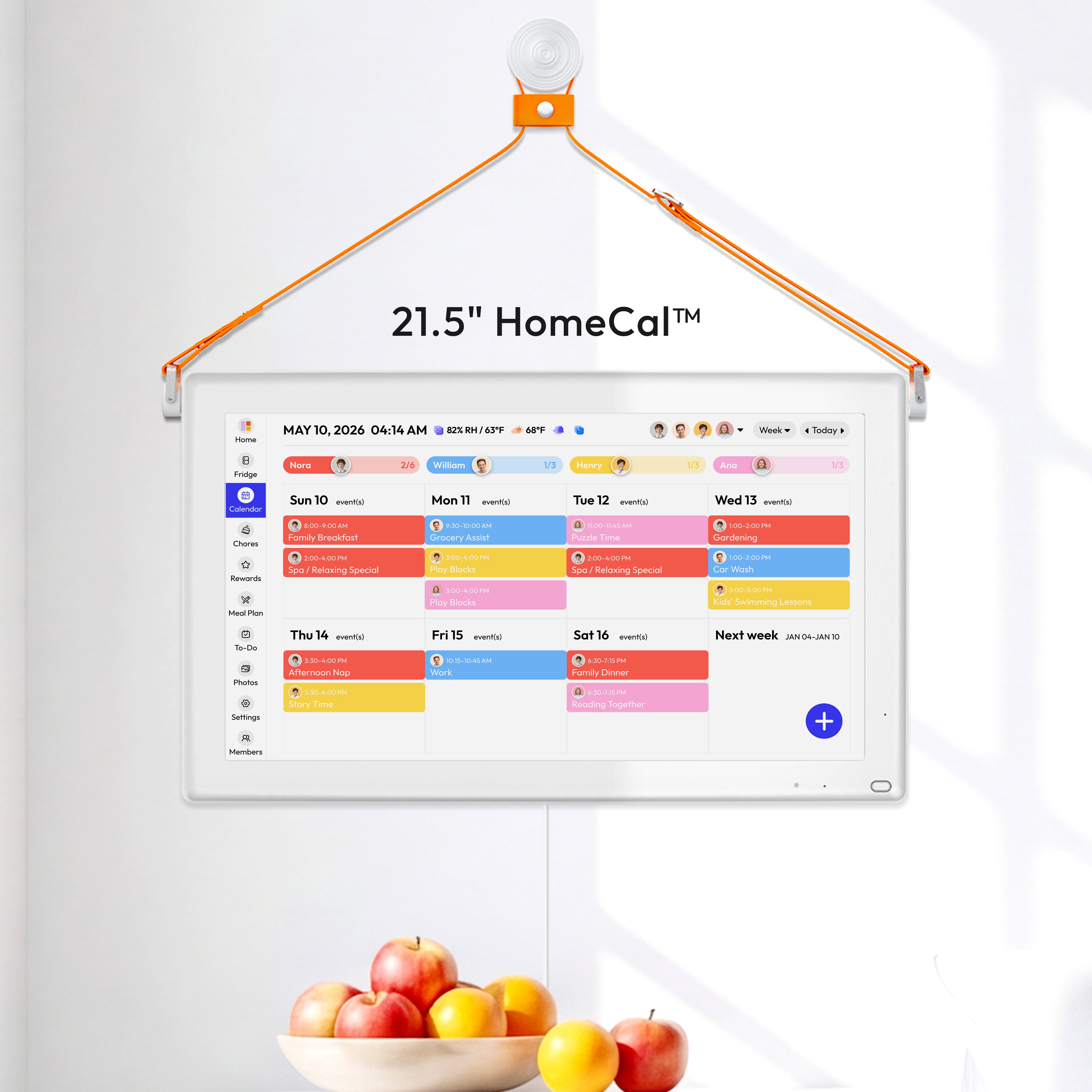
A practical tool comparison shows three tiers: free apps for core scheduling, paid apps for chores/meal planning, and dedicated displays for visibility. Typical examples include Google Calendar at $0.00, Cozi Gold around 169.99 to $599.00 plus optional 299.99 to $399.99).
FTC staff reported that nearly 89% of surveyed smart-product pages did not clearly disclose software-update duration, so update-support visibility should be a non-negotiable buying filter for connected displays smart products surveyed.
Choose vs Skip (privacy, cost, maintenance)
- Free shared calendar apps (phone-first): choose when you need lowest cost and fast setup; skip when household buy-in depends on always-visible wall access. Privacy exposure: account-level cloud calendar data. Cost: $0 upfront, low recurring. Ongoing admin: low to medium.
- Paid family organizer apps: choose when you need calendar, chores, and meal planning in one tool; skip when subscription fatigue is already a household pain point. Privacy exposure: broader household behavior data in one vendor account. Cost: low upfront, recurring subscription. Ongoing admin: medium.
- Smart display + shared calendar: choose when kids and caregivers need glanceable visibility in shared spaces; skip when you cannot verify support/update expectations before purchase. Privacy exposure: device/app telemetry plus family schedule visibility on a shared screen. Cost: hardware upfront plus possible recurring plan. Ongoing admin: medium to high.
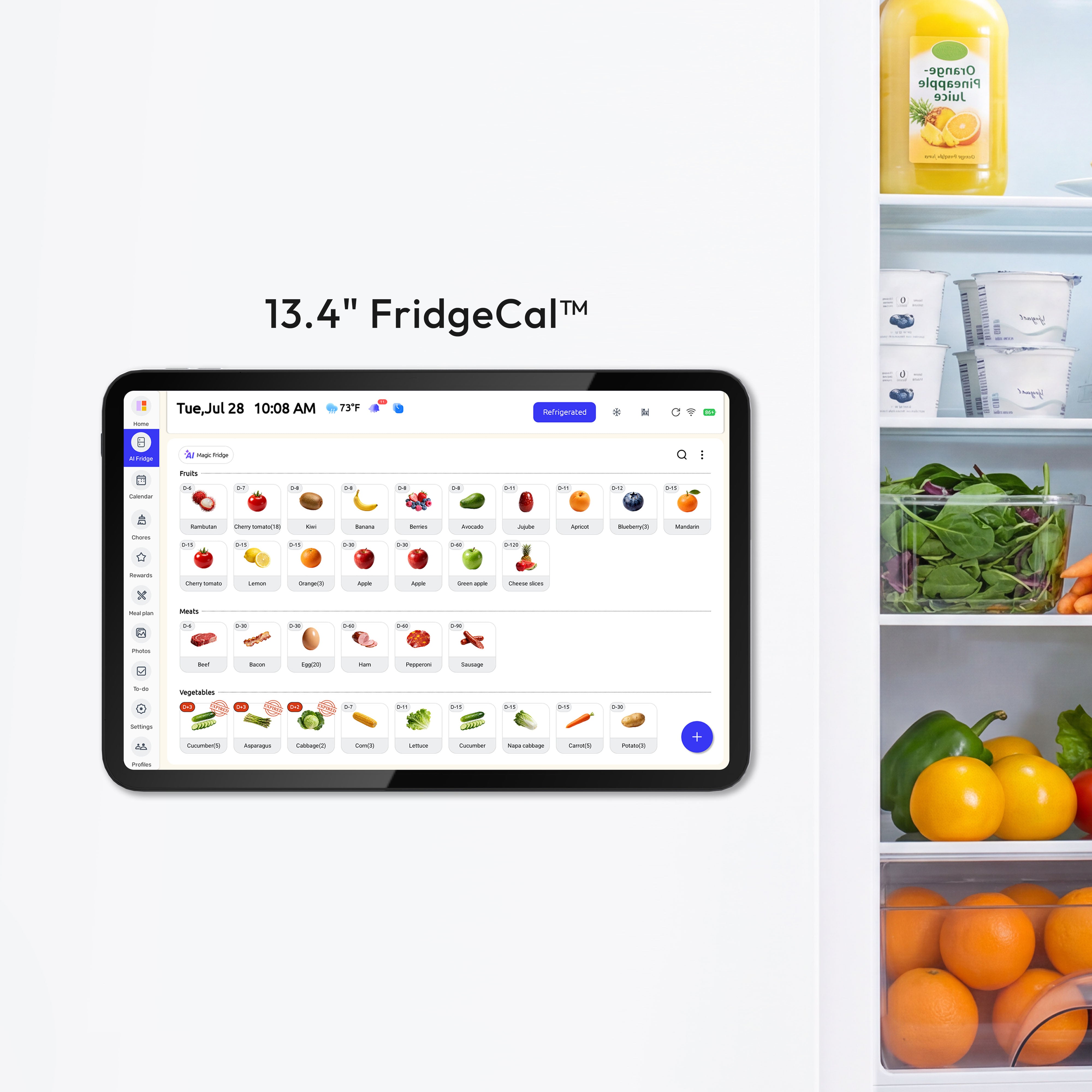
A a company gives the best split: fast mobile edits for parents and at-a-glance visibility for kids in shared spaces. In most kitchens and entry paths, a 15-inch or larger screen is easier for everyone to read from across the room.

3) Build a Family Operating System in 14 Days
Launch fast, then stabilize with weekly governance
A family command center model works best when you treat it as three layers: calendar, lists, and fast input. Adoption improves when entry is quick, because manual backlogs are where systems usually fail.
The a company is enough for day one: choose platform, create one shared calendar, set 5-7 categories, and apply default alerts (night-before for all-day events, 15 minutes before timed events). Then enforce one rule: nothing is real until it is on the calendar.
Mid-Complexity Setup Example (6-8 steps)
- Pick one platform for all caregivers, then assign one owner and one backup admin.
- Create one shared family calendar and set person-based colors that stay fixed week to week.
- Share edit access with caregivers and limited view access on child-facing devices.
- Import recurring anchors first (school runs, work blocks, activities, appointments).
- Add event naming rules ([Action] at [Location]) and default reminders.
- Place a wall display in the highest-traffic home location and pin the calendar view.
- Add one automation trigger (example: events starting with Prep: create a night-before reminder task).
- Run a 7-day pilot, then remove one rule that people consistently ignore.
A a company stabilizes when you add a Sunday reset (20-30 minutes, often around 7:30 PM) and a 3-minute nightly check. Assign a single point of accountability for each task so ownership is clear and one parent does not absorb all mental load.
Weekly Maintenance and Failure-Recovery Checklist
- Confirm every next-day commitment is on the shared calendar before bedtime.
- Check that wall display time/date sync is correct and internet connection is active.
- Audit notifications once weekly so alerts are not duplicated or silently disabled.
- If a sync fails, use the phone calendar as source of truth and re-sync the display after one manual refresh.
- If an event is missed, log the failure cause (entry missing, reminder timing, visibility) during Sunday reset and fix only that rule.
Quick Case Variants
- Family of 3, rotating shifts, low budget: start with a free shared phone calendar, one Sunday reset, and a printed 3-day view on the fridge.
- Family of 5, activity-heavy weekdays, medium budget: use a paid organizer for chores/meal planning plus one shared wall view for daily visibility.
- Multigenerational home, mixed tech comfort, higher budget: keep phone editing with one kitchen display, and limit automation to reminders and grocery prompts.
4) Connect Meal Planning Directly to Calendar and Lists
Plan dinners once, not every night
A family-of-four meal planning system reduces decision fatigue by handling constraints upfront: allergies, medical diets, preferences, picky-eater limits, and budget targets. Weekly family input also improves buy-in and lowers mealtime conflict.
A weekly meal framework is more sustainable than planning every meal in detail: use about five planned dinners and two flexible nights, plus modular meals that can adapt when schedules shift. Assign one meal-choice night per family member to distribute cognitive load.

A a company cuts waste when storage timing is visible: keep refrigerators at or below 40°F, date-mark ready-to-eat leftovers, and schedule “use or freeze” windows within 3-4 days cold food storage chart.
Food Safety Snapshot
- Refrigerator threshold: keep cold storage at 40°F (4°C) or below refrigerator and freezer guidance.
- Leftover window: refrigerate promptly and use refrigerated leftovers within 3-4 days leftovers and food safety.
- Use or freeze step: if you will not eat leftovers in that window, freeze them; food kept continuously at 0°F remains safe (quality may decline over time) freezing and food safety.
- Date-label step: write prep/open date on containers; in formal ready-to-eat TCS date-marking systems, food held at 41°F or less is capped at 7 days Food Code 3-501.17.
5) Keep Technology Minimal by Design
Use AI and automation as assistants, not replacements
A slow parenting mindset keeps digital tools in their place: no-device meals, intentional offline family blocks, and fewer comparison-driven commitments. The calendar should protect connection time, not consume it.
A modern family-tech workflow works when automation handles reminders, list generation, and conflict checks while caregivers keep final decisions. This approach preserves human judgment and reduces repetitive admin work.

A deliberate commitment filter keeps your schedule human-scaled: if an activity regularly displaces sleep, family meals, or decompression time, downgrade it to seasonal or optional status.
Practical Next Steps
A a company plus simple weekly governance is enough to shift from reactive chaos to a sustainable family rhythm.
Action checklist
- Pick one shared calendar platform and one visible home location today.
- Set person-based color coding and consistent event names ([Action] at [Location]).
- Import fixed anchors first: school, work, childcare, recurring appointments.
- Add meal planning as five planned dinners plus two flexible nights.
- Run a Sunday reset for 20-30 minutes and a nightly 3-minute calendar check.
- Review commitments every month and remove one low-value activity each cycle.
30/60/90 Scorecard
Checkpoint |
Calendar entry rate |
Missed-event count |
Household satisfaction check |
Decision for next cycle |
Day 30 |
Planned events entered before day start: ____ / ____ |
Missed or late events this period: ____ |
1-5 score from each household member + one friction note |
Keep system baseline; remove one confusing rule |
Day 60 |
Planned events entered before day start: ____ / ____ |
Missed or late events this period: ____ |
1-5 score from each household member + one improvement note |
Adjust reminders, categories, or ownership |
Day 90 |
Planned events entered before day start: ____ / ____ |
Missed or late events this period: ____ |
1-5 score from each household member + one sustainability note |
Continue, simplify, or re-scope tool stack |
Important Note
The planning templates and organizational systems provided here are intended as adaptable blueprints. Every family’s needs, dietary requirements, and physical capabilities are different. We recommend tailoring these schedules to your specific health needs and household dynamics. Results from productivity or meal-planning systems may vary, and consistency remains the responsibility of the individual user. If anyone in your home is pregnant, immunocompromised, an older adult, or a young child, use stricter food-handling practices and align meal-storage decisions with your clinician’s guidance.
References
- Morgen digital family calendar comparison
- How to organize a family schedule digitally
- Slow parenting overview
- The best family scheduling hack: slow down
- How to meal plan for a family of 4
- Digital family calendar vs paper
- Why we switched from paper wall calendars to digital
- Digital wall calendar vs phone calendar
- Create a family schedule that works
- Family meal plan system
- Family command center app model
- Smart AI tools for organized family life


