


The easiest way to combine meals, chores, and events is to run them through one shared weekly plan that everyone can see. A digital family calendar plus a simple home command center usually works better than separate notes, texts, and memory.
If dinner is half planned, the permission slip is still in a backpack, and nobody knows who is driving to practice, the problem is usually not effort. It is that the family plan is split across too many places, so handoffs get missed and one adult ends up carrying the reminders. A simpler setup can make the next seven days feel more manageable without redesigning your whole home.
Why Separate Plans Create More Work
The hidden job is remembering
When meals live on the fridge, chores live in a text thread, and events live in one parent’s head, the planning burden usually lands unevenly: mothers handled 71% of all household mental-load tasks in a US study of 3,000 parents. That gap matters because meals, school forms, pickups, birthday gifts, and laundry do not fail one at a time. They fail in clusters.

The hard part is not only doing the task. The parental mental load is the invisible work of noticing, planning, and remembering what comes next, from packing snacks for the field trip to knowing Thursday needs a faster dinner because bedtime starts late after practice. A family can look “pretty organized” from the outside and still depend on one person to keep the whole machine running.
That is why busy households often feel tense even when everybody is trying. Unequal household labor can exhaust parents and create tension, especially when regular tasks and occasional tasks are never made fully visible. If your system depends on one adult reminding everyone else, it is not a shared system yet.
Build One Weekly Map for Meals, Chores, and Events
What belongs on the calendar
A shared plan works best when it shows what must happen, when it happens, and who owns it. One shared family calendar can hold work shifts, school events, practices, appointments, meal themes, and timed chores, but it needs clear boundaries so it does not become clutter.
Use the calendar for time-based commitments, the meal plan for food decisions, and the task list for chore details. That split is what keeps the system readable.
Surface |
Best for |
Keep off it |
Shared digital calendar |
School events, pickups, practices, appointments, trash night, who cooks |
Long grocery notes, recipe steps |
Meal plan or dinner list |
What is for dinner, prep notes, thaw reminders, grocery gaps |
Every family appointment |
Repeating jobs, who owns them, due day |
Loose event planning |
A good test is this: if the item needs a time or a handoff, put it on the calendar. If it needs ingredients or prep, keep it with the meal plan. If it is a repeating responsibility, keep it on the chore list and only put it on the calendar when timing matters, such as “trash to curb by 7:00 PM” or “switch laundry before pickup.”

Keep the weekly view readable
Families usually stick with schedules better when they add priorities first and block time for them, then fill open space with flexible tasks. In practice, that means school, work, childcare, and fixed activities go on first. Dinner plans, grocery pickup, and chore windows come next.
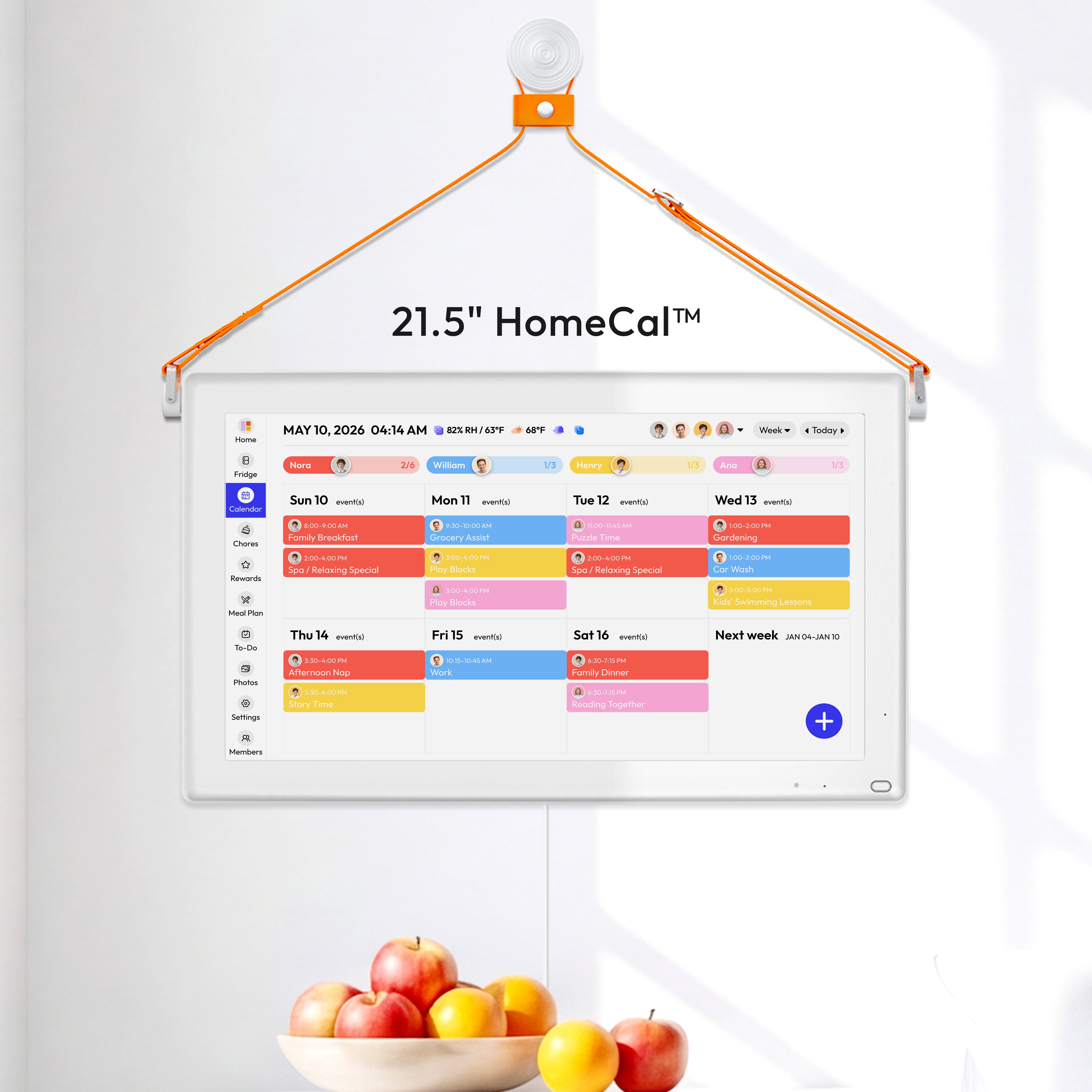
This is also where color-coding helps. A platform’s shared calendar uses color coding for each family member, which is useful because a busy week becomes easier to scan when “blue is Dad’s pickup,” “green is school,” and “orange is dinner prep.” The goal is not a prettier calendar. The goal is fewer “Who is handling this?” conversations at 5:30 PM.
A simple example: if soccer starts at 6:00 PM on Tuesday, put “slow cooker night” or “leftovers” on Tuesday, not Friday. If Friday has no evening event, that is the better night for a longer meal, a bathroom reset, or a grocery put-away job with the kids.
Set Up a Command Center People Will Actually Use
Five pieces that matter most
A family command center is just a visible home spot that keeps schedules, papers, lists, and drop-zone items in one place. It works best in a high-traffic area your family already passes, such as near the kitchen, garage door, laundry area, or entry.
Start smaller than you think. Most families do not need a platform-style wall. They need five useful pieces:
- A visible weekly calendar or dry-erase board
- A meal board with dinners for the next 5 to 7 days
- One inbox for school papers, mail, and forms that need action
- A short chore strip or checklist for repeating jobs
- Hooks, bins, or one shelf for backpacks, keys, or library books
A command center only helps if it is easy to maintain. One budget-friendly setup highlighted in the source cost $75 total, which is a good reminder that the win comes from visibility, not fancy hardware. If space is tight, use a pantry door, a narrow wall, or a small section of refrigerator space instead of waiting for a “perfect” setup.
Let the wall and the app do different jobs
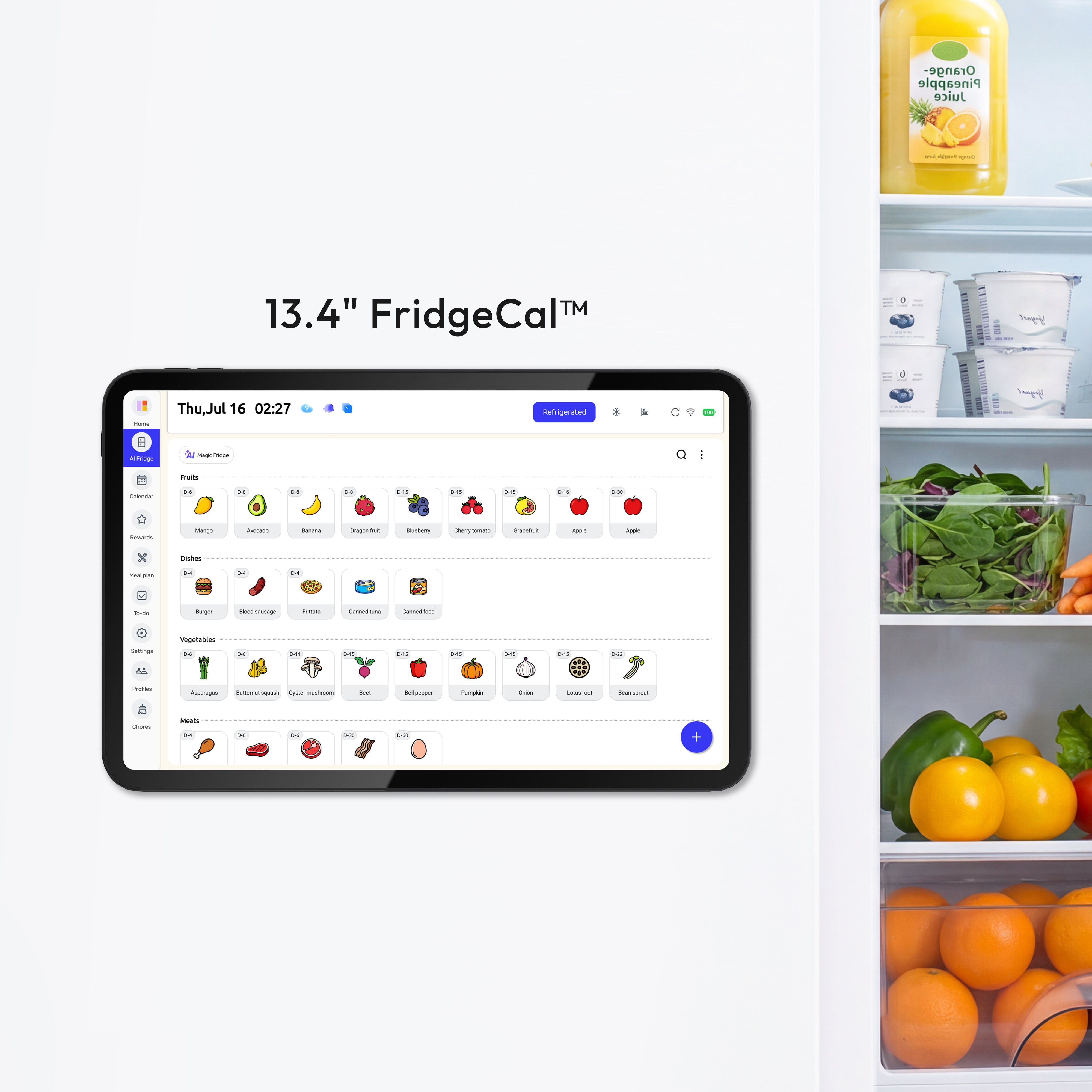
A physical station is good for glanceability. A digital tool is good for reminders, updates, and shared access from work or school pickup. Some families use a wall-mounted shared screen such as the Everblog digital calendar to keep plans, tasks, chores, and events visible on one display. A platform’s shared dashboard combines schedules, grocery lists, to-dos, and dinner plans, which is useful when one person is at home and another is checking the plan from a cell phone in a parking lot.

The best hybrid systems are boring in a good way. The app holds the live schedule and sends alerts. The wall holds the weekly view, school papers, and the one place everyone checks before leaving the house. If a babysitter, grandparent, or older child needs to help, the plan is visible without asking one parent to explain it all again.
Use a Weekly Rhythm Instead of Daily Catch-Up
A 20-minute Sunday reset
Most families do better with a short planned reset than with constant catch-up. A scheduled weekly check-in helps families review plans, adjust for changes, and avoid sliding back into one-person management.
A practical version looks like this: 20 minutes on Sunday night or Monday morning. Open the calendar, add fixed events, choose 5 to 7 dinners, note one grocery run or pickup window, and assign the week’s handoffs. Then ask only three questions: What is late this week? What needs prep a day early? Who owns the bottlenecks?
What usually breaks
The weekly reset fails when it tries to do too much. Smarter family planning stays simple: one calendar, one grocery run, theme nights, batch cooking, and a quick family check-in. If the meeting turns into budget talk, deep cleaning, summer travel, and school paperwork all at once, people stop showing up.
Food is often the first point of failure, so make it easier than you think you should. Busy mothers in one roundup described keeping basic supplies in the fridge, pantry, and freezer and preparing meals in bulk for faster weeknights. In plain terms, that means you want at least two low-effort dinners always available, such as frozen meatballs, pasta, soup, rotisserie chicken, taco fixings, or breakfast-for-dinner supplies.
A quick daily glance matters too. Families are advised to review the schedule together at the start of each day, especially when kids are involved. That can be 90 seconds over breakfast: “Today is library day, Grandma pickup changed, and dinner is sandwiches because we get home late.”
Share Full Responsibilities, Not Just Small Tasks
Assign complete loops
A task is not truly shared if one person still has to notice it, remind someone, and check whether it got done. Doing a chore is different from carrying the mental load for it, which is why “just tell me what to do” often makes the overloaded parent feel worse, not better.
A better move is to assign full loops. One adult owns Tuesday and Thursday dinner from planning to cleanup. The other owns school communication and forms for the week. An older child owns pet feeding, backpack reset, and setting out lunch boxes. Shared planning gets lighter when the owner also handles the remembering.

Make the work visible before you divide it
Families usually divide work more fairly when they first list all regular and occasional household tasks, then talk through frustrations and set clearer expectations. That list should include invisible jobs: checking the school app, signing birthday cards, tracking shoe sizes, scheduling dentist appointments, replacing detergent, and noticing that the science fair board is due Friday.
This also helps with kids. Busy families benefit from shared chores and visible planning boards, but children need concrete jobs more than vague requests to “help out.” “Unload lunch box after school” is better than “be more responsible.” “Fold towels after dinner on Wednesdays” is better than “do laundry when you can.”
A useful rule is one repeating job per child to start, tied to a clear time and place. That keeps follow-through realistic, especially in homes where energy and attention vary week to week.
FAQ
Q: Should we use a wall board or a digital calendar?
A: Use both if you can. The wall board is faster to glance at, while the digital calendar handles reminders, updates, and syncing when adults are not in the same place. If you are starting from scratch, begin with one shared digital calendar and one small visible board at home.
Q: How do we keep the calendar from getting cluttered?
A: Only put time-based items and handoffs on the calendar. Keep grocery details with the meal plan, and keep chore steps on a short checklist. If an item does not need a time, it probably does not belong in the calendar.
Q: What if one parent still ignores the system?
A: Lower the friction first. Put the command center in a spot they already pass, keep the weekly check-in under 20 minutes, and assign full ownership instead of helper roles. If the same jobs still bounce back to one person, the problem is role design, not the color of the calendar.
Practical Next Steps
You do not need a perfect setup by next month. You need one shared weekly view that covers meals, chores, and events by this weekend.
- Pick one shared calendar and one visible home spot today.
- Add all fixed events for the next 7 days first.
- Choose 5 to 7 dinners, including 2 very easy backup meals.
- Write down every repeating chore and assign an owner for each one.
- Hold a 20-minute weekly reset at the same time each week.
- Review the plan once each morning and adjust before the day gets away from you.
If the system feels heavy, shrink it. The best family planning setup is the one your household will still be using next Tuesday night.


