
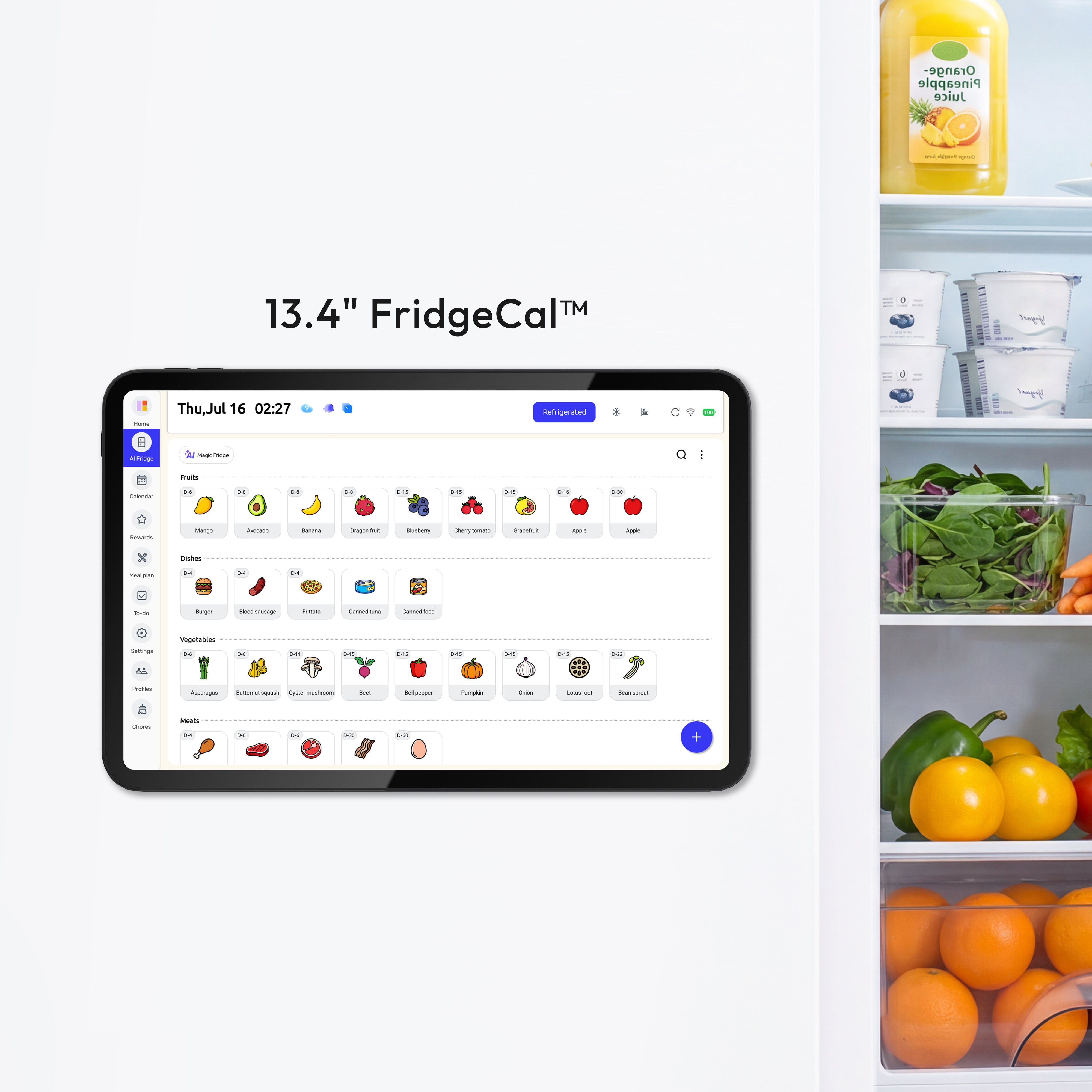
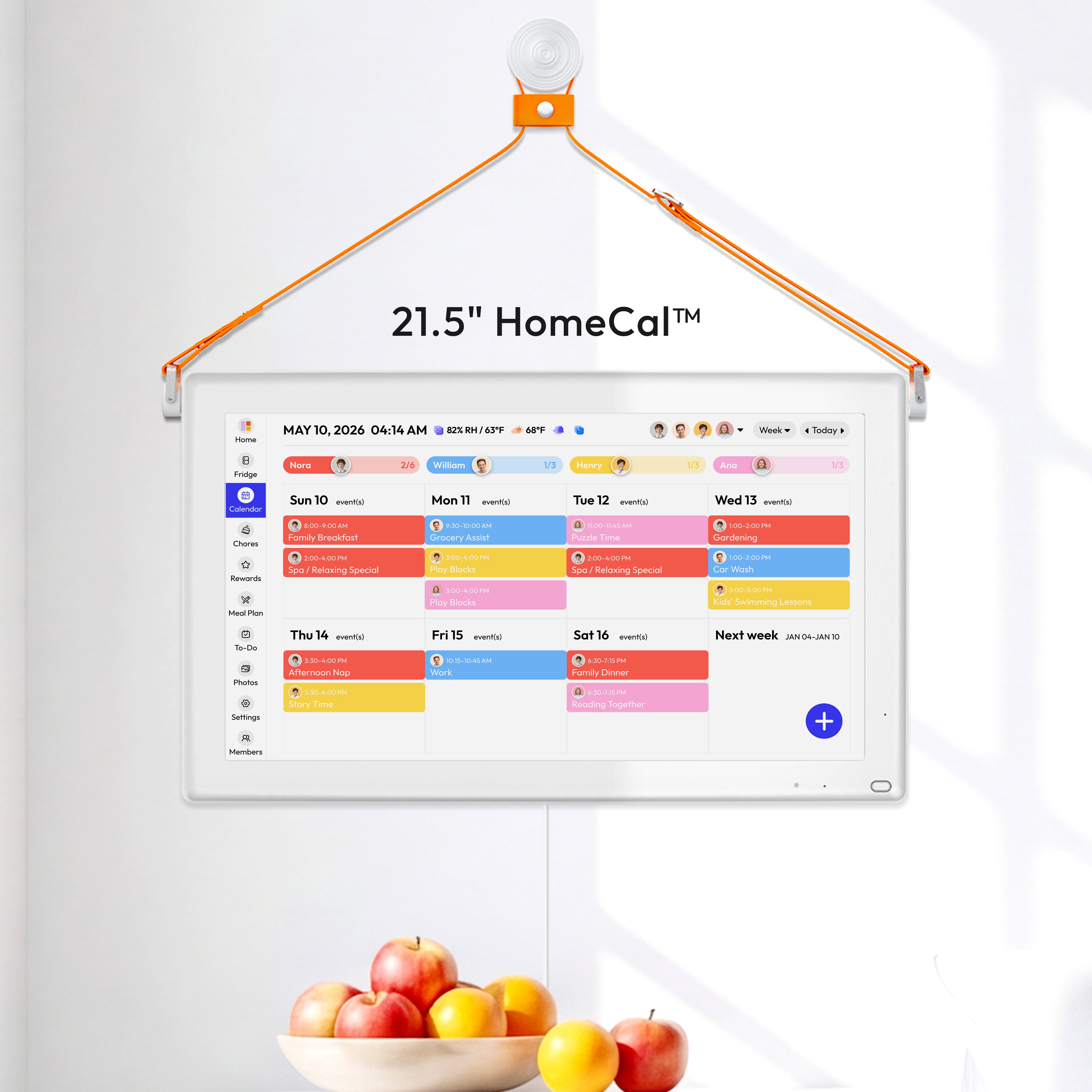


A calm family planning zone works best when it has one shared calendar, one visible home base, and only the papers or tools your family checks every day. Put it where people already pass through, keep it easy to read at a glance, and reset it before the week gets noisy.
Does your kitchen counter become the place where school forms, grocery notes, sports schedules, and half-finished reminders pile up by Wednesday? A simple planning zone can turn those loose pieces into one clear place for meals, chores, pickups, and deadlines. Here is how to build a family command center that looks calm because it is actually easier to use.

Start With the Jobs This Zone Must Do
A family planning zone should not be a wall full of cute containers. It should answer the questions your household asks every day: Who is going where? What are we eating? What needs to leave the house tomorrow? What paper cannot be lost?
Choose the core categories
Most families only need four to six active categories. Good starting points are calendar, meals, chores, school papers, keys or bags, and grocery notes. A family command center can include calendars, whiteboards, corkboards, file folders, baskets, hooks, and labeled bins, but it does not need all of them at once.
For a busy household, the best setup is often one digital calendar plus one visible station. The digital calendar holds the changing schedule. The wall or counter station holds the physical handoffs: forms to sign, library books to return, lunch notes, coupons, mail, and the grocery pad.
Keep the wall from becoming a second junk drawer
Before buying bins, list what actually lands in your planning area during a normal week. For example, a family with two school-age kids might need one folder per child, one mail slot for bills, one small basket for keys, a meal board, and a charging spot for a shared tablet.
Skip categories that sound organized but do not solve a real problem. If nobody uses a coupon file, it will become paper storage. If your kids never check a chore chart on the fridge, move chores to a place they pass on the way to backpacks or shoes.
Pick the Right Location Before You Pick the Tools
The right spot is the one your family naturally sees without stopping. A planning zone hidden in a formal dining room may look tidy, but it will not help much if everyone enters through the garage and drops bags in the kitchen.

Read the traffic flow
Look for the path between the main entrance, kitchen, backpacks, shoes, and fridge. Useful command center locations include a kitchen wall, mudroom, garage entry path, pantry wall, fridge side, cabinet door, or a narrow desk area. A visible home planning spot works best in a high-traffic area because people can check it while moving through normal routines.
Sightlines matter. Stand where you usually make breakfast, pack lunches, or grab keys. If you can read the main calendar without walking across the room, the placement is working. If you have to step around a chair, open a closet, or move a stack of mail, the zone will be ignored during busy weeks.
Check wall height, glare, and outlets
For a wall calendar, whiteboard, or digital display, place the main information close to adult eye level, often with the center around 52 to 60 inches from the floor. If young kids need to use it, put their section lower, such as a basket, picture chore card, or school folder they can reach without climbing.
If you use a screen, check glare at breakfast time and late afternoon. A glossy display opposite a sunny window may look fine at night but be unreadable during the school rush. Also check nearby outlets before committing. A visible charging cord stretched across a counter makes the whole zone feel messy, even if the calendar itself is well organized.
Use Digital and Physical Planning for Different Jobs
A digital family calendar is good for changing information. A physical command center is good for visible handoffs. The calm setup uses both without asking the wall to carry every detail.
Let the digital calendar be the source of truth
Put real commitments in the shared digital calendar: school events, medical appointments, pickups, games, practices, work travel, guests, deadlines, and holiday plans. A digital family calendar helps avoid the update lag that happens when a paper wall calendar becomes outdated after schedule changes.

Use 4 to 6 fixed colors so the calendar stays readable. For example, blue for school, red for medical, orange for logistics, green for activities, yellow for social plans, and gray for household tasks. More colors may look organized at first, but they slow down quick reading.
For families using a wall-mounted shared screen, the Everblog 21.5" Digital Calendar is one example of a large touch display designed for wall mounting, with plans, tasks, chores, and events visible on one screen.
Let the wall handle the week in front of you
The visible planning zone should show only what the household needs to act on soon. That might be the next seven days, this week’s dinners, today’s chore owner, and papers that need a signature.
A paper wall calendar can still work in a low-change home. But when one square has to hold work shifts, soccer practice, dinner plans, dentist reminders, and school spirit day, it starts to look crowded. In that case, use the wall as a calm dashboard and let the digital calendar hold the full detail.
Build the Zone Around Meals, Chores, and Handoffs
Busy weeks often fall apart around dinner, laundry, school papers, and transportation. Your command center should make those handoffs easier, not just prettier.
Add a small meal system
A weekly meal plan does not need seven perfect dinners. A realistic plan might cover three or four dinners, one leftover night, one easy repeat meal, and one flexible night. A Sunday meal plan can take 10 to 15 minutes and still reduce the 5:30 PM scramble.
Keep the meal board close to the kitchen, but not in the splash zone. The side of the fridge, a pantry wall, or a cabinet door often works better than the counter beside the sink. Kitchen mess matters: sauce splatter, lunch crumbs, and wet hands can turn a paper planner into another thing to clean.
Make chores visible and owned
Chores are easier to follow when each person owns one clear job for the week. For example, one child owns pet water, one adult owns lunch prep, and another adult owns trash and recycling. The goal is not to create a perfect chart. The goal is to remove the daily question of “Who was supposed to do this?”

Use named baskets or folders for school papers, homework, and personal items. Individual mini stations can help prevent mix-ups between children, especially when backpacks, permission slips, and sports gear all move through the same entryway.
Keep the Look Calm by Limiting What Is Visible
A calm-looking command center is not empty. It is edited. The difference is that every visible item has a job and a home.
Use containers that match the action
Mail that must be paid belongs in one slim slot, not a deep basket. School papers that need signatures need a folder labeled by child. Keys need hooks or a small tray. Grocery needs can go on a pad near the fridge so anyone can add milk, eggs, or lunch snacks when they run out.
Some families do well with wipe-board templates inside 8x10 picture frames, especially near an entryway. These can show weekly meals, reminders, or pickup notes without creating piles. Printed templates inside picture frames are easy to change and can be renter-friendly if hung with removable strips.
Hide reference papers, not active papers
Manuals, medical notes, mortgage papers, camp packets, and appliance records do not need to live on the wall. Put them in a binder, file box, or labeled cabinet folder. The visible zone should hold active items only: what needs to be seen this week.
If you like a cleaner look, use a cabinet door, closet wall, or shallow entry cabinet. Hidden command centers can still work if they are on the daily path. The key is that opening the door should take one second, not feel like digging through storage.
Set Maintenance Rules That Survive Busy Weeks
The system will only stay calm if it has a reset rhythm. Without maintenance, even a beautiful command center becomes a wall-mounted pile.
Use two short daily resets
Try one 10-minute reset in the morning or after school, and one 10-minute reset at night. The morning reset can handle lunch boxes, papers, backpacks, and quick calendar checks. The evening reset can clear old mail, update tomorrow’s reminders, and move forms into the right folder.

One cited study of 3,000 US parents found that mothers handled 71% of household mental-load tasks. A shared visible system helps because it makes the work easier to see and divide. It should not quietly become one person’s private control panel.
Do one weekly reset
A Sunday reset works well for many households, but any steady day is fine. Scan the next seven days, update meals, clear old papers, empty baskets, check school forms, and confirm who owns which chores. Most households can launch a basic setup in one week and stabilize it within about 14 days when they pair a weekly reset with a short nightly check.
Include food planning in the reset if your command center supports meals. Keep the refrigerator below 41°F and use or freeze most opened or cooked foods within 4 to 7 days. A freezer inventory sheet can also reduce forgotten food, especially if it sits on top of the freezer or inside a nearby cabinet.
Action Checklist for a Calm Family Planning Zone
- Pick one high-traffic location: Choose a kitchen wall, mudroom, garage entry path, pantry wall, fridge side, cabinet door, or small desk area.
- Check sightlines: Make sure the main calendar or screen is readable from where people pack bags, make breakfast, or grab keys.
- Test the wall height: Put adult information around eye level and kid-used folders or baskets within easy reach.
- Check glare and outlets: View the screen or board in morning and afternoon light, and make sure power cords stay tidy.
- Limit active categories: Start with calendar, meals, chores, school papers, mail, and keys. Remove anything that is not used weekly.
- Assign one owner per chore: Give each person one clear job for the week instead of changing tasks every day.
- Reset weekly: Update the next seven days, clear stale papers, plan three or four dinners, and remove anything that does not belong.
FAQ
Q: Should a family command center be in the kitchen?
A: The kitchen is often a strong choice because meals, groceries, school papers, and daily reminders naturally pass through it. But avoid the messiest counter zone near the sink or stove. A pantry wall, fridge side, cabinet door, or nearby entry wall can give you the kitchen connection without the clutter and splatter.
Q: Is a digital calendar better than a paper wall calendar?
A: A digital calendar is usually better for changing schedules because everyone can see updates on a phone or shared screen. A paper wall calendar can still work for simple, low-change homes. Many families do best with both: the digital calendar holds the full schedule, and the wall shows the short list for this week.
Q: How do I stop the command center from becoming cluttered?
A: Give every visible item a job. Active papers can stay in named folders, but reference papers should move to binders or storage. Do a weekly reset and remove expired invitations, old school notices, finished coupons, and any note that no longer needs action.
Practical Next Steps
Start smaller than you think. Choose one wall or cabinet door, one shared calendar, one meal area, and one folder or basket per person. If the zone helps your family answer “What is happening today?” and “What needs to leave the house tomorrow?” without searching through texts, counters, and backpacks, it is doing its job.
After two weeks, adjust based on what your family actually used. Move the screen if glare is a problem. Lower the kid folders if they cannot reach them. Remove bins that collect random items. A calm family planning zone is not a perfect display; it is a working spot that keeps the week visible without making the room feel busy.


